 How we use AI in our process

Benefits of Hiring
a UI/UX Designer
Clear navigation gets people on board quickly
UI/UX designers set up interfaces in a way that makes sense. The path to follow is obvious, and information is placed logically. This clear navigation means new users can figure out your product easily without getting frustrated or giving up.

Smart organization helps people get tasks done fast
Experienced designers know how to take complex tasks and simplify them. They put things in order, use common patterns people recognize, and give helpful feedback. The smart organization allows users to be efficient with your product.
The pleasing design makes people feel good about your brand
An expert UI designer understands how design choices like colors, fonts, and little interactions impact emotions. By crafting experiences that look great and feel enjoyable, they strengthen the positive connection between users and your brand.
Check what our clients say about working with UITOP


Cole Weiler
CEO, BoltWise“They took way more responsibility than we asked and we were so happy with the results of all their work. UITOP was easy to work with, flexible, and valuable to our company.”


Neil Hosey
ResHub, CTO


Dylan Gambardella
Founder, Different Health“They took extra time to ensure that our frontend developer could easily implement the wireframes.”

Sam Jordan
TrovBase, CEO

Dirk Pauw
CEO, Tavas“We’re most impressed with UITOP’s ability to come up with a system to be able to bring design solutions.”

Jordan Girard
Whiterock, Founder

Jake Heimark
Costa Security, CEO"We are happy with the improved UI/UX, which has made product navigation cleaner, simpler, and more intuitive. The team is great and always there to help."

Michael Mosseri
Total Brokerage, CEO

Nicolas Endress
ClimEase, CEO
How We Deal with User Disappointment
Clear information hierarchy
We employ visual hierarchy principles like size, contrast, and spacing to prioritize and clearly communicate the most important information. This prevents users from missing key details and becoming disappointed when something doesn’t meet their expectations.
Adaptive content layouts
Our responsive designs dynamically adapt layouts and content priorities based on screen size and device capabilities. This ensures an optimized experience, whether on desktop, mobile, tablet or anything else. Your users won’t get frustrated by cramped, cluttered or broken layouts that fail to properly restructure across contexts.
Intuitive user flows
A great UX designer invests effort in understanding user needs and behaviors. This insight informs the creation of intuitive navigation paths and content flows that mirror how people think. Clear information architecture, consistent UI patterns, and predictable interactions provide seamless experiences that meet user expectations.

Our Design Solutions to Abandoned Carts
One-click resuming
We design persistent shopping cart functionality that allows customers to easily resume their cart across devices and sessions with one click. Cart details are saved even if the browser is closed, reducing frustration when picking them back up.
In-context checkout prompts
At strategic cart abandonment points, we trigger unobtrusive modal windows or slide-outs prompting the user to begin checkout or offering assistance. These smartly-timed nudges provide a gentle reminder to complete their purchase.
Live preview visualization
Our cart interfaces showcase live rendered visualizations of the items and their options/customizations as they are added. This way, you can ensure users get exactly what they expect.

How We Boost Convertions Through Design
Social proof validations
Our designs incorporate dynamic social proof elements like customer testimonial quotes, live purchase notification streams, and trust badges. This builds credibility and reinforces that others have successfully converted.
Reducing conversion friction
Our team streamlines and optimizes conversion flows by removing unnecessary fields, clicks, and distractions. Smart autofill, guest checkouts, and mobile-optimized patterns make it effortless for users to convert.
Scannability and content choreography
UITOP designs pages with easily scannable, well-organized content layouts that reveal information sequentially. Critical details like pricing, guarantees, and key benefits are strategically surfaced and chunked for maximum comprehension, which builds the desire to convert.


Main stages in our agency's UI/UX designer hiring process
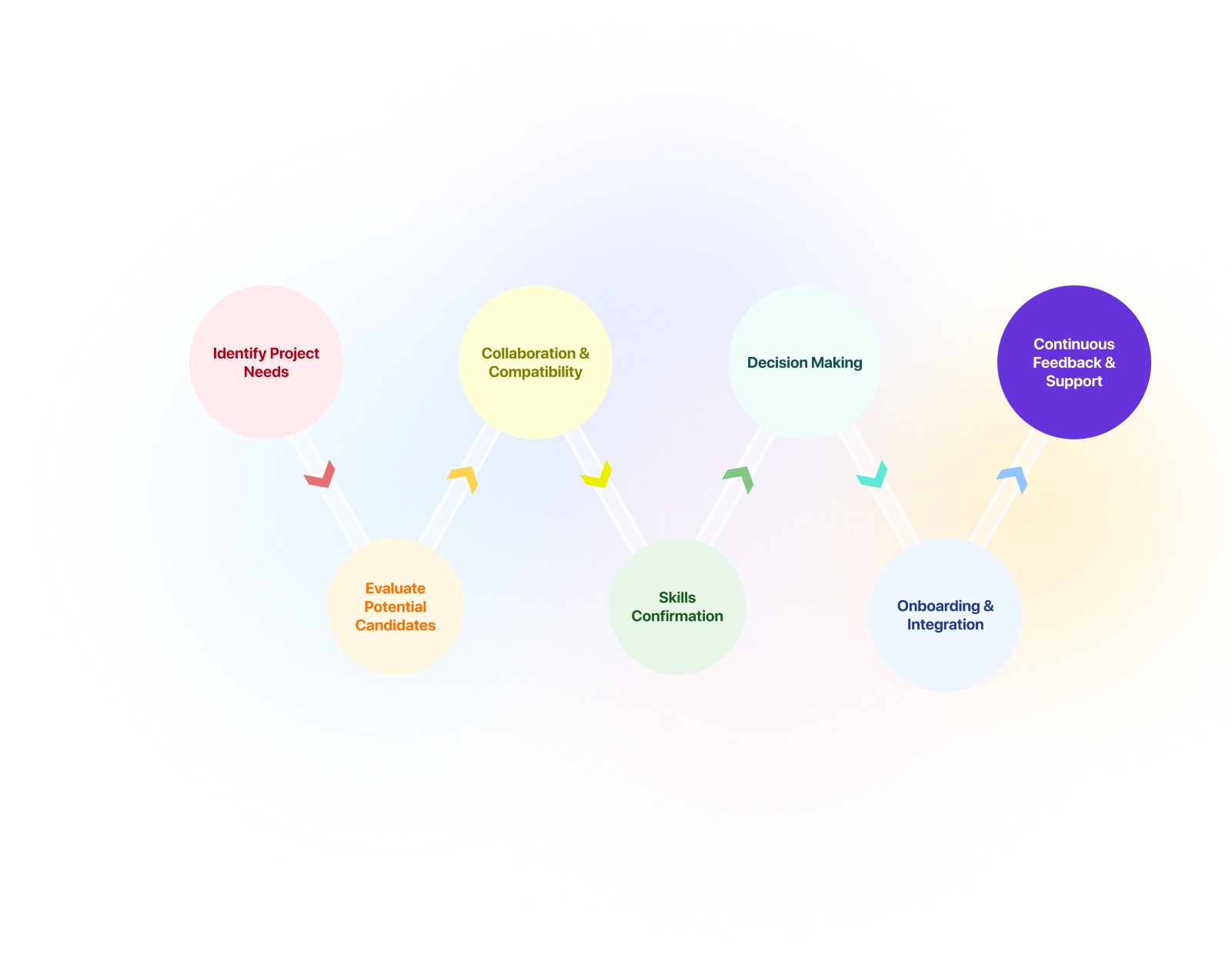
Hiring a designer shouldn’t be complex. At our agency, we follow a well-defined process to ensure we match you with the perfect UI/UX design talent for your project needs.
Step 1: Project scoping and requirements gathering
Step 2: Designer skills and portfolio matching
Step 3: Designer availability and bandwidth review
Step 4: Client-designer introduction
Step 5: Project kickoff and alignment
Step 6: Ongoing project management
The tools powering intuitive experiences
Our UI/UX designers use top design programs and technologies to create beautiful and user-friendly interfaces.


Why Hire UI/UX Designer at UITOP?
Specialization in complex products
Simple apps are one thing, but we excel at making specialized, data-heavy products usable. Our designers thrive on complex challenges like finance dashboards, medical software, or engineering tools. We'll ensure your intricate product is a joy to use.
Lightning-fast prototyping
Why wait forever to see your design? We can quickly build code prototypes to test out designs and interactions before any real development starts. This lets you see and tweak things faster.
In-depth experience audits
If you're redesigning an existing product, our special UX audit process digs deep to uncover opportunities. We'll examine your current experience from every angle to pinpoint what needs improving.
Focused on better results
For UITOP, good design isn't just making apps look pretty — it's about helping you get better business results. Our data-driven approach carefully optimizes user flows for more conversions.
Inclusive design pioneers
We've been leaders in pioneering inclusive design approaches to create accommodating experiences for users of all abilities and contexts before it became a broad industry focus.
Global design localization
Taking your product international? Hire UI/UX experts at UITOP who will ensure your experiences are adapted and localized properly for diverse markets.
Frequently asked questions and answers
What is the difference between a SaaS designer and UI/UX designer?
A SaaS designer creates user interfaces for web-based software programs. You access these programs through the internet, like a subscription service. A UI/UX designer works on many types of design projects. This includes websites, web apps, and mobile apps.
What is the role of a UX designer for SaaS in product success?
The UX designer’s role is important for a SaaS product’s success. Their job is to make user experiences intuitive, efficient, and enjoyable to use. Well-designed UX leads to more people using and sticking with the product, increasing overall user satisfaction. A great UX can also directly help with better conversion rates, growing revenue for the SaaS business.
How can a SaaS UI designer balance interface simplicity and attractiveness?
A SaaS UI designer needs to balance simple, clean interfaces with attractive visuals. The goal is to create uncluttered designs that are easy to use, at the same time incorporating appealing elements.
How should SaaS designers approach mobile design?
For mobile, SaaS designers prioritize responsive layouts for smaller screens and optimize for touch-based mobile use. Layouts, navigation, and interactions are all adapted for mobile. They also consider challenges such as limited attention, interruptions, and varying networks.
What are the best practices for SaaS user onboarding?
For effective onboarding, start with a clear step-by-step flow. Gradually introduce key features to new users, not all at once. In addition, use interactive guides, tooltips, and contextual help within the app. Personalizing per-user roles helps, too. Most importantly, keep improving the process based on user feedback.
How should SaaS designers handle complex data displays?
Designers should break up information hierarchically for complex data displays in SaaS products. They should use visual cues like colors and icons to help scan. Interactive filters and views let users control what data they see. The main idea is layering complexity, not overwhelming it all at once.