Design • Apr 23, 2024
 How we use AI in our process Learn more
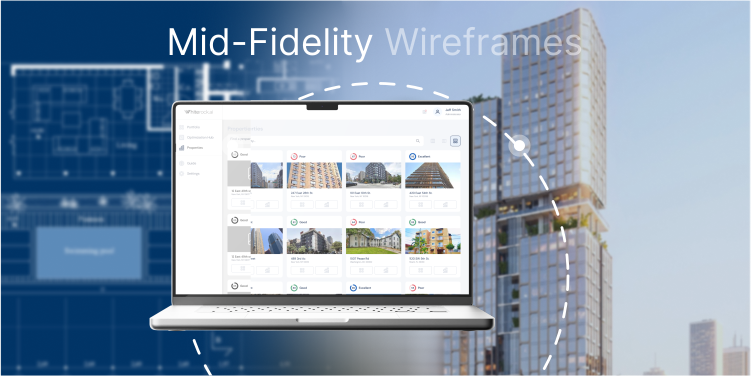
Digital product UX/UI design process doesn't exist without its central pillar: wireframing. Those preliminary layouts showcase the structure, main workflows, features, and logic before a drop of color is added. Top-notch designers don't skip this process as it sets a solid foundation for the platform's usability and user satisfaction.
When going from ideas to visual representations, teams work on low-fidelity, mid-fidelity, and high-fidelity wireframes. Every stage allows specialists to test ideas, bring stakeholders into the process, iterate quickly, and save time for redesign before development kicks off.
In this guide, we will focus on mid-fidelity wireframes, the difference between rough sketches and interactive mockups, the tools with which they are built, and best practices with examples for achieving the most precise result.
Mid-fi product design drafts are an intermediate level between low and high-fidelity wireframes. Low-fi blueprints outline only a few details and are not easy to understand for non-designers. Hi-fi digital copies resemble the final version. And mid-fidelity wireframes lie midway between showing the structure, elements' organization, and layout.
For those types of drafts, it is common to be presented in grayscale without colorful, interactive, and other visual distractions. Designers often use simple icons, basic typography, and placeholder images to show the main logic of the screens. Thus, teams focus on functionality and usability rather than aesthetic pleasure.
The wireframes of this level don't have final UI elements, live content, or branding. But this doesn't prevent them from providing enough space for testing ideas and learning feedback from users and stakeholders. At this stage, UI/UX specialists can still implement changes quickly as nothing is "set in stone" yet.
To understand where mid-fi wireframes are located in the design process, let's see them in comparison with other interface sketches:
| Feature | Low-fidelity | Mid-fidelity | High-fidelity |
| Visual detail | Very basic, there are only some shapes and lines drawn | Grayscale layout, placeholder content, and basic UI components | Full visuals including colors, typography, icons, and realistic content |
| Interactivity | There is no interactivity at this stage | Basic navigation or clickable buttons | Fully interactive; it serves as a final product design version |
| Purpose | Brainstorming, early feedback, and team alignment | Testing ideas, validating them, and conducting internal reviews | Getting final approval, handing it off to developers, and conducting high-fidelity testing |
| Tools | Pen and paper, Balsamiq, and Whimsical | Figma, Sketch, Adobe XD, and Axure | Figma, InVision, ProtoPie, and Adobe XD |
These prototypes perfectly fit the middle stage of the UX workflow. The following are the key moments when it is best to incorporate them:

These prototypes deliver a balance between speed and clarity. They are easy to craft, yet provide enough details for the teams to make informed decisions.
The main benefit of using mid-fidelity wireframes is collaboration. The interface screens with structure and main workflows serve as a visual language that gathers designers, developers, product managers, and stakeholders around the same topic.
They are quicker to craft compared to hi-fi digital copies, and thus, teams that follow an agile development approach can benefit a lot. At the same time, mid-fi design examples are more informative and actionable than low-fi ones.
Another benefit of crafting wireframes with medium fidelity is that they can reveal and solve issues early. By presenting the structure and the main logic, teams can discover pain points and make adjustments before visual assets are finalized.
The core design idea also helps designers to prioritize functionality, focusing on what brings the most value to the users.
Working with high-performing tools is essential as this is how you can make the process faster, smoother, and more collaborative. Designers worldwide use these tools for building mid-fidelity wireframes:

To see how a mid-fidelity wireframe works in practice, let's look at these examples that illustrate different UI/UX scenarios in product design.

Mid-fidelity wireframes aim to map out complex dashboard interfaces with a focus on usability. In this example, you can see the wireframe of the admin dashboard for a SaaS platform. It has a navigation menu on the left, data visualization on the main screen, and quick actions on the right. Even though it has no color, you can still see the user workflows and core functionality.

Just look at how simple this wireframe is. A few lines, buttons, and words, and you already see the whole user sign-up process. The wireframe provides enough detail to see the CTA areas, input fields, and navigation cues. And thus, the teams can align on the functionality before proceeding to the visual representation.

Another example is a common use case of mid-fi wireframes for conversion-focused pages. At the checkout screen, you can see all the essential details such as order summary, confirmation button, and payment options. By analyzing the prototypes, you can decide if it is logical and easy enough to proceed with the purchase.
Incorporate these rules to receive all the benefits from mid-fidelity wireframing:
Designers might make these mistakes when creating mid-fi interfaces. First of all, they might focus on the visual side more than design clarity. At this stage, aesthetics are not that important. Clear structure and layout are.
Secondly, since medium fidelity wireframes are not colorful or interactive, some teams might assume they don't need to be tested with real users. However, such prototypes are perfect for gathering feedback early on.
And thirdly, mid-fi sketches can be perceived as final UI design examples. However, they remain drafts. Thus, before you present the prototypes to stakeholders and other team members, clarify their purpose at this stage.
Mid-fidelity wireframes are a bridge between rough sketches and interactive and colorful designs. They are quick to build, but still allow designers to test functionality, user flows, and structure. By understanding their value, teams can confidently proceed with the design process without costly redesign in the future.
If you are looking for professional UI/UX design services, you have come to the right place. Contact us, and we will transform your ideas into user-friendly interfaces!