 How we use AI in our process

Product, Development
/
Mar 25, 2026

You can’t compromise on the quality of your order management system design. It’s a vital element of your system’s health. Even a minimal slip in the way it works can result in serious issues. The latter may include anything in the range from stock movement issues and shipment delays to a net loss. If you don’t want to fail any of the hundreds or thousands of transactions your business handles on a daily basis, UX design should keep up. In this case, operational reliability, speed, and clarity are a must.
When planning your system’s interface, you should take into account how it will reflect dynamic data exchange consistently and accurately in low- and high-traffic pressure conditions. What’s more, supply chain disruptions should be minimized. With UITOP, your business will benefit from time-tested and effective tactics for elevating the operational accuracy of your system. Let’s highlight the benefits of tools tailored to order and inventory management systems (OMS and IMS).


Our expertise
We build OMS solutions that streamline order flows across channels and teams.
Contact usAt a fundamental level, designing an order management system is different from a standard B2B SaaS.

These two types of platforms treat multiple performance-related aspects differently:
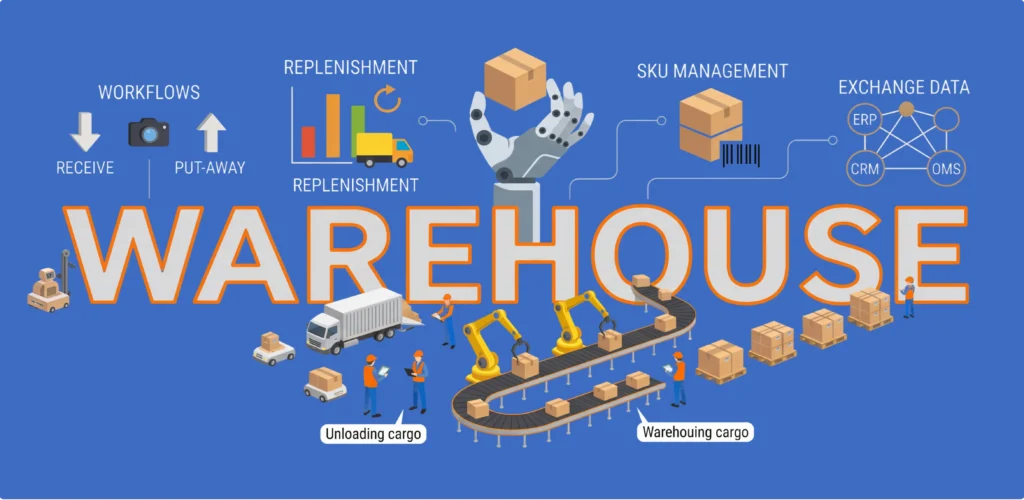
Therefore, UX in logistics systems is characterized by high user responsibility, strict, precise traceability requirements, and the integration of domain-specific knowledge and technology to streamline complex workflows. In turn, UITOP’s goal is to deliver tailored systems that mirror how your business operates and turn every real warehouse process into an optimized interface element.
A smart order management design is about addressing industry complexities in a business-oriented manner. Such systems leave little room for human error. They can cause drastic inventory discrepancies, shipment delays, and other issues. That’s why the priority is to achieve higher standards of UX reliability. That’s when workflow-driven design elements come into action.
Simply put, workflows in logistics platforms determine the flow behind task execution. The system includes individual commands to validate orders, update stock levels, and more. If such operations are poorly displayed within the interface, data traceability and accuracy may be lacking. It will also lead to higher cognitive load among your employees and greater risks of human errors.
The order’s end-to-end lifecycle is analyzed and divided into scalable, automated, and visible processes. Here are a few design techniques for designing workflows for OMS and IMS:
These and other techniques aim at boosting the efficiency of every procedure within OMS and IMS. In the long run, it enhances customer satisfaction and automates your business logistics operations with reduced risks of human errors.
Role-based logic is what sets such platforms apart from standard SaaS networks. Clear responsibilities and data accessibility boundaries allow for scalable, transparent, and trackable performance on your end. While setting such workflows is time-consuming, it ensures that no accidental interactions and unauthorized changes take place.
Your workflows become context-sensitive. It will help you identify any failing areas in your business’s operational cycle and fix those without disrupting other procedures. When the IMS and OMS interface takes advantage of precise permissions and roles assigned, task execution becomes clearer and faster. Such UX design tactics contribute to your risk management efforts.
Overall, risk mitigation is an essential component of setting up the best parameters for the inventory management software design. The more intuitive the target layout is for IMS and OMS, the lower the risk of issues will be. It’s a matter of enhanced operational control from the get-go. With UITOP, you can achieve actionable insights from complex data from multiple sources.
This direct connectivity between the two lets you optimize task execution. You can track the order’s lifecycle from A to Z while assigning the best team members to handle the involved processes. This way, you minimize operational, inventory, and data security risks at the same time.
The performance of any inventory UI design depends on how up-to-date its informational profile is. With tons of data to handle for managers, logistics coordinators, warehouse teams, and other employees, any inconsistency can lead to devastating results. The supply chain can suffer from mistakes at the inventory level, triggering the domino effect.
Real-time data synchronization ensures every action completed within the system becomes visible and trackable for other users as well. IMS and OMS rely on several UX design principles to keep their operations precise and effective. First things first, it’s about built-in tools for data validation and action feedback. You will get notified about stock updates or barcode scan entries without delays.
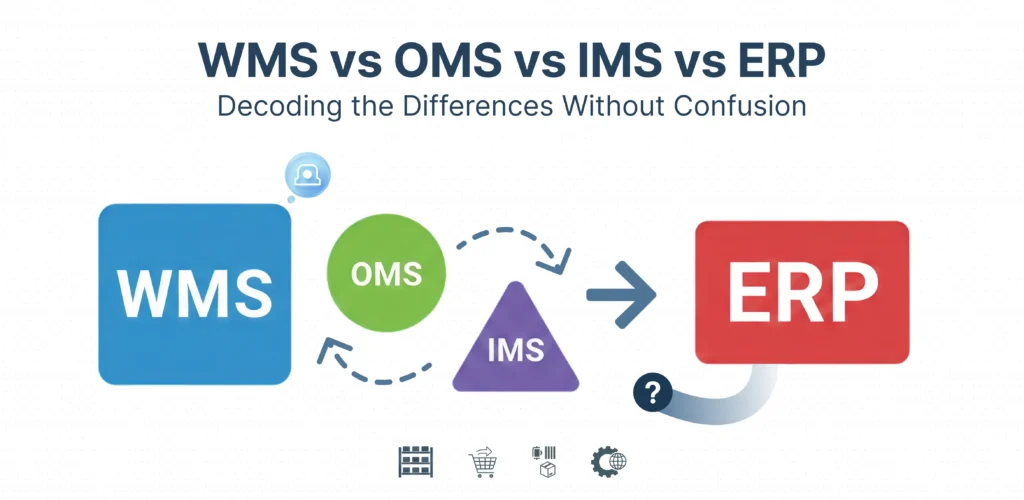
Secondly, special mechanisms allow for dynamic data flows in the network. With automation included, it lets you access the latest details within the order’s lifecycle across dashboards without difficulty. Custom notifications and alerts are of great importance. They make a difference in how fast any discrepancies can be detected, supporting fast and proactive troubleshooting.
On top of real-time updates, traceability mechanisms enhance the system’s reliability and efficiency while optimizing how it caters to end-user needs in a complex enterprise environment. Action history logs and audit-ready records are common add-ons for IMS and OMS. The list of crucial system upgrades can go on, including such elements as QR codes, RFID tags, laser markings, backward traceability instruments, and blockchain-empowered tools.
An inventory UI design is prone to being complex by default, given the amount of data and tasks it runs. However, it doesn’t mean it can be incomprehensible and poorly configured. It’s essential to come up with strategies to take off the informational load from the interface without disrupting any inner operations. Otherwise, the outcome will be simple: increased cognitive load is closely linked to greater performance risks.
In this regard, one of the common approaches is to rely on modular interface elements. A single medium is thoroughly analyzed and divided into separate functional bodies. Depending on your business goals and scale, they can either be equivalent to individual procedures or a set of tasks assigned to a certain in-house department. A classic example is a distinctive separation of operational layers like warehouse management, inventory control, and order completion.
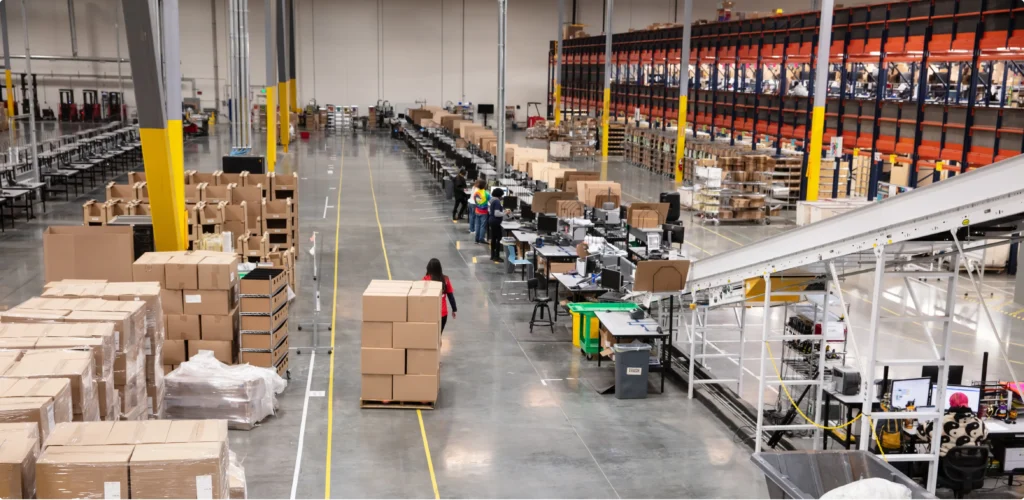
Aside from modular architecture, other design principles can make a difference. While intuitive navigation is the key, its contextual value matters. With corresponding permissions and data access limitations, end-user actions won’t overlap. Logistics software shows better operational standards when improved by clear task flows and a clear information hierarchy.
At the same time, all the UX and UI design elements have to be consistent. By standardizing how your platform works, you simplify the learning curve and prevent any risk-inducing confusion. For complete end-to-end visibility, integrating additional tools like WMS will improve your system’s general interoperability.
A successful inventory management software design combines tailored strategies for preventing any mistakes and trustworthy troubleshooting mechanisms. In the case of such high-responsibility systems as IMS and OMS, both define their long-term health and scalability. Enterprise logistics software has to implement unique workflow checkpoints to ensure an A+ performance at every stage of the order.
Whether it comes to error prevention or system recovery, it’s always about a goal-oriented combination of tools to address such tasks. Automation protocols simplify and streamline protocols, which reduces manual data entry and, therefore, potential mistakes. Regular cycle audits and analysis let you detect any discrepancies early. Quality assurance at the key stages of the order’s lifecycle will save you time and money on solving faulty stock and other problems.
Recovery techniques in the IMS and OMS infrastructure allow for addressing several failure scenarios without disrupting other operational processes. It makes every experience personalized.
Automatic rollbacks won’t display any partial details, ensuring that the database doesn’t add confusion because of incomplete alterations. Queue and database recovery principles serve to minimize the risk of permanent data damage. Alerts and guided correction workflows introduce users to a well-structured resolution procedure. Altogether, these principles support the system’s self-recovery potential and draw your attention to any issues early.
By combining both approaches in the same system, you can contribute to its resilience and performance efficiency under pressure:
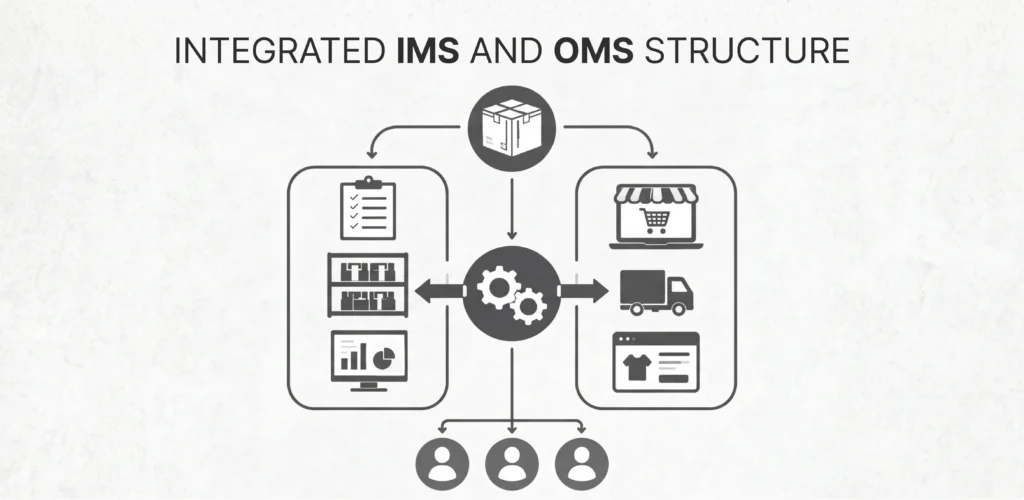
When you design an order management system, human errors are the inevitable concern to address. From this perspective, trustworthy recovery mechanisms are a perfect match for your system’s error prevention strategies. They help you fight against permanent data corruption and financial and reputational losses that may come afterwards.
The goal of any smart order management design is to maintain, support, and improve real-time supply chain operations. Modern logistics software architecture benefits from continuous development pipelines, shared design systems, and cross-functional collaboration tools. With UITOP, it is simple to unify your workflows, allowing teams to convert concepts and ideas into useful, data-driven, and technology-forward logistics applications.
This connection is an ongoing procedure, where every decision, no matter how small or big, influences the system’s operational reliability, flexibility, data processing, and so on. The way you optimize data synchronization and database structure is directly linked to the display and functionality of end-user workflows in real time. Sticking to reusable UI elements improves the general network’s scalability. Further instances illustrate this inseparable connection.
A clear example is the Tavoro case, where we designed not only the core system but also a separate interface for barcode scanning devices. A simplified, low-latency scanning UI allowed instant barcode validation without delays, while a custom API pushed data directly to the ERP in real time. The interface was also optimized for handheld hardware, ensuring stable performance in warehouse conditions.

This approach led to measurable improvements: +50% scanning speed, −40% errors, +25% faster reconciliation, and +35% quicker onboarding.
Every stage of the process, from the initial workflow planning to the launch and post-integration maintenance, has to be aligned with the target objectives and the general operational framework of your digital product.
Now, let’s walk you through the essential steps in bridging design and development in logistics software.
| Step | Operational Objective and Benefits |
|---|---|
| Designing Workflows That Minimize Human Error | Greater inventory accuracy with reduced operational mistakes and structured task flows |
| Creating Interfaces That Are Optimized for Warehouse Environments | More time-efficient task execution within a tailored ergonomic and hardware-specific interface |
| Integrating Real-Time Data and System Feedback | Elevated visibility and consistency of logistics operational data in the system |
| Implementing Robust API and ERP Connectivity | Improved data analytics and reporting, with reliable communication channels installed between systems and departments |
| Connecting Design and Development in Logistics Software | More reliable and faster performance in the system, with smarter resource allocation in mind |
Whenever businesses need to design order management systems, they are to take care of how operational processes will be supported and finalized. In logistics environments, tailored structures that represent your company’s objectives and business specifics will become your competitive edge.
Without clear data visibility, no operational control can be gained. IMS and OMS dashboards should support workflow tracking and real-time updates. They will also help you support workflow continuity. Task progression becomes fully controllable.
Status mapping is one of the common error prevention features. Another element that supports data transparency in logistics software is side-panel overlays. While providing the required contextual details, it reduces the number of redirects to complete the task without leaving the main dashboard (check the order status or stock availability, for instance).
High-responsibility systems also benefit from conditional action buttons. Unless all the requirements are fulfilled, no further action is possible. It optimizes workflows and reduces errors, especially when it comes to bulk order handling. Don’t forget about the role-based logic of OMS and IMS. It doesn’t let irrelevant details cloud end-user vision, supporting streamlined workflows.
See how it works
Order management systems must handle complexity without slowing teams down.
Contact usA prominent order management system design is a deliberate combination of factors that deliver top-tier results at the end of the day. Robust and thoughtful UX and UI design elements should be linked to the operational peculiarities of IMS and OMS. Visual aesthetics and minimalism aren’t the key here, unlike the case of standard SaaS.
In this instance, workflow-centered system architectures that aim for maximum scalability, security, transparency, and consistency will be a win-win. The goal is to set up a unified system that can prevent potential risks and recover from operational challenges without long-term losses in enterprise logistics environments.
The reason behind its complexity lies in its key objective, namely, to support multiple workflows while displaying large volumes of dynamic data in a personalized manner. With the right UX and UI design behind inventory and order management, it’s possible to minimize operational delays while opting for a well-executed hierarchy of tasks and workflows within the system, with real-time updates included.
The amount of manual labor is reduced, and any data entry is guided with contextual alerts, barcode scanning integration, and other mechanisms to streamline the process with minimized risk of incorrect stock movements.
Permissions-based control allows for allocating tasks and responsibilities across in-house team members while minimizing the risk of unauthorized access to the system.
UX design elements should be intuitive and easy to navigate, which requires target audience research and business goal analysis first – everything to come up with the best automation and data processing terms and conditions while maintaining the desired precision in inventory and order management.

