How we use AI in our process
Design, Product
/
Mar 18, 2025

How many times have you hoped to see a perfect job match on LinkedIn because of the overwhelming flow of notifications that a thoughtful UI redesign could have prevented? And then, when opening them, the only "significant" event is either someone commenting on the post, celebrating a work anniversary, or getting promoted. Losing track of essential chats is due to poor UX/UI design. However, with a few adjustments, such as organizing topics or tagging messages, the interface would come to life in a whole new way.
Those strategic changes refer to the definition of the UI redesign process. It goes beyond a "forced refreshment" and pursues greater goals such as improving usability, boosting engagement, and enhancing platform intuitiveness. Well-executed redesign benefits users and businesses. The first ones receive an enjoyable experience, and the second ones — improved retention and better brand recognition.
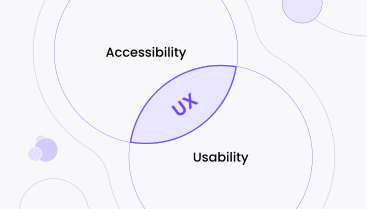
UI and UX target different aspects. For the user interface, it is essential to rework the appearance of digital elements and the coordination of colors. For user experience, the entire user journey, from onboarding to task completion, is analyzed. However, those two fields overlap and can't be separated when executing a user interface redesign.
UI refreshment significantly impacts business processes and user interaction. With a strong and user-oriented interface, you are more likely to build credibility, reduce the churn rate, and improve customer satisfaction.
In this article, we will describe the signs you can use to measure if you need a redesign, and the process itself. And our agency is not only a "paper expert". We excel at helping customers reimagine their interfaces with the help of technology, strategy, and a creative view.
UI redesign is a complex process. Thus, you only need to apply it when you spot any of the signs below. But before going through the "red flags", let's see how a renowned company, Notion, benefited from remaking its digital interfaces.
In 2015, the company was one step away from shutting down. They wanted to be "Google Docs №2", but they offered a bloated interface, many unnecessary features, and complicated workflows. Even basic text editing was an advanced procedure. Users simply didn't understand how to leverage the tool's potential.
Because of high churn rates and low engagement, developers took a year to reappear on the market, but with a completely different vision: "Less is more". This shift towards understanding user needs and crafting the best experiences brought the company a $10B valuation on the market.
So, how to determine whether you are a "Notion in 2015" type of company? Read about the indicators below.

Signs: High bounce rates, frequent card abandonment, low conversions, and many complaints.
Such metrics mean that users don't understand the value of your product and don't know how to complete the actions. Notion also faced the same issues: the customers simply didn't comprehend the features and were simply leaving the app.
Lesson: If you see people abandoning you and not even trying out the product, you can research your UI deeper.
Signs: You spot inconsistent design elements, your interface doesn't reflect your current brand position, and the design feels old.
The book is judged by its cover. This universal rule never gets old, and especially now, when design immerses people in virtual reality, it is wrong to think that your colorful buttons and stickers will stand the competition. Even if you deliver exceptional services, but fail to catch users' attention, you lose potential customers.
Lesson: A modern UI design builds a bridge between you and your customer's trust and sets the tone of a reliable company.
Signs: Users can't find features, can't perform basic actions, and highlight complex logic and workflows.
Notion didn't simplify customers' work with text and project management. Instead, the program had many unexplained blocks and nested elements. The developers wanted to provide many advanced features, but they forgot about clarity.
Lesson: Frustration is the enemy of product efficiency. The task is to deliver maximum functionality with maximum simplicity.
Signs: you added or want to add new features, you have changed your business model, and the UI design no longer fits new implementations.
In Notion's case, the product first focused on giving instruments for note-taking. However, the business offer has changed into providing a space for team collaboration and productivity workflows. Thus, they had to show the changes and refresh UI: add multi-user dashboards, enable doc-sharing, and store data in one place.
Lesson: When you change business vision, the UI has to keep up with the transformations.
Signs: Slow loading times, inconsistent behavior on different browsers and devices, laggy animations, and reliance on an outdated tech stack.
Clear evidence that can't be ignored is the technical side of the platform. If you already spot bugs and inconsistencies that prevent users from completing the tasks, you need to take action.
Lesson: User interface redesign might force you to rebuild everything from the ground up.
Signs: Users are turning to competitors because they find more intuitive interfaces.
It is very easy to spot if you need to improve UI design: if you check the competitor and like their design better, you are already second in the ranking. Notion, for instance, gave freedom to users in building their systems. And this characteristic set them apart.
Lesson: If you see other products in your niche outperforming you, look at your UI design first.
Signs: High maintenance efforts, difficulty adding new features, and lack of system design.
Digital products are all about growth. But it doesn't have to come with significant resources and efforts. Look at Notion: they were first inconsistent and hard to extend. However, they came up with a modular system where every model is easy to maintain and access at the user level.
Lesson: Improved user experience also helps developers to support the technical side more easily.
Redesigning interfaces is a strategic and planned process. The goal is to implement changes so that they better align with user needs and business goals. And here is how we conduct a user interface redesign.

Deep analysis of current issues and business initiatives is the foundation of every UI redesign. To gather essential information, we:
As a result, we gain a clear understanding of the product's current state, user expectations, and business targets. A data-driven approach converts assumptions into the right decisions.
When having meaningful insights, we transfer them into a strategy and clear activities. We define whether the platform needs a complete UI redesign or only a partial one, set KPIs, build a plan, decide on deadlines, and choose the right technology stack.
Thus, we build a clear project with measurable activities, success metrics, and timeframes.
As there will be a lot of content, we need to organize it first. We structure information, categorize it, map user journeys, and create low-fidelity wireframes, like the one you can see below:
The wireframes are skeletons of the interface. They act as a blueprint, ensuring the functionality of every design element.
At this stage, our designers switch their creativity to the fullest and turn raw wireframes into high-fidelity prototypes with colors, interactive elements, and clickability. We build a design system with all UI components for all screens:
This step encompasses deciding on every visual aspect: typography, iconography, color, brand identity, and consistency of the elements. Thus, we received finalized UI designs that are ready to be sent to stakeholders for approval.
As we received the approval, front-end developers can implement the design and back-end developers can integrate it with systems, so that every button works seamlessly. When bringing the UI redesign vision to life, it is also important to check its performance for fast loading and responsiveness.
Even though we offer redesign solutions based on real user data, before we launch the changes, we validate our versions.
We conduct usability testing and A/B testing, observe how easy it is to navigate the platform, check the design for accessibility, improve load times, gather feedback, and address the issues.
As a result, we are confident that users find our design intuitive.
The redesign process continues after the product launch. Once we implement changes, we track how they impact user behavior, business metrics, and customer satisfaction. Continuous monitoring helps to identify issues early before they reach end users. Optimization strategies keep the product competitive.
Effective user interface redesign doesn't only refresh the visuals but requires strategy and planning. Pay attention to those aspects when improving your product's interfaces:

When approaching the redesign of the interfaces with a strategic view, you can benefit in the following ways:
One of the most common missteps designers take is ignoring actual user needs and building all the solutions only on internal preferences. If stakeholders' opinions prevail over customer pain points, the redesign doesn't bring the desired results.
Skipping testing and user research also leads to wasted time and resources.
A widespread myth is that design should be functional and attractive only. However, performance and accessibility play pivotal roles. They ensure all users can benefit from the platform, no matter their abilities.
And finally, it is crucial to roll out updates gradually because if you implement significant changes at once, you might face technical difficulties.
The Slabstack CRM platform is one of our most notable UI redesign success stories. Their ERP system offered complex tools for plant operations and sales management. Users were getting confused as they lacked structure.
We analyzed the friction points and customer expectations and decided to build a modular system, where functions were categorized appropriately. We also made a clear and professional B2B interface.
You can see how clean their dashboard is after we improved the interface:


And the results speak for themselves: usability rate reached 91%, 98% of free trial users converted into paid customers, and the company got a $3.4 million seed round.
UI redesign is not about adding a new coat of paint. It is about bringing new solutions that satisfy user needs and help businesses achieve their financial goals. As we described throughout the process of remaking interfaces above, you can see that thoughtful changes can change the way customers perceive your brand and interact with the platform.
Uitop, though, is your quiet harbor as we help businesses go through the complex journeys of redesign and get desired outcomes.
Let's collaborate and transform your product into one that people love and pay for!
Not always. UI redesign can improve performance if you see that your user experience is poor. But in any case, you should start with user research and analysis.
To learn what interface elements need to be improved, conduct user interviews and usability testing.
The complexity depends on the project size and resources. However, with a clear strategy, you can perform a redesign in a more organized way.
Yes, even after the launch, you should see how your changes impact the platform’s performance.