Design • Sep 19, 2023
 How we use AI in our process Learn more

In the contemporary competitive digital world, a great user experience (UX) is essential to success for any software-as-a-service (SaaS) application. A phenomenal UX design for SaaS can be a miracle worker for retention, reducing churn, and increasing conversion. This article guides you through the whole UX process, from ideas to the successful rollout of your SaaS application.
UX as a service in the context of SaaS refers to a user's holistic experience while interacting with your software. It's more than just a pretty interface; it encompasses every user touchpoint with your company, its service, and its product, from initial discovery and signup to daily use and support interactions.
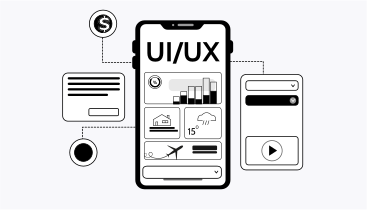
While UI (User Interface) focuses on the visual elements and design of the product, UX services consider the entire journey and the user's feelings. A well-designed UI is undoubtedly part of good UX, but UX goes deeper, considering usability, accessibility, performance, and overall brand perception. Good UX is absolutely essential for attracting and retaining customers in the competitive SaaS market. Users are inundated with choices and are far more likely to adopt and stick with an intuitive, efficient, enjoyable SaaS product that solves their problems effectively.
Positive UX translates directly into increased user satisfaction, reduced churn, and a more successful SaaS business. Conversely, poor UX can lead to frustration, abandonment, and negative word-of-mouth, hindering growth and damaging your reputation.
The UX process for SaaS products is a cyclical journey of understanding, designing, testing, and refining. It typically involves the following key stages:

This crucial initial stage lays the foundation for successful SaaS onboarding. It involves deeply understanding your target users' demographics, needs, pain points, motivations, and tech-savvy. It also includes a thorough analysis and consulting of your business goals, including what you want to achieve with your SaaS product, target market, and competitive landscape.
Market trend analysis helps you understand current user expectations and emerging technologies. Here are user research methods and deliverables:
Examining the UX design services of competing SaaS products to identify best practices and potential areas for differentiation.
Conducting one-on-one conversations with target users to gather qualitative insights into their needs and behaviors.
Distributing questionnaires to a larger group of target users to collect quantitative data and validate findings from user interviews.
Creating representative archetypes of your target users based on research data. These personas help the design team stay focused on the user throughout the process.
Visually mapping out the steps a user takes to achieve a specific goal within your SaaS product. This helps identify pain points and opportunities for improvement.
With a solid understanding of your users and business goals, you can begin to strategize the user experience. This involves defining the overall SaaS user experience strategy, which outlines the vision and goals for the user experience. A key part of this stage is defining your product's information architecture (IA). This involves structuring your product's content and functionality in a way that is intuitive and easy to navigate.

Key activities are:
Organize and structure your SaaS product design content and functionality to ensure users can easily find what they need. This includes sitemaps, navigation menus, and labeling conventions.
Develop low-fidelity (wireframes) and high-fidelity (prototypes) representations of your product's interface to visualize the user flow and interactions. Wireframes focus on structure and layout, while prototypes are more interactive and simulate the final product.
Determining the core features and functionality of your minimum viable product (MVP). This allows you to launch a functional product quickly and gather user feedback.
This stage brings the user interface to life. The designer creates visually appealing and user-friendly interfaces, incorporating usability best practices, your brand identity, and the insights gathered during the research phase. Interaction design focuses on how users interact with the interface, ensuring a smooth and intuitive experience.

Adhering to established usability principles to ensure the interface is easy to learn, efficient to use, and error-tolerant.
Creating reusable UI components and design patterns to ensure consistency and scalability across your product.
Designing a SaaS UX interface to be accessible to users with disabilities and ensuring it adapts seamlessly to different screen sizes and devices.
Before launching, it's essential to test your product with real users. Usability testing helps identify any remaining usability issues and areas for improvement. This iterative process involves gathering feedback, analyzing the results, and refining the design.
Observe users as they interact with your product to identify pain points and areas of confusion.
Comparing two versions of a design element to determine which performs better.
Visual representations of user interactions on a webpage, showing where users click, scroll, and hover.
Collecting both qualitative and quantitative data from user testing.
Making changes to the design based on user feedback and testing results.
Once the design is finalized, it is handed off to the development team. Seamless collaboration between designers and developers is crucial to ensuring the design is implemented correctly and that the SaaS product launch is successful.
Establishing clear communication channels and workflows to ensure a smooth handover process.
Utilizing design collaboration and handoff applications to share design specifications and assets with developers.
Ensuring that micro-interactions (small animations and feedback) are polished and that the product performs smoothly and efficiently.
The SaaS UX services process doesn't end with the launch. After the launch, it's essential to continuously monitor your product's UX and make ongoing improvements based on user feedback and data analysis.
Tracking key metrics such as user engagement, conversion rates, and churn to identify areas for improvement. Collecting user feedback through surveys, in-app feedback forms, and customer support interactions.
Regularly releasing updates to your product based on user feedback and data analysis.
Adapt your UX strategy and design as your user base grows and you add new features to your product.
We have a proven track record of helping SaaS companies create successful products. Our team of professionals understands the unique challenges of creating the best SaaS UX design. We can help you.
We have extensive experience solving the unique UX challenges that SaaS products face, such as onboarding, user retention, and feature adoption.
We have developed efficient UX processes that allow us to deliver high-quality designs quickly. This can help you market your product faster and generate revenue sooner.
Support ongoing growth and scalability: We can help you scale your UX in SaaS as your business grows and provide ongoing support to ensure it remains relevant and effective.
In addition to these benefits, we also offer a number of other services that can help you achieve success with your SaaS product. These include:
If you are looking for a partner to help you create a successful SaaS product, we encourage you to contact us today. We would be happy to discuss your specific needs and how we can help you achieve your goals.
Investing in UX is essential for the success of any SaaS product. A well-designed UX can help you attract and retain customers in B2B, reduce churn, and increase conversion rates. Following the steps outlined in this article, you can create a UX strategy to set your SaaS product up for success. Invest in UX services today and see the difference it makes for your SaaS product.