How we use AI in our process
 Fitness Clubs CRM System ReLounge

ReLounge is an IoT-connected CRM and clinic management platform designed for rehabilitation and back health centers.
It combines patient management, appointment scheduling, therapist coordination, and medical devices into a single workspace.

ReLounge needed to unite back health centers, staff, patients, treatment plans and IoT equipment into one platform. Without a centralized system, staff faced the tough job of keeping track of patient details, appointments, and health devices through manual data entry. This lack of clear user flows caused high error rates, operational delays, and workplace stress.
Starting from scratch, we designed the entire platform’s UI/UX to make software navigation intuitive. After implementing ReLounge's user-friendly interface, back health centers noticed an immediate boost in operational speed. The developed CRM reduced unnecessary screen switching by centralizing patient management, scheduling, and device monitoring.

Project Brief
ReLounge is changing how back health centers work. Before, staff struggled with complex, hard-to-use software that caused daily stress and operational errors. Following our new UX/UI design , navigating the system became clear and intuitive, and the platform performed smoothly across all daily workflows. Tasks were completed much faster with greater accuracy. Now it's more than just a CRM, ReLounge helps teams shift their focus back to patient care.

Dashboard
Problem
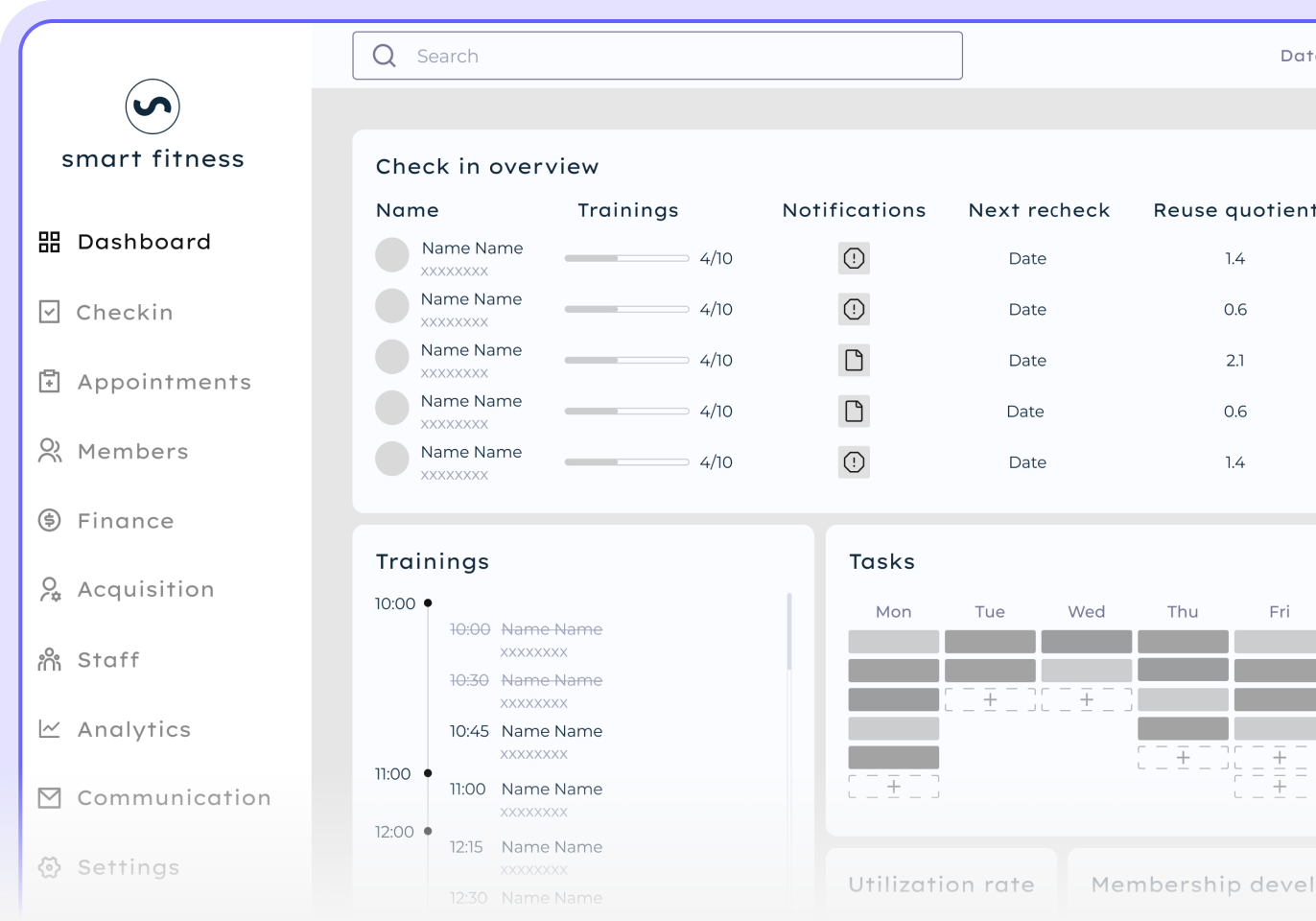
Traditional systems force users to jump between multiple pages, making it difficult to find patient details, track upcoming appointments, and view updates from connected devices. This lack of visual clarity slows down daily operations and leads to critical mistakes such as accidentally double-booking two patients for the same time slot.
Solution
We designed a user-centered dashboard that brings all critical data into a single, intuitive workspace. The new interface prioritizes key operational metrics, allowing staff to monitor patient activity and IoT device updates without unnecessary clicks. Staff can easily adjust the dashboard to display what is most important to them, making their jobs much easier.

Appointment
Problem
Scheduling in back health centers involves more than just booking time slots. Staff must coordinate therapists, rehabilitation equipment, treatment plans, and room availability all at once. Manual management often led to double-booking, missed appointments, and wasted operational resources, slowing down daily workflows across the entire clinic.
Solution
We built an intuitive appointment management system that simplifies complex scheduling into a fast and accurate process. The system automatically detects booking conflicts in real time, prevents double-booking of rooms or equipment, and helps staff quickly reschedule missed sessions, keeping health center operations running smoothly.

Members
Problem
Managing patient records in health clinics is often difficult due to disconnected systems. Important medical histories, treatment plans, and device data are spread across different screens, making information hard to update or navigate. This confusion creates extra stress for clinic staff and prevents patients from receiving fully personalized care.
Solution
We built a centralized patient workspace that gathers every interaction and medical detail into one unified profile. The Members feature allows staff to quickly update patient records, track treatment history, and review progress without switching between screens. Having all data in one clear location ensures accurate records and helps teams deliver better care.

Analytics
Problem
Dealing with patient data in health centers is often a big headache. Staff generate large amounts of operational numbers, but without clear visual tools, it is hard to tell if treatments are actually working or how patients are progressing. Teams spend far too much time trying to make sense of complex reports instead of focusing on helping people.
Solution
We created simple analytics features that make critical information easy to see and understand. Staff can easily check which treatments work best and monitor patient progress without needing to be data experts. This clear layout saves valuable time, allowing teams to focus more energy on caring for patients rather than worrying about numbers.

Communication
Problem
Internal communication in medical clinics is often confusing and unreliable.Staff use separate tools like WhatsApp or Gmail to send updates, leading to missed notes and long response delays. When therapists and administrators cannot connect directly, coordination breaks down, and staff sometimes even get things wrong with patient care, creating serious operational risks.
Solution
We created an internal chat within the platform to keep all messages and updates in one place. Staff can send messages, coordinate treatment plans, and share critical patient details without switching between apps. This unified flow ensures no information gets lost or forgotten, helping teams respond faster and work together to focus on what's important: taking good care of their patients.

Components Library
Challenge
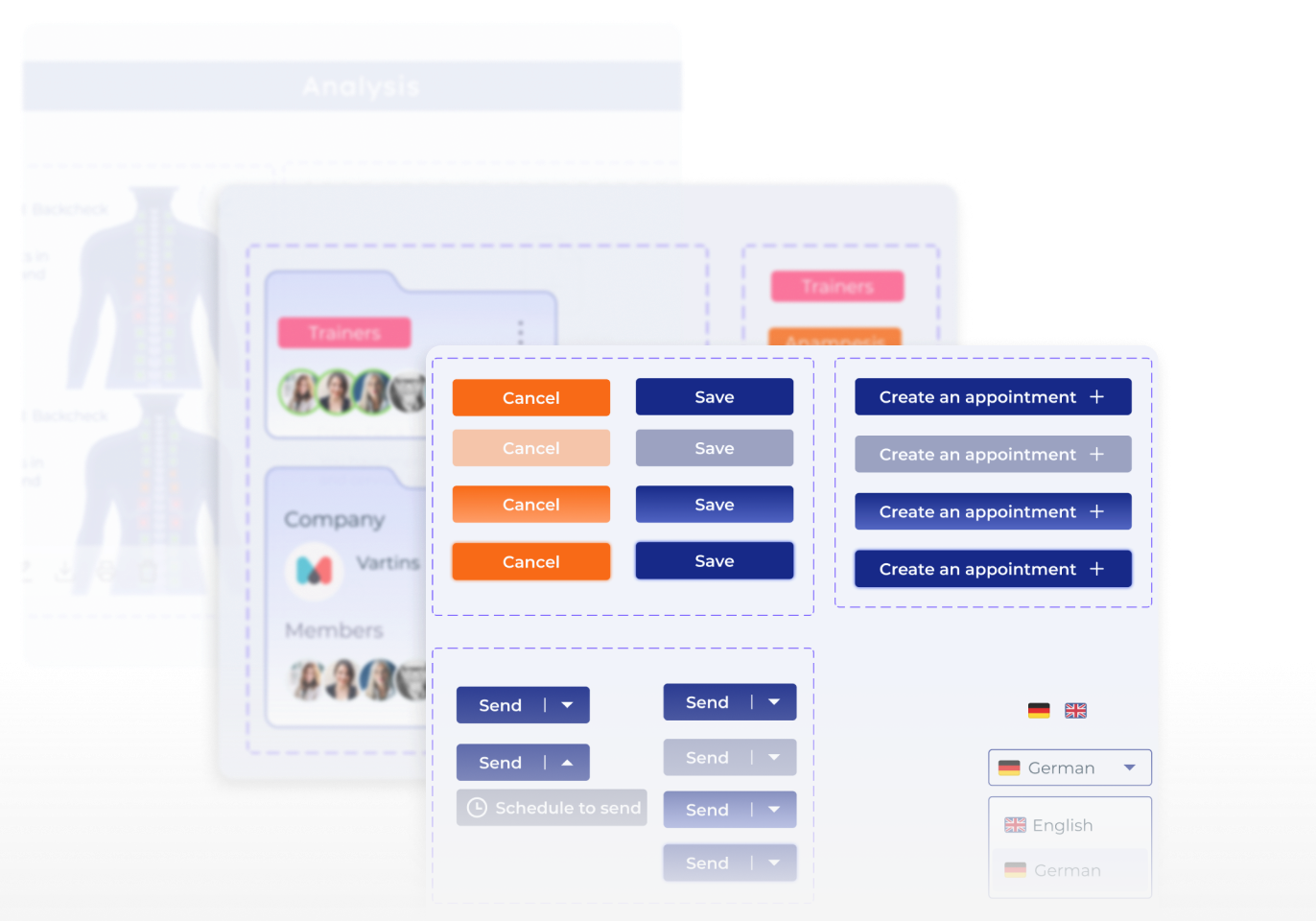
Designing the entire interface from scratch meant creating a unified UI framework right from the start. Without a centralized library of pre-designed UI elements, adding new features would lead to inefficient, repetitive work. To prevent visual inconsistencies and keep product scaling fast, setting up a standardized design system from day one was essential.
Solution
We built a components library with reusable UI elements like buttons, menus, and input fields. Every element was standardized for style, size, and color so designers could use pre-made assets. This allowed the team to build and update interfaces much faster while ensuring a clean, fully consistent design across the platform.

Similar cases


Technology
The interface matches well with the development frameworks. This ensures that the experience is easy for users.

flutter dev


AUTO-LAYOUTS, COMPONENT DESIGN SYSTEM, CUSTOMIZATION

Problem solving
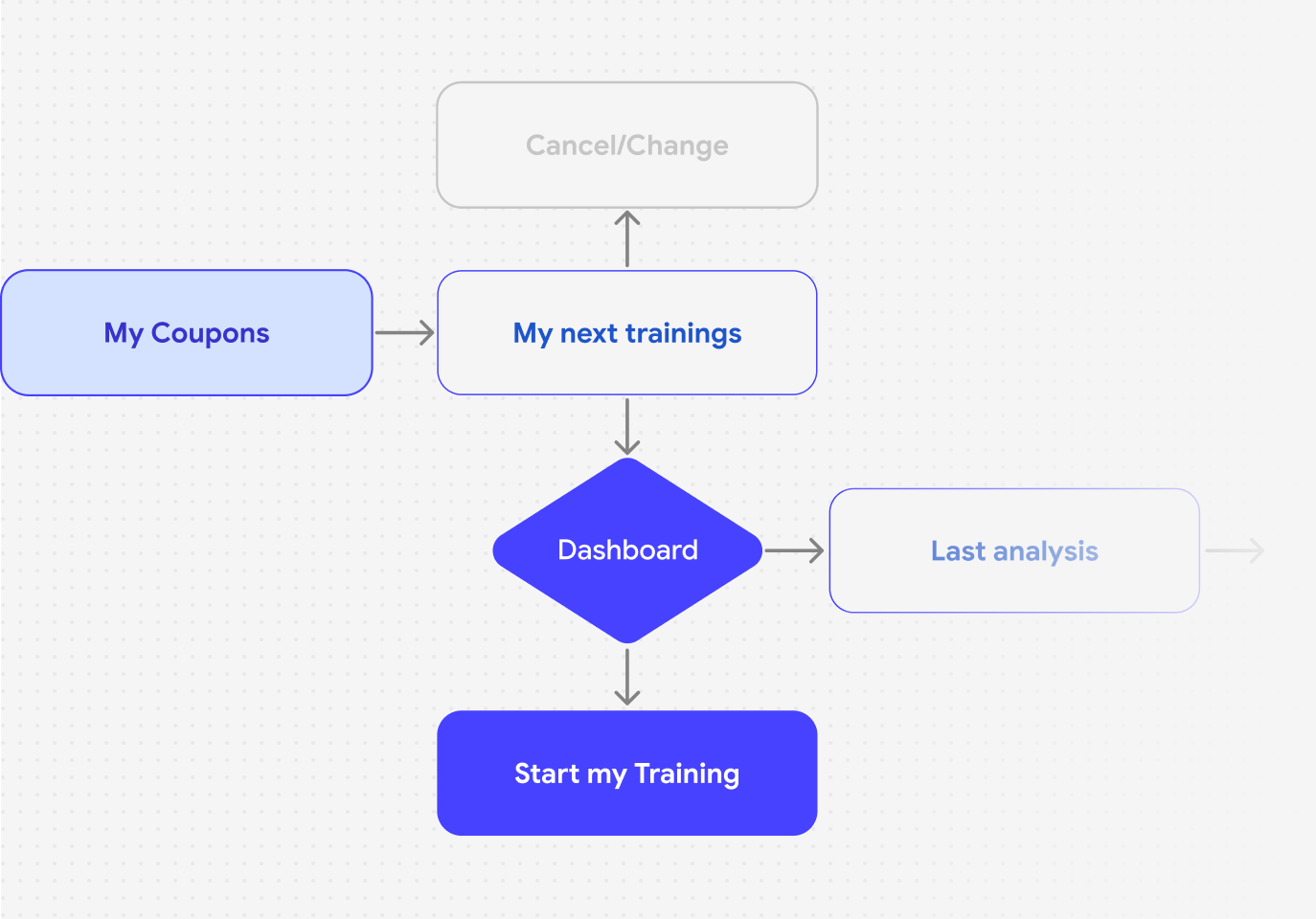
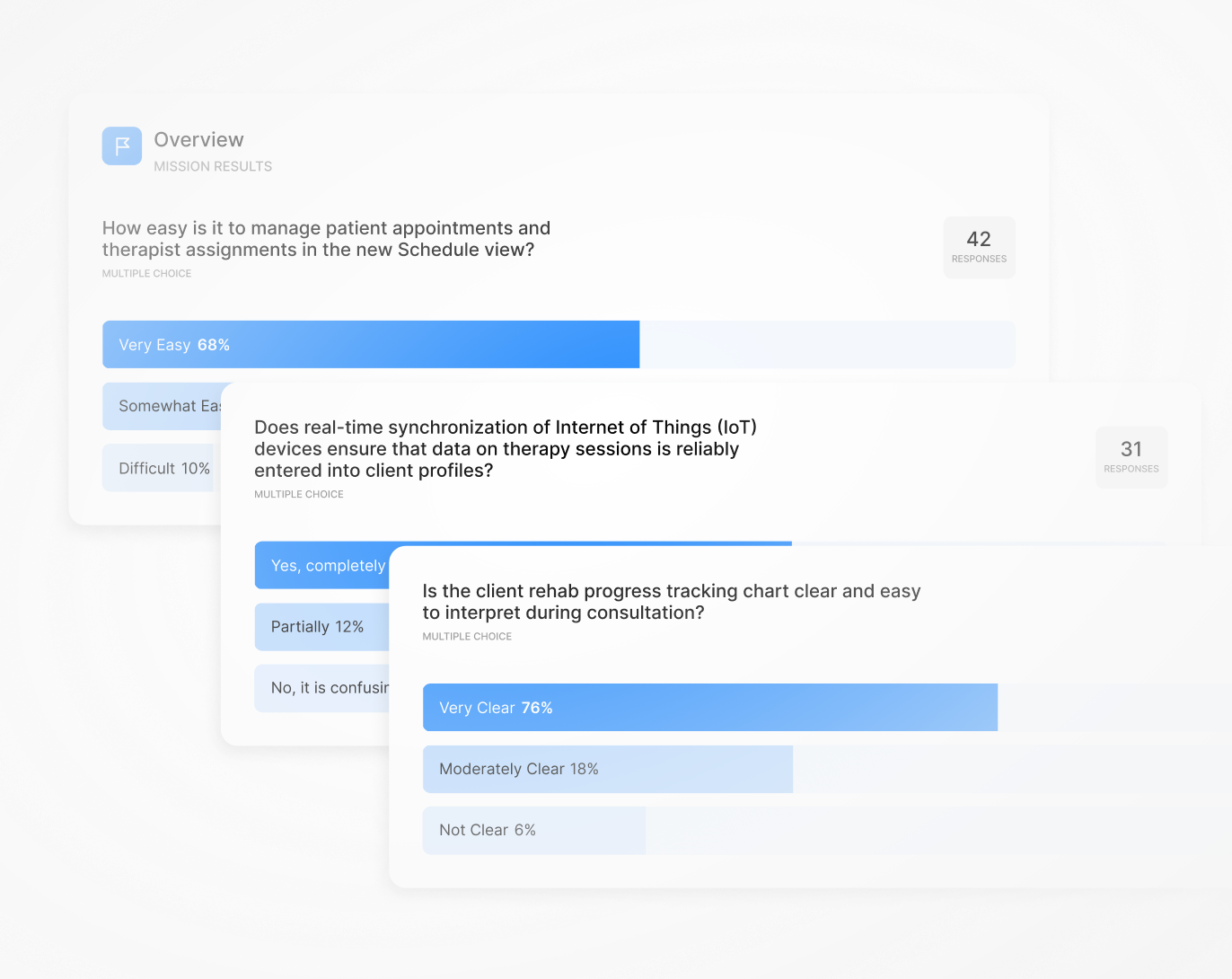
We worked closely with stakeholders, developers, and users to gather feedback and continuously refine the platform's design.
Architecture
Wireframing
Design system
Prototype & Testing