Product • Dec 08, 2022
 How we use AI in our process Learn more
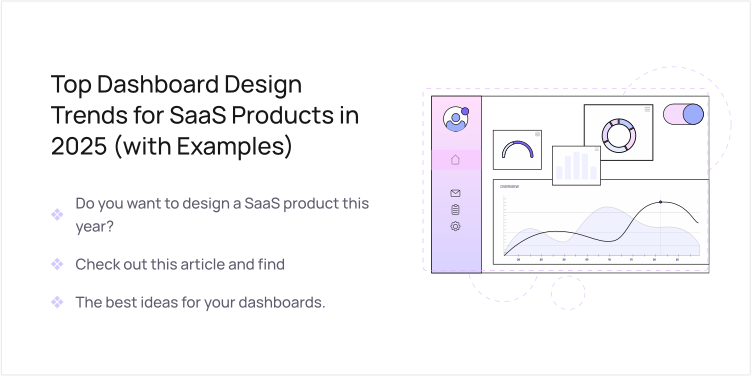
A SaaS app dashboard is the first stop where users search for answers, check performance metrics, and decide on the next action. The way you design it sets the tone for the entire user journey.
However, user interface and experience design is always changing, and each new wave of change forces us to rethink how customers measure value and how they interact. So, why is 2025 the year you already need to refresh your dashboard?
Three forces are colliding: smarter technology, sky-high user demand for simple, intuitive tools, and a growing demand for clear, open data. Let's explore the top dashboard design trends that redefine SaaS dashboards this year.
Artificial intelligence (AI) can significantly level up your SaaS dashboards. Picture a dashboard that senses what you're curious about and then serves up smart tips and bite-size summaries exactly when you want them.
You can also design a dashboard that changes depending on the user role. If a user is a sales manager, they'll see a set of key performance indicators (KPIs) that relate to their activities. If they switch to a marketing role, the dashboard might instantly switch to the marketing KPIs, too. It might even notice a user has been focused on leads for the last week, and it will provide this data to the front.
Take Notion's trending dashboard. It watches your habits and adapts on the fly. If you use the same project template over and over, this template moves to the top of your list. And if you collaborate a lot, shared documents get priority placement.
The second major trend is minimalist data visualization. Many dashboards are utterly overwhelming to deal with. They include cluttered charts containing multiple data series, overlapping lines, and competing colors all vying for your attention. Users shouldn't require a data science degree just to understand their metrics.
So, there must be a shift to simplicity and ease of interpretation with SaaS dashboards. Focused visuals that tell one story at a time should take the place of complex, crowded charts.
Micro-visualization can become your new secret weapon, with examples like sparklines that show trends in thumbnail size beside key metrics. Some other examples of micro-visualization are simple progress rings that replace bulky progress bars and tiny dot charts. All of these show information at a glance.
In addition, the rainbow dashboard has officially retired. Today's modern interfaces start with a neutral base of soft grays and clean whites, then add one or two bright colors as highlights. Red for alerts that need immediate attention, green for positive trends, and blue for the most critical KPIs. These bring the focus where it is needed most, without distraction.
Take a look at how we designed a dashboard for Valocore, one of our clients, a provider of software that helps digitize government contracts. The interface contains enough whitespace, and aesthetic greys and whites are dominant, with blue highlights to bring focus to crucial information like the current balance:

Cognitive overload is one of the challenges people face, especially for users who are immersed in your dashboard for eight hours a day. When there is less visual clutter, the mental workload decreases. When the user burns less mental energy, decision-making becomes much faster.
Flexibility is also among dashboard trends. You could design a dashboard built of lots of separate boxes, called "widgets." Each one shows a slice of data or has a specific function. Then, allow users to arrange these boxes to create the exact dashboard they want, using simple drag-and-drop tools.
Take Monday, a work platform that offers 50+ widgets and apps and no-code customization to let its users easily adjust their dashboard to their preferences.

Why is this kind of dashboard a winner? Because it puts customization front and center—each user can adjust the view to fit their own priorities. It also scales effortlessly; as their data needs expand, the dashboard stretches to meet them.
Even though dark mode isn't brand-new, and plenty of apps already offer it, it's surprising how many SaaS products still don't include the option. Users now expect it, and the perks are impossible to ignore.
For anyone who spends hours staring at dashboards, a darker screen cuts eye strain and fatigue, especially in low light. This is crucial when users work with data-dense, complex layouts.
Take Slack, GitHub, and Jira as examples. Each gives users a strong dark theme that lightens the strain for teams with all kinds of roles. Even tools set up for markets, like TradingView, use a dark dashboard design to show charts and live data clearly when users are on the screen for a long time.

The fifth big trend for 2025 is embedding collaboration tools right inside your SaaS dashboards. This means users don't have to switch between tabs to discuss data or track what's next.
For instance, a user noticed a critical chart, and with a quick click, they can leave a comment, tag a colleague with an @mention, or spin off a task without ever leaving the screen. They could also see a live feed that shows who else is seeing the same data and which actions have already been checked off.
The real power of trend dashboards like this is that discussions take place right beside the data, so decisions are made faster, miscommunication shrinks, and overall productivity increases.
The sixth trend to keep an eye on is mobile-first, adaptive design. Record numbers of people are now reaching SaaS apps on phones and tablets, and this move is shaping what modern dashboard design will focus on next.
Instead of just shrinking the desktop version, product teams are crafting fresh layouts that make the most of smaller displays. Typical approaches include card-based views that highlight key metrics, expandable sections that reduce clutter, and gesture-based controls that let users flick, pinch, and tap their way to deeper data.
At Uitop, we recently designed such a mobile-first dashboard for one of our clients, Booktelligence, a book publisher platform. The design is fully responsive, which allows its users to easily switch between desktop and mobile versions without disrupting workflows.

The intent is straightforward: key insights and actions must always be within reach and frictionless, regardless of device. A sales rep must be able to check quarterly targets in the back of an Uber, while an analyst must run a complex report on a tablet sitting in the café.
Once, an empty dashboard felt like a blank canvas. New people logged in, stared at blank graphs, and wondered what clicking the next button could possibly do. But you can introduce smarter dashboards that provide a friendly guide.
That's what Slack does: open a channel and instead of blank space, you'll see a friendly prompt that says "Invite teammates or join a channel."
In addition, instead of a harsh "404 error," you can make the screen speak normal language. It might suggest special fixes.
The shift is partly emotional. Years ago, blank charts or busted widgets raised the churn bar. Today they decrease it. Users can feel the product is teaching them how to be used, and that's what makes them stay engaged and loyal to the app.
The other two powerful dashboard design trends are ethical UX and data transparency. Displaying metrics is no longer sufficient since tools must demonstrate, in straightforward terms, how data is gathered and what it actually signifies.
This approach involves positioning data provenance and meaning front and center. Every figure in a dashboard should have a clear path back to its source. Streamlined tooltips and expandable sections can show users the original data set together with the specific calculations and transformations applied. This context helps users judge whether the information is meaningful and trustworthy.
When data privacy is a top concern, a transparent dashboard reassures users. By illuminating the complete flow of data, from capture through transformation to presentation, dashboards allow users to draw better conclusions and to believe in the decisions that the product enables.
Your dashboard should meet every user where they are. This means talking to it, moving through it without a mouse, and reading it comfortably.
With voice assistants, users can now say, "Give me last quarter's revenue," and the dashboard responds without a single click. If the date range needs to shift, they ask again. If a deeper metric is needed, a simple command drills down immediately. For some, the ability to speak is the only way to interact, and every command is a bridge.
ClickUp Brain is an excellent example here. Its AI lets its users manage the dashboard by simply using voice.

Additionally, accessibility is one of the core dashboard design trends. Your dashboards must also meet WCAG 2.2 checkpoints. Users with low vision should be able to choose color themes tailored to their needs.
The dashboard could also be presented as a grid of shortcuts that can be mastered without a mouse, letting the user control every part of a complex layout with nothing but the tab, arrow, and space keys.
The business impact of such modern dashboards is concrete and measurable. Dashboards built with accessibility in mind enhance the experience for every single person. Simple navigation, legible fonts, and straightforward controls raise the overall usability, making the product more effective for every member of your audience.
The final trend headed for 2025 centers on moving dashboards into a more dynamic space where motion and microinteractions make them feel creative and alive.
Start by introducing soft fade-ins each time fresh data arrives in a widget. The gentle delay persuades users to look where the change just happened. Combine that with hover responses: imagine buttons that slightly elevate, data points that pulse with a soft light, and submenu links that tint under a moving pointer. These brief, reassuring cues tell users that they're about to activate something and invite them to continue.
Another great tip is to use loading animations that ease the wait time. Instead of blank spaces, show a shimmer effect that hints at what's coming. This sets the right expectations and keeps users engaged while content loads.
You can also use transitions to ease movement. When a user jumps between dashboard tabs, let the new content slide into view. Breadcrumb trails can animate back from view to view, showing exactly how the user got where they are.
The impact multiplies. Users click with more confidence because every step includes instant, clear feedback. The overall trip feels faster when motion cues reinforce the layout. Mental load drops; the interface feels solid, like a well-oiled machine.
Asana's flying unicorn is a great example of microinteractions. Complete a task, and a multicolored unicorn soars across the screen, leaving a rainbow wake. While it seems a bit childish, the unicorn makes work feel rewarding and makes people complete another task so that they can watch the unicorn soar again. This is the power of design microinteractions—they increase the desire to use your product.

The businesses that are adopting the dashboard design trends mentioned in this article can change the way users engage with their SaaS products. However, this is only possible if these implementations truly serve the users.
Each dashboard must be designed to cater to people with different roles and needs. Therefore, you should know exactly what your users truly want and apply useful trends accordingly.
Uitop assists SaaS companies in auditing their dashboard experiences. We pinpoint specific interface shortcomings and offer actionable adjustments to enhance user satisfaction and business metrics.
Measuring the effectiveness of dashboards begins with looking at the business and user needs and goes all the way to measuring the interactions. Contact us for the UX audit, and let's evaluate what's functioning seamlessly and what requires work!