How we use AI in our process

Design, Product
/
Jun 16, 2025

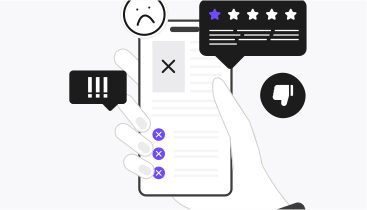
You've invested thousands in design and development, but something is still wrong. Users struggle to find what they need and, as a result, abandon your product and leave negative reviews afterwards.
Sound familiar? Then, probably your SaaS app doesn't fully address real people's goals. UX optimization can help you with this task. After all, better UX means higher conversion rates, lower bounce rates, and customers who stay devoted to your solution.
UX optimization is the ongoing process of making your digital product easier, faster, and more enjoyable to use. And even if companies realize UX matters, they may not know where exactly to focus their efforts. They may spend time on cosmetic changes without paying attention to the actual issues that drive users away. Experienced UX professionals, like UITOP, can assist you with determining the right direction.
UX optimization is a data-driven approach to finding and fixing problems in your users' journey. During the optimization, you (or your trusted UX/UI design agency) identify where users get stuck, confused, or frustrated and then make these moments better and measure results.
Before we share more on UX optimization, let's clear up some confusion first. UX vs UI optimization are different approaches but work together. UI is what users see and touch, like buttons, colors, layouts. UX is how the whole experience feels: whether it's easy or hard, fast or slow.
Therefore, you can have a beautiful UI with a terrible UX, or a great UX with an outdated UI. But the best products nail both.
And the key part is that UX optimization should never stop, as users constantly need change. That's why successful companies treat UX optimization as an ongoing process, and they constantly test, measure, and improve.
Improving user experience requires focusing on several critical areas that directly impact how users interact with your product. You can find the main ones below.

It's always best to start with your users rather than assumptions. Understanding what drives user behavior, what frustrates them, and what they're trying to accomplish must be the foundation of every optimization decision you'll make.
What it involves: Exploration of user needs, behaviors, motivations, and pain points. This isn't about what you think users want but rather about what they actually need and how they behave.
Methods to use: You can conduct user interviews to get direct feedback, conduct a UX audit in the form of surveys to gather quantitative insights, or organize focus groups for collaborative discussions. Ethnographic studies to observe natural behavior and user personas are some other user research methods that have proved to be efficient.
How it drives optimization: User insights eliminate guesswork from design decisions. You'll validate or challenge your assumptions with actual data and, most importantly, uncover hidden opportunities that are only obvious when you truly understand your users' world.
It's also critical to make sure your product works for everyone. When all users can accomplish their goals without confusion, you've eliminated the biggest barriers to engagement and conversion.
What it involves: Creating products that are simple, efficient, and accessible to all users, including those with disabilities.
Key elements: Your navigation shouldn't require explanation. Write clear, action-oriented calls-to-action that tell users exactly what happens next and choose readable typography that works across devices and lighting conditions. In addition, it's essential to follow WCAG guidelines to ensure accessibility for users with visual, auditory, motor, or cognitive disabilities.
That's how we designed a medical staff planning platform for elderly users. Our team made everything larger, clearer, and simpler—big buttons, high contrast, and straightforward workflows.
How it drives optimization: A usable and accessible SaaS product reduces friction at every touchpoint. This will allow users to complete tasks faster, and you can also expand your potential user base by making your product accessible to everyone.
You should also organize your content so users can find what they need without thinking about it. Good information architecture must be invisible—users just know where to look.
What it involves: Structuring and organizing content in a logical way that matches how users think about your product.
Key elements: Use clear, descriptive labels that users actually understand and build logical hierarchies that group related content together. Plus, your search functionality must offer relevant results.
How it drives optimization: Users can find what they're looking for faster, and they don't have to think as hard about where things are, which reduces mental effort. When people can easily navigate your product, they're more satisfied and more likely to complete their tasks successfully.
We appreciate Asana's approach to task management, as it strikes the balance between simplicity and functionality. You can quickly create tasks and subtasks without getting lost in complex menus. It's easy to assign team members and set due dates, as takes just a click:

On top of that, each task window also lets you upload and store media files, and other users can comment directly on tasks to keep all communication in one place:

Speed is another make-or-break for user experience. It's simple: when your product loads fast and responds instantly, users stay engaged. When it doesn't, they leave.
What it involves: Speed is about how quickly your product responds and loads for users. This covers initial page load and how smoothly interactions feel once they're using your product.
Key elements: You need to optimize page load speeds so users don't wait around and ensure your server responds quickly to user requests.
How it drives optimization: Fast performance directly impacts user patience and bounce rates. Users abandon slow sites within seconds. Plus, search engines favor faster sites, so performance improvements boost your SEO rankings, which is a pleasant bonus.
A/B testing lets you compare different versions of design elements to see which performs better with real users.
What it involves: You'll be running controlled experiments where you show different versions of a page, button, or feature to different user groups, then measure which version gets better results.
Key elements: We recommend starting with clear hypotheses about what you think will improve UX design. Set up controlled experiments that isolate the changes you're testing. Then, keep iterating based on what you learn.
How it drives optimization: You make decisions based on actual user behavior and identify winning variations that improve your metrics.
Next, analytics reveal the real story of how people interact with your product and where they're getting stuck.
What it involves: You should monitor user behavior patterns, identifying trends and extracting actionable insights from quantitative data. You must understand the complete user journey through actual usage data.
Tools to use: Google Analytics is an excellent choice, as it shows you traffic patterns and user flows, while heat maps reveal where users click and scroll. Consider also session recordings, as these let you watch real user interactions. Plus, conversion funnels highlight exactly where users drop off in key processes.
How it drives UX enhancement: You can pinpoint problem areas where users consistently struggle. And you can measure whether your changes actually improve things or make them worse.
It's also necessary to get direct input from users and watch how they actually use your product. After all, real user feedback reveals problems you'd never spot just looking at analytics.
What it involves: You should collect direct feedback from users and observe their interactions with your product in real-time. This is how you understand not just what users do, but why they do it and how they feel about it.
Techniques to use: You can run usability testing sessions, either moderated or unmoderated, to watch users complete tasks. In addition, try tree testing to see if your navigation structure makes sense.
How it drives optimization: You discover real problems that users face, as well as can validate design decisions before fully implementing them.
Words matter as much as design. The language in your product guides users and provides context for every action they take.
What it involves: The language you use throughout your product must help users understand what's happening and what to do next. Every button, error message, and instruction needs to communicate clearly.
Key elements: Write clear, concise text that users actually understand. You can create useful button labels that tell users exactly what will happen. And remember to write error messages that explain the problem and how to fix it.
How it drives optimization: Clear language reduces confusion, and users can trust products that communicate well and feel more confident taking actions. When people understand what's happening, they ultimately complete tasks more successfully.
For instance, you can make processes easier or harder through intermediate steps. A simple flow might be:

A complex flow looks like this:

However, when users try to delete their account, adding friction through extra confirmation steps can make them reconsider their decision and stay longer with you.
User experience optimization requires a systematic approach that starts with understanding your users and ends with measurable improvements. Follow this process to ensure your users and business bottom line will eventually benefit from your optimization efforts:
Even well-intentioned optimization efforts can fail if you fall into these common traps. These mistakes waste time, resources, and can hurt your user experience:
The investment in user experience optimization pays off across multiple areas of your business:

We worked on an NDA case where we applied UX design optimization to a client's registration flow.
The problem was that users were abandoning a multi-step registration process at an alarming rate: only 31% completed the full signup flow.
We simplified the process from six steps to three, removed unnecessary form fields, and added clear progress indicators so users knew how much was left.
As a result, the conversion rate jumped by 23% within two weeks of implementation. The client saw an immediate impact on their user acquisition numbers without changing anything else about their marketing or product offering.

Every element we've covered, from user research to A/B testing, must work together to create experiences that convert visitors into customers. When users can easily accomplish their goals, your business wins too. User experience enhancement leads to higher conversions, happier users, and lower support costs.
Want to see what's holding back your product? Contact Uitop today for a UI UX optimization audit and discover exactly how to turn your user experience into a competitive advantage!