How we use AI in our process
Design
/
Dec 05, 2022

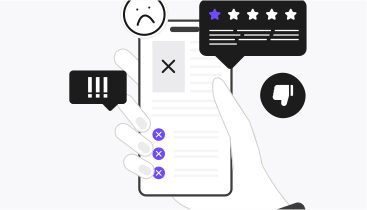
Imagine creating an application, investing in its UI/UX design to look modern and polished, only to realize that customers don't find it helpful. This is not a theoretical case but a real one that happened to WingWork, a B2B tracking software for aviation maintenance.
While they had an attractive and clean user interface, the target audience didn't fully benefit. And the problem was hidden deeper: their platform felt more like a B2C, the workflows didn't help to tackle real-life tasks, and key features were not available to find through the main dashboard. Thus, WingWork couldn't deliver real solutions and conquer enterprise clients.
However, it all changed when we paused and sat to define the UX design problem statement. By researching real user needs and priorities, we redesigned WingWork, which led to a 96% conversion rate from demo to paid clients.
The game-changing asset in improving user experience is the effective problem statement. This is a process of crafting a user-centered summary that describes their pains and unmet needs. It focuses on solutions for customers rather than purely business goals. But when users are satisfied, they are ready to commit to your company and pay you.
This article will explain the importance of a correct UX problem statement, guide you through the steps of its writing, and pinpoint the pitfalls.
A problem statement in UI is a concise and actionable description of users, their goals, pain points, and expectations. It targets three questions: who is experiencing the issues, what the problems are, and why they matter. The statement builds a bridge between the current design and real user needs.
Problem statements are a cornerstone for user-centered design. They highlight what truly matters for the team and help avoid making decisions based on assumptions, not real data.
UX problem statement is often confused with feature requests, like: "Add calorie counter" or business requests, like: "Increase retention by 30%". However, correct issue identification considers only users' pains, like: "Students using the app fail to locate assignments through the dashboard".
Researching the gap between great user experience and existing design, and forming the outcome into a summary is not just a description of what is wrong. Instead, a well-crafted UX problem statement:
A significant problem statement for UX design covers a few aspects in its message. It addresses such key elements.
Before you fill out a template for a problem statement, you need to understand who your target audience is. Don't just define them as "users", but provide more specifics. For instance, write about them as "private jet maintenance coordinators who use mobile devices in low-light mode". This provides a more extensive view.
Once you know who the center of attention is, you need to learn what those people struggle with. Do they have difficulties with finding proper features because of a chaotic dashboard? Do they need to open another app, as yours doesn't have specific functionality? To circle out all the needs, conduct interviews, and get data from analytics.
Every problem needs to have substantiation. For example, adding a few color modes might not sound reasonable for developers. But if you support the problem by explaining that the lighting in the aircraft is not always the best, they won't argue with your decision.
When writing UX problem statements, consider covering these paramount characteristics:
Crafting a problem statement for UX is crucial to the design development process. It helps to put the user in the center and provide solutions that are both effective and relevant to real customers' needs. Here is a breakdown of how to create a UX problem summary.

The first and foremost goal of every digital product is to serve people. Thus, the initial task is to learn as much as possible about target users. You can do that with the following research methods:
The goal is to gather evidence about the users and their motives for doing these or other tasks. Honest feedback also requires being empathetic. Thus, UX designers have to be good listeners at this stage.
Once you have enough data, it is time to turn it into valuable insights. Use the affinity mapping to sift through the information: locate patterns, themes, and common characteristics into groups.
Instead of purely focusing on the pain points, ask your teams a question: "How might we deal with this?" to turn challenges into opportunities. Here, be attentive to repeating frustrations and unmet needs.
To get the most out of the received information, focus on themes rather than single issues.
Using a template for drafting a problem statement helps to stay concise and clear. Our team, depending on the design development stage, uses such templates.
The template goes like this: "[User] needs a solution to [user need] because [insight or reason]". An example can be: "Night shift aircraft operators need a way to reduce eye strain when using the platform because the current interface tires them because of high contrast".
The template is the following: "Our [who] struggles with [what] when [when/where] because [why]. This makes them feel [emotional effect] and prevents them from achieving [goal or outcome]".
An example can be: "Our maintenance coordinators can't locate critical features during emergencies because they are hidden behind multiple menus. This adds stress to their routine, preventing them from delivering timely responses".
At UITOP, we use the first template for early-stage problems because it is short and easy to iterate. We use the second template for a deeper analysis of emotional and operational consequences.
Don't go into problem-solving with only one draft of the statement. Opt for creating several variations of the issue by looking at it from different perspectives: design, product, and user research.
This helps to settle broader design thinking and explore more before narrowing it down to one version.
Run your problem statement drafts through this set of questions:
Share your version with the teams and use their feedback for refinement.
It all starts and ends with users' approval. So, once you are ready with the final draft, if you have a chance to turn to users again, ask them if your statement describes their experience.
If you want to start your next design sprint by building a clear UX problem statement, get inspired by these real examples.

Dropbox has competed with Google Drive and OneDrive and was losing because of its clunky user interface. Their sidebar had too many nested options, which led users into confusion.
Weak problem statement: "Users don't like the left panel". This summary is too vague, focused on features, and provides no context on why customers would not like to utilize the platform.
Strong problem statement: "Specialists managing shared documents across teams [Users] want to navigate Dropbox easily [Need] because the current design confuses them with too many links, which takes a lot of time [Insight]".
This description works best because it identifies the specific user, the needs, and the impact of the poor design solutions.

During the pandemic, Slack welcomed thousands of users; however, despite the demand, the product lacked proper navigation, namely, key features were hidden behind the interface.
Weak problem statement: "We have to show more features". The summary is solution-based and not user-centered.
Strong problem statement: "Managers who strongly rely on Slack for communication [Users] need to have quick access to channels [Need] because currently those features take a few clicks to find, which causes frustration [Insight]".
This version identifies the role, the need, and how the issue impacts working routines without delving into the solutions.

Notion was to compete with Word and Google Docs. However, in 2016, it was on the edge of being shut down because of its confusing interface and steep learning curve.
Weak problem statement: "Users find Notion to be very complex". In this statement, there is no clarity on who is facing the issue and why it matters.
Strong problem statement: "Newcomers who shift from using transitional document editors [Users] want to have a straightforward way to organize content [Need] because the current interface doesn't have intuitive clues and provides too many layout options [Insight]".
This problem summary identifies users who are newcomers, highlights the problem with onboarding, and takes into account emotional and behavioral characteristics.
While writing UX problem statements sounds like a low-hanging fruit, the procedure can be deceptively tricky. Be aware of these mistakes that many teams face:
A UX problem summary is not only a description of one single pain point. It is a part of a broader design process. This is why it is deeply connected with these aspects:
A problem statement is a "living document". You can make amendments once you receive more feedback, but the core user needs should remain intact.
A problem statement in UX is a roadmap that keeps teams focused on resolving real user needs. The summary helps to prioritize customers' needs and puts them at the top of the process.
Well-crafted UX problem statements are concise, actionable, evidence-based, and encouraging. They connect teams with the reality of solving user challenges.
If you want to improve your current design or start building a platform already in the right direction, master the art of writing effective problem statements for UX.
And, if you need an expert view on how to build a problem summary specifically for your business project, contact our agency.