 How we use AI in our process

Startup, Development
/
Jul 17, 2026
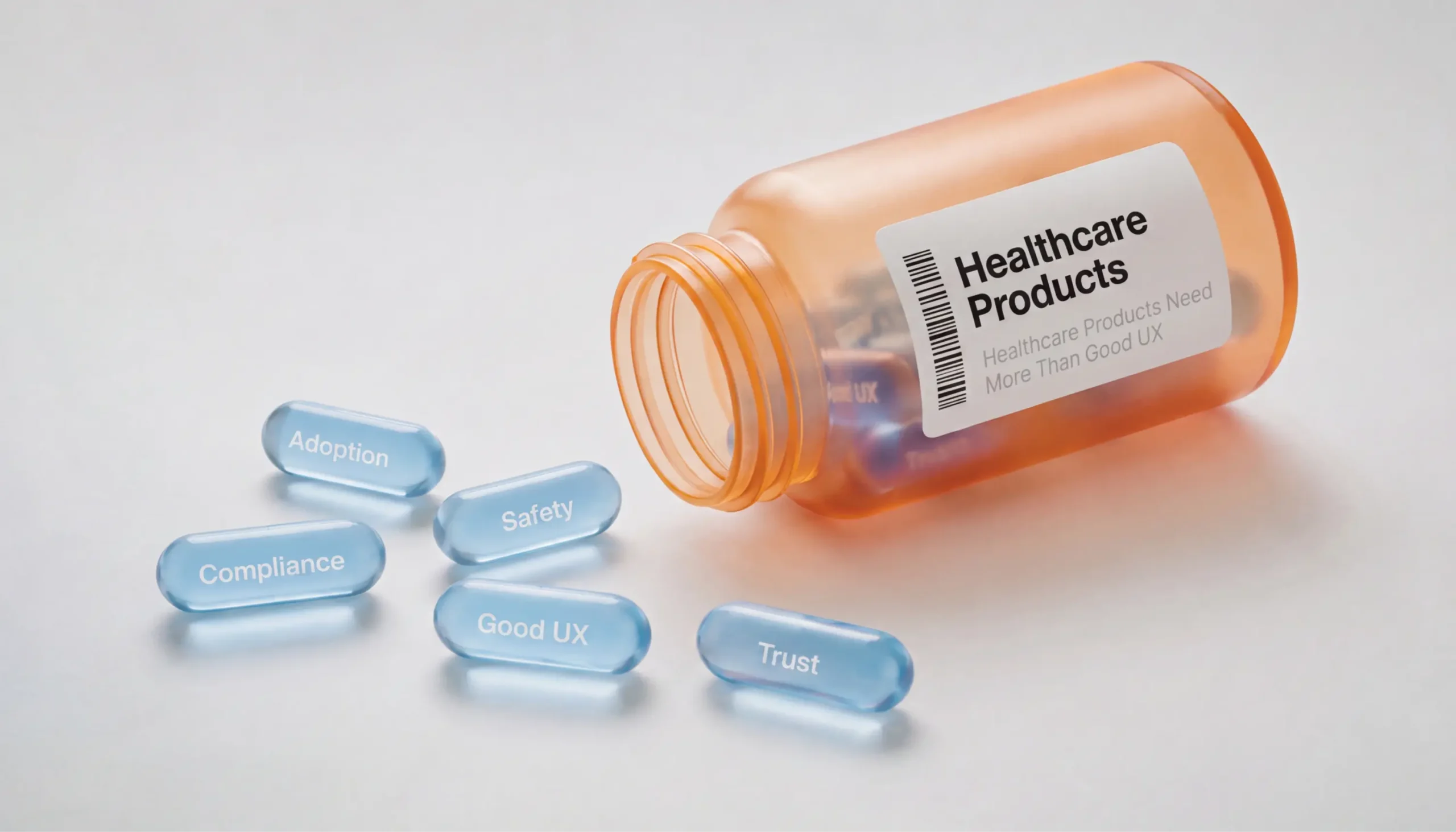
When people talk about healthcare products, UX usually becomes the center of the conversation. Everyone wants an interface that's clean, intuitive, and easy to learn. And that's important. But in healthcare, good UX is only one piece of a much bigger picture.
Imagine a doctor looking for allergy information before prescribing medication. Or a patient trying to book an urgent appointment while feeling unwell. Every interaction matters. A confusing workflow doesn't just frustrate users. It can delay care, increase stress, or even cause medical errors.
Healthcare products also deal with challenges that most digital products never face. They handle sensitive patient data. They must comply with strict regulations. They support people with very different goals, from doctors and nurses to administrators and patients. At the same time, they need to integrate with existing systems, stay reliable under heavy workloads, and remain easy to use.
That’s why successful healthcare products are designed as complete systems. Great UX, secure architecture, compliance, and reliable engineering all work together. If one part fails, the entire experience suffers.
Below, we'll explore what it really takes to build healthcare products that are safe, compliant, and easy to adopt.
Healthcare software development is very different from building a typical SaaS product.
In most industries, a poor interface leads to frustration. Maybe users abandon a task or contact support. In healthcare, the stakes are much higher.
A missing warning, an unclear status, or a confusing workflow can slow down treatment or increase the chance of mistakes. Building products for such a high-stakes environment takes close collaboration between designers, developers, architects, compliance specialists, and healthcare experts. Each brings a different perspective to the product.
Healthcare products also have one of the most challenging user groups. A single platform may be used by physicians, nurses, patients, administrators, insurance providers, and support staff. They all have different priorities.
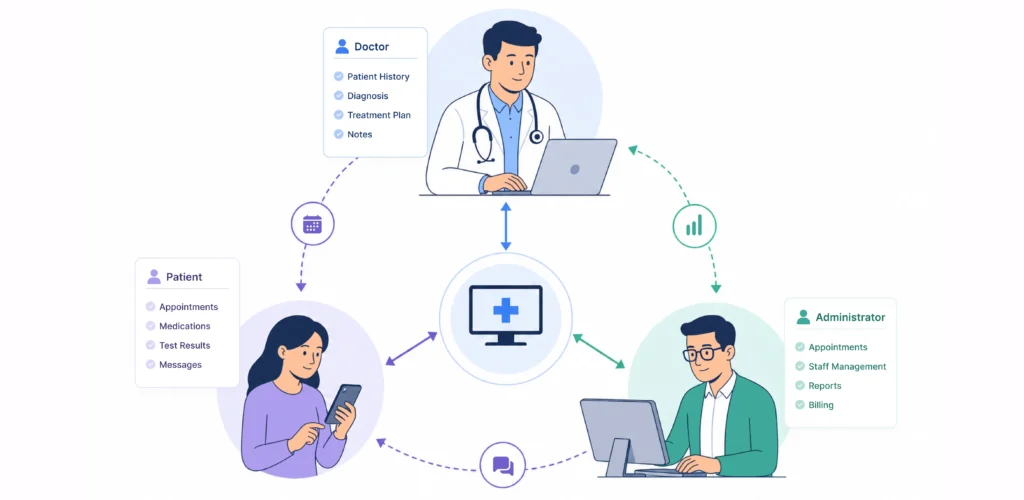
Doctors often need information immediately. They don't have time to search through multiple screens during a consultation.
Patients, on the other hand, may be opening the application for the first time. They need clear language and simple navigation, especially when they're stressed or worried about their health.
Then come regulatory requirements. Unlike many consumer products, healthcare platforms must protect medical information, control user permissions, and maintain detailed audit trails. These requirements influence both design and architecture from the very beginning.
Scalability matters as well. Healthcare organizations continue growing. They open new clinics, hire more specialists, introduce new services, and connect additional systems. Products should be ready to grow without becoming harder to maintain.
Good healthcare design begins by understanding these realities instead of treating the product like another business application.
Design healthcare products that people trust
Building for healthcare means balancing UX, safety, compliance, and engineering from the start.
Contact usOne interface rarely works for everyone.
Healthcare products serve people with completely different goals, responsibilities, and levels of technical knowledge. That's why understanding users is one of the most important parts of healthcare product design.
Let's start with patients.
Most patients don't use healthcare applications every day. They simply want to complete a task without confusion. That might include scheduling an appointment, viewing lab results, paying a bill, or messaging a doctor.The experience should feel simple from start to finish. Medical terminology should only appear when necessary. Instructions should be clear. Important actions should be easy to find.
Now think about doctors. Their priorities are almost the opposite.
They work under constant time pressure. During appointments, every second matters. They need quick access to patient history, medications, allergies, imaging results, and clinical notes. Extra clicks quickly become frustrating.
Healthcare staff have their own challenges. Receptionists manage schedules. Administrators generate reports. Nurses update patient information throughout the day.
Each role interacts with different parts of the same system. Trying to satisfy everyone with one universal interface usually creates unnecessary complexity.
A better approach is role-based design. Users only see information that's relevant to their work. Navigation becomes simpler. Tasks take less time to complete.
That’s the reason why great healthcare products are designed around people rather than features.
Patient safety doesn't depend only on doctors and nurses. Product teams influence it every time they design a workflow.
Good UX helps users avoid mistakes before they happen.

Another effective approach is preventing impossible actions altogether. For example, a system shouldn't allow users to submit a patient record if critical information is missing. It's much easier to stop an error than to fix its consequences later.
When mistakes do happen, the product should help users recover quickly.
Clear feedback is essential. After saving information, users should immediately know whether the action was successful. If something goes wrong, the system should explain what happened and what to do next. Generic messages like "Something went wrong" only create frustration.
Healthcare products also need to be careful with alerts. More warnings don't always make products safer. Too many notifications lead to alert fatigue, and people eventually start ignoring them. The interface should only interrupt users when something truly requires their attention.
Reducing cognitive load is another important part of patient safety. Doctors make hundreds of decisions during a shift, often under significant time pressure. The interface shouldn't force them to scan unnecessary information or remember extra steps. Instead, it should surface the right information at the right time and keep common tasks predictable.
That's why consistency matters. Buttons should behave the same way throughout the product. Navigation should feel familiar across different screens. Users shouldn't have to stop and think about what happens next.
None of these decisions seems revolutionary on its own. But together, they create products that feel reliable, predictable, and safe - exactly what healthcare professionals need when every decision matters.
Compliance often sounds like a legal problem. In reality, it's a product design problem too.
Many teams begin discussing regulations after product design is complete. At that stage, changes become expensive and time consuming. Compliance should influence product decisions from the very beginning.
For US healthcare products, HIPAA is one of the most important regulations. It defines how protected health information should be collected, stored, shared, and accessed. Meeting these requirements goes far beyond adding a privacy policy. Compliance affects almost every part of a healthcare application. That includes authentication, user permissions, encryption, audit logs, session management, backups, and infrastructure. Many of these decisions remain invisible to users. Still, they shape the overall experience.
Take authentication as an example. Healthcare organizations often require stronger security than other industries. That doesn't mean logging in should become frustrating. Users should understand why additional authentication steps exist. Security measures become easier to accept when they fit naturally into the workflow. Good design makes that possible.
The same principle applies to permissions. Not every employee should access every patient record. The interface should clearly reflect each user's responsibilities without creating confusion.
Compliance also supports trust. Patients share some of their most personal information with healthcare providers. They expect products to protect that information at every step.
When security and usability work together, users rarely think about compliance. They simply feel confident using the product. And that's exactly how it should be.
Many people hear the term UX and immediately think about beautiful screens. In the medical field, however, user experience isn't measured by visual design alone. . It's measured by how confidently people complete important tasks.
Imagine a physician reviewing dozens of patient records before lunch. Or an older adult trying to join their first video consultation. Both experiences should feel clear and predictable, even though they're completely different.
That's why healthcare UX starts with understanding real workflows instead of designing individual screens.
Information hierarchy becomes especially important. Users should see critical information first. Everything else should support the main task instead of competing for attention.
And again, reducing cognitive load is another priority. Doctors already process enormous amounts of information. The interface shouldn't make that harder. Simple layouts, familiar navigation, and consistent interaction patterns allow users to focus on patients instead of software.
We saw this while working on ResHub, a platform that helps healthcare teams plan their day, manage patient information, and stay connected with patients' families. Rather than simply moving paperwork online, we focused on making everyday tasks easier. We brought scheduling, reporting, and care coordination together in one intuitive platform built around real clinical workflows. The result was an 89% ease-of-use score, a 30% increase in user adoption, and an 87% user retention rate after launch.
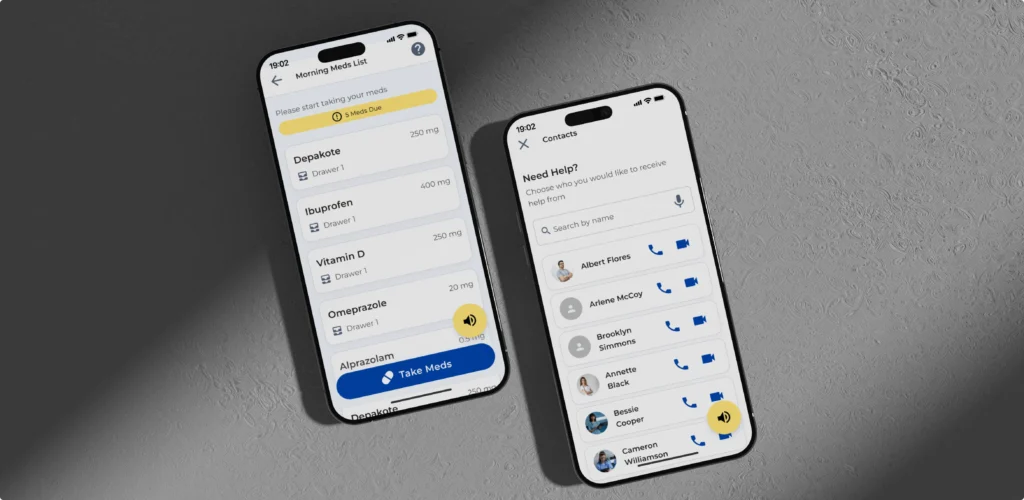
Accessibility also deserves more attention than it often receives. Healthcare products serve people of all ages, abilities, and technical backgrounds. Readable typography, keyboard navigation, sufficient color contrast, and screen reader compatibility make products better for everyone.
That's why good UX helps people deliver better care through intuitive, thoughtful experiences.
Few healthcare products are as challenging as electronic health record systems.
An EHR contains years of patient history, medications, diagnoses, laboratory results, imaging, prescriptions, referrals, and clinical notes. Medical staff need fast access to all of it.
The challenge is obvious. How do you present that much information without overwhelming users?
Many products solve the problem by adding more menus, tabs, and filters. Unfortunately, that often creates even more complexity.
A better approach is understanding how people actually work. Emergency physicians don't need the same information as dermatologists. Receptionists don't need the same interface as nurses. Context should shape the experience.
Designers can simplify complex workflows by grouping related information, reducing duplicate actions, and prioritizing frequently used tasks. This makes complex systems feel much simpler.
Search also deserves special attention. Doctors shouldn't spend valuable minutes hunting for lab results or previous diagnoses. Powerful search and smart filtering save time every day.
Documentation is another opportunity for improvement. Templates, autofill, structured forms, and reusable data reduce repetitive work while improving accuracy.
The goal isn't to remove functionality. Healthcare systems will always be complex. The goal is to hide unnecessary complexity from users. When clinicians spend less time navigating software, they spend more time focusing on patients. And that's exactly what great product design should achieve.
People notice good design. They remember reliable products. In healthcare, reliability often matters even more than appearance.
Imagine a doctor opening a patient record during an appointment. The page loads slowly. Notes don't sync. The system freezes for a few seconds. Even if it recovers, trust is already gone.
People rarely separate design from engineering. If an application crashes during a consultation, users blame the entire product. The interface may look polished, but reliability defines the overall experience. If the product feels unreliable, they'll assume the information inside it is unreliable too.
This is why medical software development should prioritize stability from the beginning. Performance, scalability, and fault tolerance are just as important as visual design.
Reliable synchronization matters too. Users should never wonder whether a prescription, note, or appointment was actually saved. The system should always communicate what's happening. If data is syncing, show it. If something fails, explain why. If the connection drops, preserve the user's work whenever possible. Clear feedback helps users recover quickly and continue with confidence.
Let’s not forget about quality assurance. Healthcare teams cannot afford hidden bugs in critical workflows. Testing should cover common scenarios, edge cases, accessibility, security, and performance before every release.
Monitoring shouldn't stop after launch either. Real-time monitoring helps teams identify issues before they affect hospitals or clinics. Fast updates build confidence.
Strong engineering creates dependable products. Dependable products earn trust from patients, providers, and healthcare organizations. And trust is one of the most valuable things a healthcare platform can earn.
Remote healthcare has become a normal part of modern medicine. Patients now expect virtual consultations to be as simple as joining a video call.
However, designing for telemedicine involves much more than adding video functionality.
Patients join appointments from phones, tablets, and laptops. Some have excellent internet. Others struggle with unstable connections. Some are comfortable with technology. Others may be joining their very first virtual consultation. The product should work well for all of them.
Users should immediately understand how to join an appointment, test their camera and microphone, upload medical documents, and share symptoms before the consultation. Small moments like these reduce stress before the appointment even starts.
Doctors have different needs. During a consultation, they may need to review medical history, update notes, prescribe medication, or schedule follow-ups. They shouldn't jump between several disconnected systems. Everything they need should be close at hand.
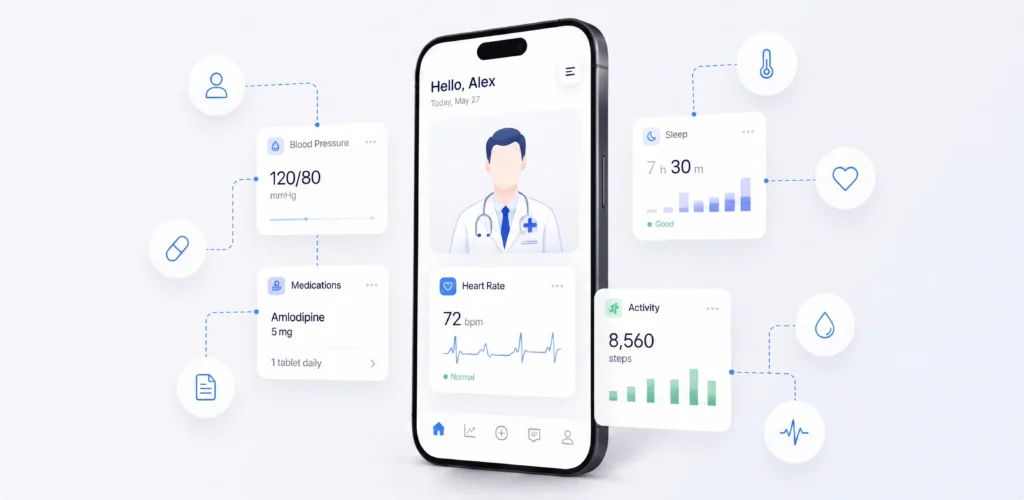
Connection issues are another reality. Video quality won't always be perfect. The product should recover gracefully instead of forcing users to restart the session.
Accessibility matters as well. Many telemedicine users are older adults or people with temporary or permanent disabilities. Simple navigation, readable text, and large controls make virtual care easier for everyone.
Successful telemedicine products make distance almost invisible. Technology supports the conversation instead of distracting from it.
Every healthcare organization has unique processes. A private clinic doesn't follow the same workflows as a hospital. A rehabilitation center has different priorities than a mental health practice. Even two clinics offering the same services may organize their work in completely different ways. Ignoring those differences usually leads to expensive mistakes.
That's why discovery comes before design.
Before thinking about screens or features, product teams need to understand how people actually work. How do doctors manage appointments? Where do patients struggle? Which tasks take the most time? Which systems does the product need to connect with?
These conversations often uncover things that aren't obvious at first.
For example, a workflow that looks simple on paper may involve several departments, multiple approvals, and strict compliance requirements. Missing those details early can lead to expensive redesigns later.
Discovery is also the right time to identify technical and business constraints.
A well-planned healthcare product discovery process helps teams make better decisions from day one. It saves time, reduces risk, and lays the foundation for a product people will actually use.
The better the discovery process, the fewer surprises appear later. It's much cheaper to change an idea than rewrite an entire platform later.
Healthcare products are full of trade-offs.
The easiest solution for users isn't always the easiest to build. Every product decision affects several parts of the system. A new feature may improve the user experience but introduce security risks. A technical shortcut may speed up development but make future updates more difficult. An architecture built without scalability in mind can become a bottleneck as the product grows.
That's why UX, software architecture, and engineering should evolve together throughout the project.
Designers need to understand technical constraints. Engineers need to understand user needs. Architects need to think about security, integrations, and long-term scalability while supporting a smooth user experience.
When all of it works closely together, teams make better trade-offs. They can build products that are intuitive for users, reliable under heavy workloads, and flexible enough to support future growth.
This collaborative approach also makes compliance easier. Security requirements, access control, and data protection become part of the product instead of being added at the end.
The result is a healthcare platform where usability, safety, and performance work as one system rather than competing priorities.
That's what modern healthcare product design services are really about. They bring together product thinking, UX, and engineering to build healthcare solutions that are easy to use, secure by design, and ready to grow with the business.
Launching a healthcare product is only half the challenge.
The harder part is getting people to use it.
Doctors and nurses already have routines that help them work quickly under pressure and avoid mistakes. A new product doesn't just introduce new technology, it asks people to change those habits. But every extra click, every unfamiliar workflow, and every interruption creates friction. If the product slows them down, they'll find workarounds or stop using it altogether.
That's why adoption isn't something you think about after launch. It should influence product decisions from the very beginning.

The easiest way to improve adoption is to fit naturally into existing workflows. If doctors already review lab results before writing notes, the product should support that sequence instead of forcing a new one. If nurses switch between tasks dozens of times a day, the interface should make it easy to pick up where they left off.
That doesn't mean innovation should stop.
Sometimes better workflows require change. But change should happen gradually.
Introducing new features step by step gives teams time to adjust, build confidence, and provide feedback. Small improvements usually create less resistance than replacing every process overnight.
Training also plays an important role. The best onboarding helps users learn while they're doing their work. Short walkthroughs, contextual tips, and helpful documentation are often more effective than long training sessions before launch.
Most importantly, adoption is an ongoing process and product teams should keep listening after release. Support requests, user interviews, and product analytics reveal where people get stuck and where workflows still need improvement.
The most successful healthcare products improve everyday workflows in ways that feel natural for the people using them. That's what turns a new platform into part of everyday care.
Healthcare app development is a team sport.
Every decision affects something else.
A new feature might improve the experience for doctors but create extra security requirements. A technical shortcut might speed up development but make future updates harder. Even a small change to a workflow can affect compliance or the way patient data moves through the system.
That's why healthcare products work best when product managers, UX designers, architects, and developers are involved from the start.
Each person looks at the product through a different lens.
A product manager focuses on business goals and user needs. Designers simplify complex workflows. Architects think about scalability, integrations, and security. Developers make sure those ideas work in the real world.
The best solutions usually come from those conversations.
Instead of handing work from one team to the next, everyone works through challenges together. Trade-offs become easier to spot, decisions happen faster, and fewer surprises appear later in the project.
That collaborative approach also leads to a better product. UX, architecture, and engineering evolve together, creating a platform that's intuitive to use, reliable under pressure, and ready to grow as the business grows.
That's why many healthcare companies choose to work with a digital product design and development company. Bringing strategy, design, and engineering together under one roof helps turn complex healthcare ideas into products people actually trust and use.
Good design matters. But healthcare products need much more than attractive screens. They need reliable engineering. They need strong security. They need thoughtful workflows. They need compliance built into the foundation. Most importantly, they need to fit the way people actually work.
When UX, architecture, and engineering work together, products become easier to use, easier to trust, and easier to adopt. That's exactly what healthcare organizations need. Whether you're building a patient portal, an EHR platform, a telemedicine solution, or an internal clinical system, every decision should support the same goal. Help healthcare professionals spend less time fighting software and more time caring for people. That's what great healthcare product design is really about. If you're ready to bring your idea to life, the UITOP team is here to help.
Healthcare software manages sensitive patient information and supports clinical decisions. It also must meet strict regulations and serve different user groups, including patients, doctors, nurses, and administrators.
HIPAA defines how protected health information should be stored, shared, and accessed in the United States. Building with these requirements from the start helps avoid costly redesigns and improves user trust.
Good UX reduces the chance of mistakes. It uses clear workflows, meaningful feedback, consistent interactions, and error prevention to help healthcare professionals make safer decisions.
Besides usability, healthcare products should address security, compliance, scalability, accessibility, interoperability, reliability, and clinical workflows. These factors determine whether a solution succeeds in real healthcare environments.
Discovery helps teams understand users, workflows, technical constraints, and business goals before development begins. It reduces project risks, improves planning, and leads to products people actually want to use.

