How we use AI in our process
Product, Development
/
Jun 30, 2026

In the early stages of a cloud software startup, a common cultural divide emerges within the product team. On one side, the product design department focuses heavily on user empathy, visual consistency, interactive prototypes, and minimizing user cognitive load. On the other side, the engineering team operates within terminal environments, optimizing database indexes and queries, configuring cloud infrastructure routing, and managing data payload schemas.
For too long, business leaders have treated design and engineering as completely separate slots on a timeline. The common myth is that as long as the design team delivers a well-designed interface, the technical setup underneath is just an invisible detail for developers to handle.
This isolation is one of the biggest threats to modern enterprise software delivery. End users are unlikely to audit your server routing protocols, your Kubernetes clusters, or your database tables. However, they feel the immediate consequences of your SaaS architecture decisions during every single click with your platform.
If your backend system experiences constant database drops, slow API responses, or inefficient data-parsing loops, even a polished layout can lose much of its practical value.
Strong product outcomes are more likely when SaaS software architecture and interface behavior are designed as a single, connected ecosystem. This guide delivers a deep architectural breakdown of how backend, database, network, and integration engineering decisions directly shape user retention, workplace productivity, and product adoption at scale.
User experience (UX) is fundamentally an emotional and behavioral response to a live, stateful software system over time. When a human interacts with a B2B platform, their perception of usability relies on three things: performance predictability, data accuracy, and functional reliability. If any of these pillars crumble due to a weak software architecture design, the interface experience can quickly deteriorate.
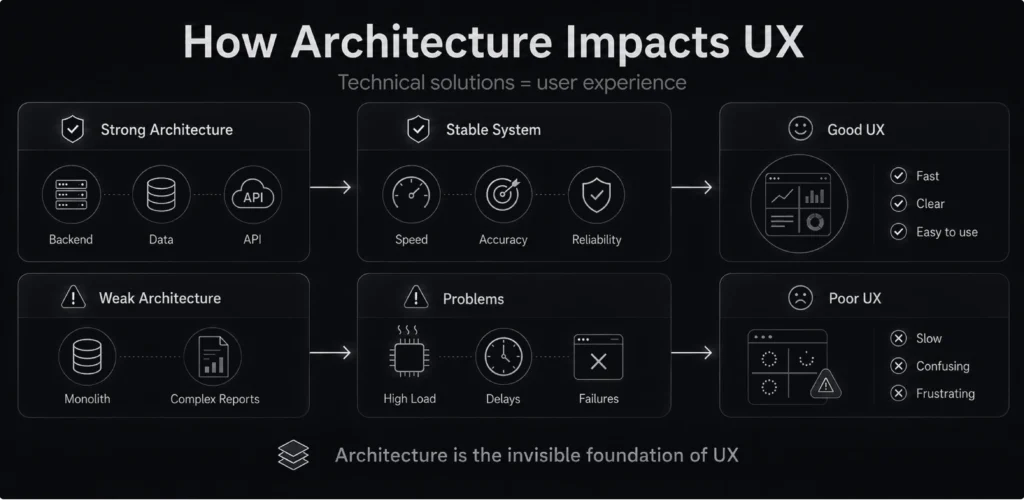
When a development team selects a backend framework or configures a database replication strategy, they are actively defining the limits of the user experience. For example, consider a data-heavy workspace like an enterprise financial analytics dashboard.
If SaaS application architecture utilizes a heavy monolithic relational database without separate read pools, a complex quarterly report can consume shared resources and slow down the platform for everyone. For another user across the country who is simply trying to save a customer profile, this backend constraint manifests as an unresponsive, spinning save button.
To bridge this gap, product organizations should treat technical choices as design choices. The layout of your cloud database schemas, the modular boundaries of your application microservices, and the structure of your network requests represent the invisible foundation upon which all human interactions rest.
Fast platform speed is the baseline requirement for keeping customers engaged. In a professional work environment, slow performance actively stalls business operations. When an application loop encounters delays, the user is forced to context-switch, fracturing focus and increasing mental fatigue.

To build a platform that feels fast and responsive under heavy workloads, system architects must manage three distinct performance metrics:
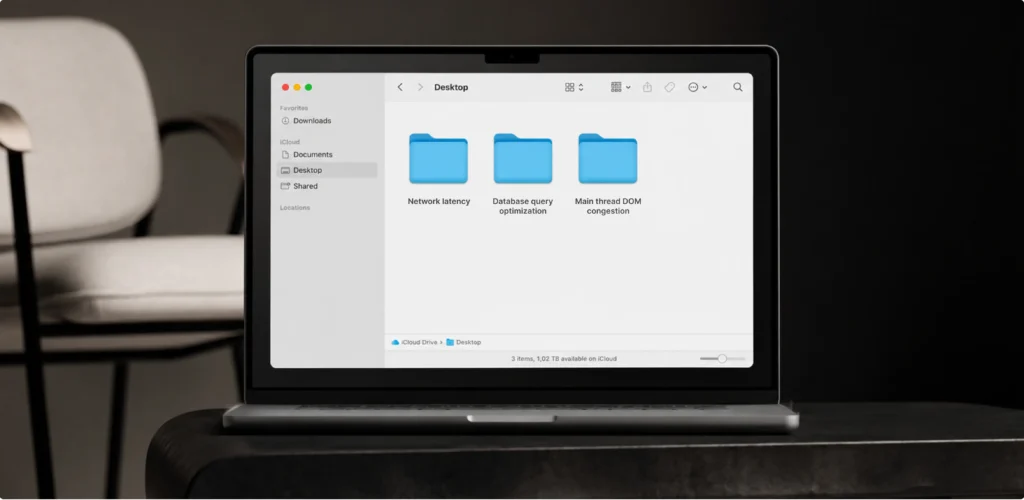
To keep your application fast, modern engineering teams deploy smart optimization tactics across every layer of the software stack:
Explore our SaaS development services
Discover how we build scalable SaaS architecture that supports performance, responsiveness, and better user experiences.
Learn moreThe paths data travels through your system dictate how accurate, responsive, and predictable your application layouts feel to end users. When an engineering team creates an application using an unstructured data flow model, different areas of the user interface will frequently display conflicting information states.
For instance, if a sales representative updates a customer's deal value inside a details panel, but the master pipeline tracking dashboard continues to display the old financial value until they do a hard manual browser refresh, the user's confidence in the system's accuracy can quickly decrease.
A classic software engineering trap involves launching a platform that performs flawlessly during internal staging evaluations and initial user demos, only to struggle under real-world enterprise traffic. As your sales department secures large corporate clients, your database is suddenly hit with millions of new transaction rows, your servers must manage thousands of concurrent API requests, and data throughput scales.
Without a modern, scalable SaaS architecture built into your core codebase from day one, this sudden business growth can trigger platform-wide slowdowns and interface instability.
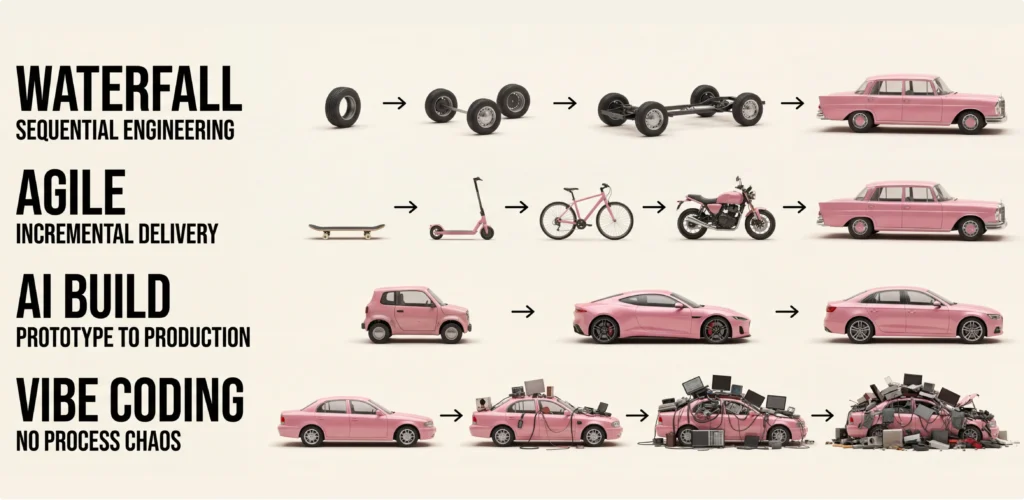
To maintain stable, fast response times during major user surges, modern systems must transition away from fixed, legacy monolithic infrastructures and adopt flexible components.
By separating isolated system functions into independent service blocks, a sudden surge in traffic to one specific feature area, such as a large end-of-month reporting block, remains safely contained within that specific resource pool. The rest of your application layers, including user onboarding routes and core profile systems, continue to run smoothly without experiencing resource starvation.
This isolation allows your system to handle large enterprise workloads while keeping your customer experience predictable and reliable.
Modern enterprise cloud platforms rarely operate as isolated data silos. To provide maximum value within a corporate workspace, your application must constantly share data with external email clients, telephony gateways, corporate financial systems, and analytics tools.
Because these background communication channels are deeply embedded within your customers' daily professional habits, these backend connections handle tasks your users do every single day, the way you wire your backend APIs directly shapes how the frontend feels.
If your platform relies on a synchronous integration model, an external server delay or a third-party API failure can block key workflows, delay interface updates, or make the workspace feel unresponsive. To protect your interface, you have to build separate, background data pathways.
By leveraging background messaging, any temporary failure or delay from an external partner remains completely invisible to your customers. The local interface updates instantly, while your application quietly retries the external data transfer behind the scenes. The result? A smooth, responsive workspace that remains stable even when an outside vendor has server issues.
The continuous availability and operational predictability of your cloud application is the absolute foundation of user trust. If an enterprise platform suffers from unexpected downtime, broken data syncs, or random server errors, professionals may struggle to rely on it for daily business operations.
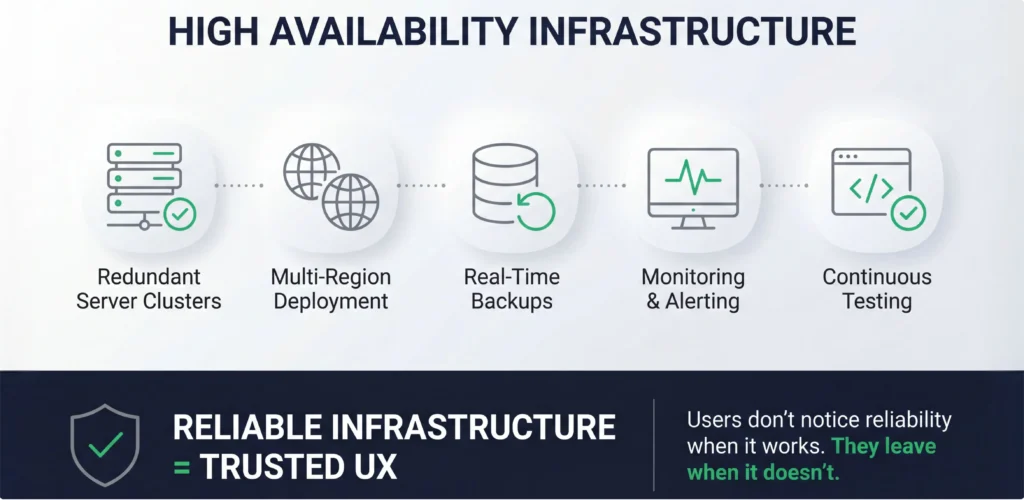
This kind of instability can quickly reduce user retention, overload your support chat, and reduce the return on marketing investment.
High system reliability is a vital user experience component that keeps customers engaged over time. When infrastructure is designed for high availability, such as 99.99% uptime targets, users can build daily habits around the tool. They know their workspace will open whenever they need it.
Maintaining this level of stability means setting up backup servers in different regions, scheduling automated real-time database backups, and running automated tests to catch bugs before they ever touch your live users.
Building a complex software application without strict structural rules fills your codebase with shortcuts that quickly ruin the interface. Poor backend choices, such as duplicating data tables across services, linking integrations without dedicated middleware, or hardcoding business rules deep within frontend components, create a fragile codebase that can break during routine updates.
Such setups quickly spill over into the front-end user experience, forcing designers to build navigation paths and overly complex forms to work around backend limitations. Over time, the platform becomes too difficult to modify, turning simple feature tweaks into risky, weeks-long engineering challenges.
Avoiding this product gridlock requires choosing flexible, decoupled architectural patterns that separate core data structures from visual presentation layers.
Enterprise applications have to accommodate deep company hierarchies, where an employee's clearance determines exactly what data they can see or edit. Managing these permissions without introducing screen lag requires a highly organized, lightweight access-control setup.
Building a smart, decoupled security layer allows you to handle complex data permissions cleanly, which is the secret to successful product design for complex SaaS platforms. When security checks happen instantly at your API gateway, frontend workspaces adapt dynamically without needing slow database lookups. This lets you deploy advanced filters and compliance tracking tools without adding visual clutter or processing lag.
A common mistake in product management is treating interface design and backend engineering as two independent, back-to-back project phases. When design teams work in isolation, they often design heavy data visualizations or complex real-time workflows that require massive computing power. If developers receive these static layouts without prior warning, they are forced to choose between missing launch deadlines and building fragile code paths under deadline pressure.
To avoid these costly alignment failures, software companies must embrace a unified, UX-first development approach. Syncing your visual designers, system architects, and software engineers from the initial discovery sprint ensures that every interaction concept is validated for technical feasibility early on. This collaboration allows your team to tweak complex components before investing hours into finalized visual specs, keeping your production pipeline fast, predictable, and fully optimized.
Making clean product and architecture decisions early helps protect your organization from expensive, multi-month refactoring projects down the road. When your engineering team builds modular, decoupled service layers, they can easily roll out new features and updates without risking site-wide downtime or breaking existing user workflows. This structural agility lowers your technical debt maintenance costs, freeing up your engineering budget to ship impactful improvements that drive market growth.
The global cloud software market has evolved past the point where teams can select development stacks based purely on technological novelty. Successful products are created by matching engineering frameworks directly to the overarching business strategy. Building systems around human workflows ensures that every database optimization, API configuration, and server deployment directly improves real-world platform utility.
Executing this customer-centric engineering strategy requires a partner that understands both user psychology and core system programming. As an established, full-service design and development firm, UITOP reduces internal communication gaps by handling both disciplines under one roof. Our cross-functional approach ensures your technical framework serves as an accelerator for product innovation.
When an engineering organization operates within fragmented, isolated departments, critical contextual details are lost during project handoffs. UI designers build assets without understanding server constraints, while backend developers configure schemas without analyzing user journeys. Overcoming this friction requires adopting an integrated, end-to-end software delivery process where design and tech choices advance together as a single system.
Choosing to partner with a unified SaaS product design and development company ensures that your platform benefits from real-time technical validation throughout its creation. Our teams use shared design component libraries, run integrated technical reviews, and sync daily to check that frontend interactions match backend performance parameters perfectly. This process removes delivery risks, speeds up your feature launch cycles, and ensures your product runs reliably under heavy enterprise workloads.
When an application's underlying code framework is poorly structured, even the most polished, modern interface designs may not prevent customer churn. Fixing system blockages and data processing delays is often essential for restoring user trust and securing your platform's subscription revenue.
A stark example of this engineering reality occurred when we worked with a high-load, NDA-protected B2B FinTech platform designed for asset management. Visually, the platform was polished, featuring a modern dashboard with clean, interactive charts that easily won over clients during sales demos.
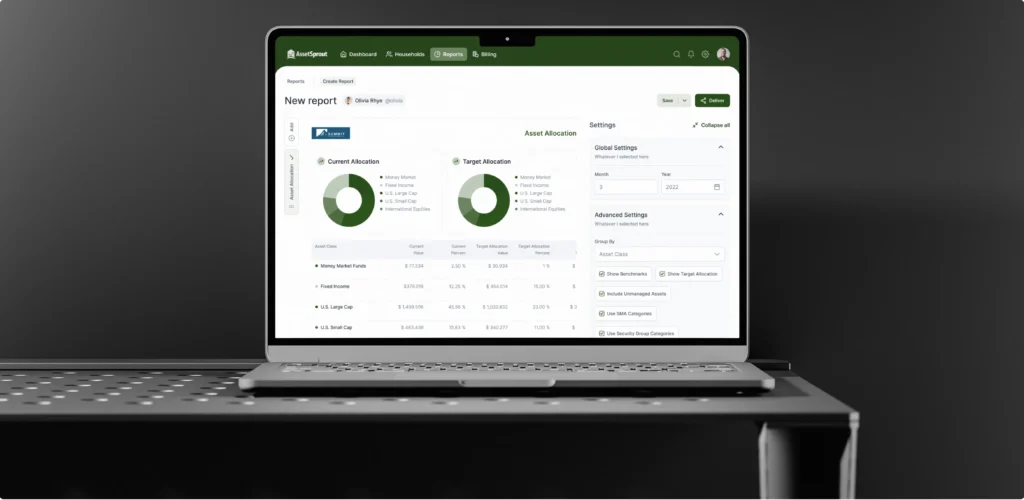
However, behind the scenes, the previous team built a rigid backend where heavy financial data streams were processed directly within the primary application thread. When the platform onboarded its first enterprise clients, the system collapsed under the data load. Generating a single quarterly report froze the entire interface for over 30 seconds, blocking users from clicking away and triggering an immediate 15% spike in customer churn.
We rescued the platform by executing a complete architectural overhaul, migrating the backend to a microservices model with background sync tasks and a quick data memory layer. This structural fix brought report generation times down from 30 seconds to under two seconds, completely stopped interface freezes, and restored client trust. By aligning the technical foundation with the product's growth goals, this intervention helped significantly reduce churn risk and successfully protected the platform's subscription revenue, proving that a scalable backend is a key foundation of a reliable user experience.
Let’s discuss your project
We design SaaS products that balance user needs, business goals, and technical constraints
Book a callA truly successful cloud platform requires a deliberate, ongoing balance between intuitive frontend interface design and resilient backend systems engineering. Your target users are never going to evaluate your application based on static layout wireframes or creative design slide decks. They measure your value through live loading speeds, consistent platform stability, and daily functional reliability. If your core code structure is slow or unscalable, your customer onboarding metrics will suffer regardless of your aesthetic appeal.
In case your software company is struggling with high system latency, frequent workflow bugs, or communication silos between designers and engineers, our team can help. Reach out to UITOP today to discuss your SaaS product needs!
This term refers to the foundational structural design, database configurations, API integration layers, server orchestration, routing rules, and frontend code frameworks that power a cloud-based software application.
Your underlying code design directly controls interface response speeds, data update accuracy, system availability, and operational stability. A weak technical framework causes frequent interface lag and system crashes that break user workflows.
Scalability ensures that your platform maintains fast, uniform page loading times and system reliability even as your business’s concurrent user volume, active data tracking records, and feature counts grow exponentially over time.
Third-party connections for payment, CRM, or data services can degrade usability if they are linked poorly. Building asynchronous connection paths and automated fallback logs prevents external server timeouts from freezing your main application screens.
Common places where the system gets stuck include creating hardcoded and inflexible user workflows, omitting modular role-based permission tiers, using unindexed relational database tables, and running heavy data calculations directly inside the main application thread.