How we use AI in our process
Product, Development
/
Jun 17, 2026
Some SaaS founders may believe that a beautiful, user-tested interface is the direct path to product success. They invest heavily in elite product design teams, map meticulous user journeys, and finalize stunning interactive prototypes. Yet, when the live software reaches production, onboarding metrics can drop, churn can increase, and the support queue may start filling with frustrated user reports. The product may look polished in presentations but feel unreliable in real customer use.
This disconnect happens because an interface blueprint is only as good as the underlying code that executes it. In modern cloud applications, the user experience does not exist in a visual vacuum. It is deeply bound to server response times, database query speeds, API data payloads, and browser thread management. When engineering teams fail to support design choices with strong technical execution, even excellent UX can quickly lose its effectiveness.
User experience encompasses far more than the visual layout structures created by a static design studio. A true user journey is a live, stateful experience shaped by how rapidly a platform responds to inputs, how reliably it handles data transitions, and how gracefully its architecture survives unexpected errors. When a platform is affected by hidden system bugs, unoptimized backend queries, and frequent server timeouts, the visual design loses much of its value.
When an engineering framework cannot support complex interaction logic, it often becomes inevitable that UX fails. If a user clicks a well-designed action button and encounters an unexpected five-second screen freeze, the visual appeal of that button becomes less important. Customers usually evaluate a digital product less by static mockups and more by the speed, stability, and reliability of the live software.
A serious operational breakdown often occurs during the traditional handoff process from creative designers to frontend and backend software engineers. Designers naturally focus on maximizing user efficiency, minimizing cognitive load, and creating intuitive, multi-step workspaces. However, when these concepts are developed without real-time engineering feedback, they frequently run into hard technical boundaries, rigid database constraints, and external API limitations.
When developers receive complex layouts without proper context, they are forced to make independent architectural compromises just to meet tight deadlines. They might simplify a dynamic filtering system, cut out smooth transition animations, or alter data-loading sequences to save processing power. These changes quickly break the original user flow, creating a significant gap between the initial design intent and the final product reality.
Design that works in production
We combine UX expertise and development skills to turn great ideas into scalable digital products
Contact usHigh interface latency can quickly damage user trust and increase user frustration. Modern enterprise software users expect instant feedback, meaning that even minor delays in screen rendering can cause customers to abandon workflows. When an application struggles with unoptimized database queries, heavy client-side scripts, or sluggish data transfers, the interface quickly becomes unresponsive.
This friction directly degrades usability. If an analytical panel takes several seconds to display critical charts on every page refresh, the user's focus is broken. Slow performance can cause users to double-click buttons out of confusion, which may trigger duplicate requests, repeated submissions, or inconsistent data states. In high-velocity business environments, a slow interface can be almost as damaging as a broken one.
Technical debt is rarely thought of as a user experience issue, but it undermines usability over time. When engineering teams rely on temporary code patches to meet aggressive launch deadlines, they sacrifice long-term platform stability. As new features are continuously stacked on top of an unstable codebase, the platform's overall implementation quality drops significantly, causing unexpected bugs across seemingly unrelated interface components.
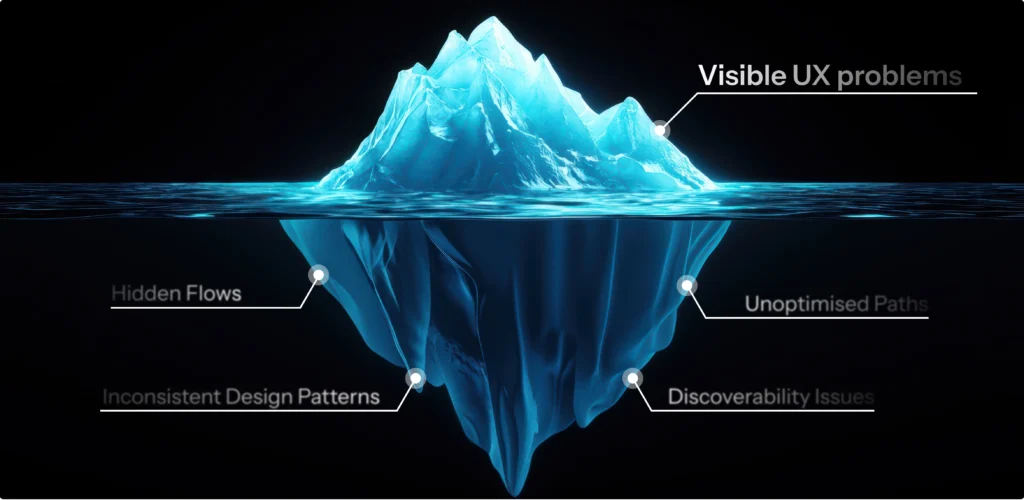
This degradation severely limits product scalability and makes simple interface updates slow and risky. Let's look at a real example of how early shortcuts can create major product issues later. We stepped into a project where the client bypassed structured product management entirely and relied on AI-generated UI/UX prompts to dictate the product choices. They skipped validation and immediately moved temporary AI-generated wireframes into production without sufficient validation.
Predictably, the platform quickly developed broken user flows, inconsistent layouts, and completely conflicting feature logic. The fast-tracked layouts confused the development team, who spent months trying to build technical bridges between contradictory designs. Ultimately, the chaotic UX forced a costly system redesign. It proved that cutting corners on foundational design logic can eventually lead to major rework or even a full redesign.
The core structural choices made during early system design directly dictate your interface's operational boundaries. When software teams construct rigid database models or inefficient API configurations, they build a technical constraint that limits future product growth. If your data structure cannot handle complex relationships, designers will find it impossible to build intuitive navigation flows or multi-role data views later on.
This architectural limit highlights how architecture affects user experience. If a platform relies on a slow, legacy monolithic backend that blocks real-time data streaming, your design team cannot deliver smooth, instant notification dashboards. Usability choices are tightly linked to system architecture, meaning technical architecture and product design must be planned together as a single, cohesive ecosystem.
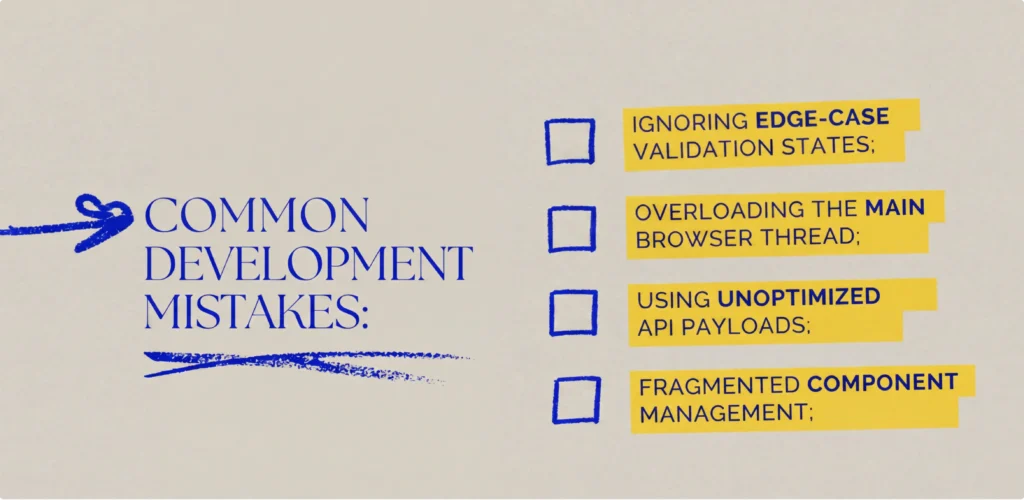
When UX/UI fails, this is rarely caused by a single bad design choice. This is typically driven by repetitive engineering mistakes during the feature construction phase:
When engineering teams build features without a shared structural approach, user interactions become unpredictable. Buttons behave differently across sections, navigation paths break unexpectedly, and data updates fail to save correctly. These mistakes quickly frustrate your users, driving up support ticket volumes and lowering customer satisfaction.
Reducing costly production errors requires a fundamental shift in how cross-functional product teams collaborate. Designers, database architects, and software engineers must work together from the initial discovery sprint. Syncing early allows your staff to validate the technical feasibility of planned interface flows before spending weeks on finalized visual concepts.
Adopting a unified UX-first development approach ensures that your design choices remain realistic and your code architecture remains centered on the user.
At UITOP, we eliminate the traditional handoff gap by housing our entire product design and software development team under one roof. Our engineers actively participate in early wireframing sessions, providing immediate feedback on database limitations, performance risks, and API capabilities.
When you get your designers and developers talking from day one, you build an application that is naturally ready to grow. This collaboration removes unexpected code changes, protects your project budget, and ensures the final deployed application looks polished and runs reliably.
When a product's technical execution is weak, even the most polished design assets fail to deliver real-world business results. Fixing deep usability issues requires resolving the underlying backend architecture bottlenecks that slow down your interface and cause data sync delays.
A clear example of this is our work with Activate, an enterprise fleet management system. The platform needed to display large amounts of real-world asset data without causing browser lag or breaking continuous data synchronization pipelines.
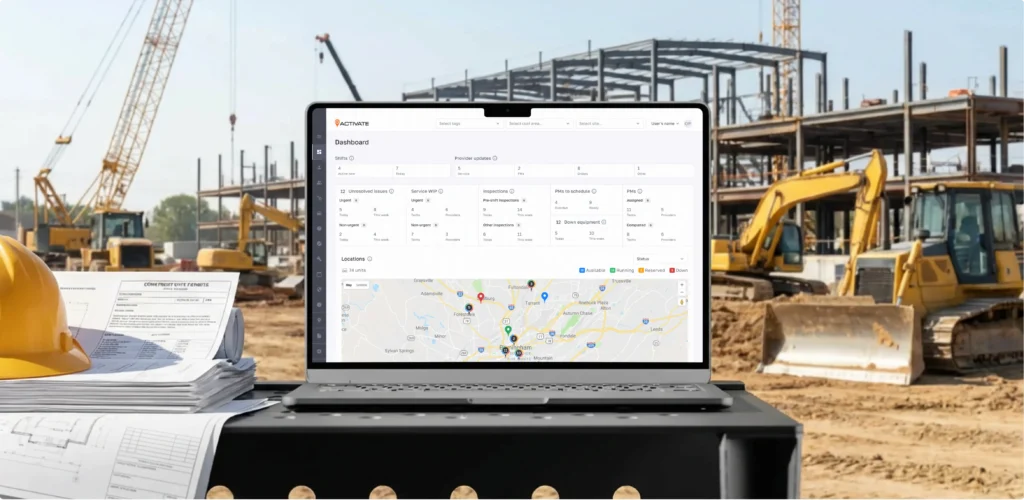
UITOP stepped in after the previous development team struggled to deliver a proper, high-performance interface design (which we ultimately delivered afterwards). We engineered a completely new dashboard architecture using a custom Figma design system with precise auto-layouts. Our developers refactored the legacy monolith into a high-performance modular React micro-frontend architecture utilizing customized Material UI elements.
To handle up to 20,000 live assets on Google Maps without interface lag, our team offloaded heavy data sorting and transformations into background Web Workers. We implemented normalized state management and memoized components to connect disparate entities through a unified data schema, enabling single-click drill-downs without state loss. To sync national fleet information securely, we integrated a long-polling strategy that refreshes data every five minutes.
Finally, UITOP built a robust middleware layer with idempotent API consumers and strict schema validation to protect data integrity during high-load integrations with external partners like Caterpillar.
Constructing a highly dependable enterprise platform requires a structured development process that balances interface usability with technical execution. True quality assurance is reached when cross-functional engineering teams treat interface flows and backend logic as equal halves of a single, connected system.
To deliver a reliable application, product teams should follow a disciplined process that covers both web application development and UX planning. Cross-functional teams must run ongoing technical reviews during active design phases, use component-based development frameworks, and enforce strict automated testing gates before code moves to production. This balanced method allows you to ship new features quickly while keeping your platform fast, stable, and easy to maintain over time.
The cloud software market has matured beyond the point where simple visual features or clean code alone can win on their own. Today, sustainable growth requires a deep product-engineering mindset that judges every design choice and code architecture update by its ability to solve real-world customer problems. If your departments operate in isolation, you risk wasting time and resources building features that confuse users or crash under heavy traffic.
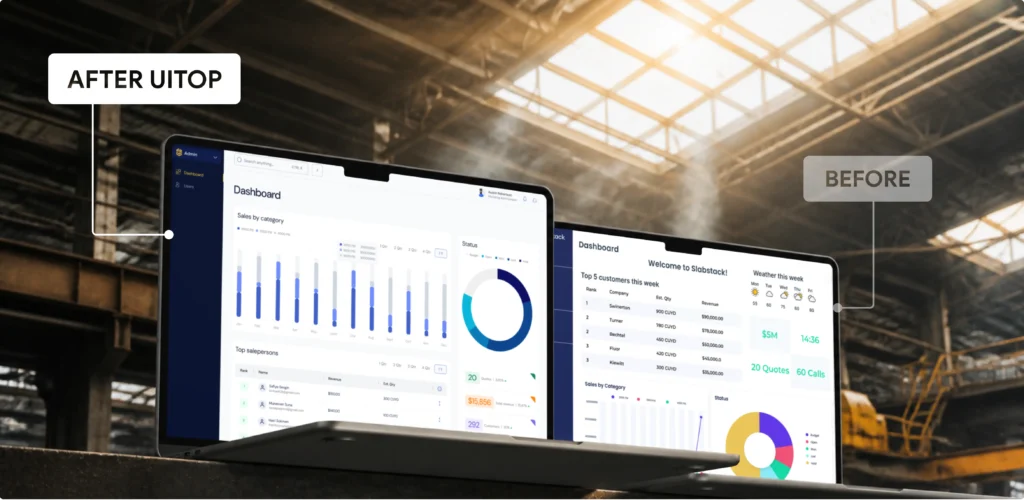
To scale effectively in competitive spaces, tech founders often choose to partner with a specialized UX-first product design and development company that unifies strategy, design, and engineering under a single process. This ensures that database setups, API calls, and interface layouts all work toward the same commercial goals, helping you build a highly scalable, valuable software asset.
Build your SaaS product with us
Looking for a long-term design and development partner who understands SaaS from strategy to launch?
Contact us
Ultimately, a software platform's market success is strongly influenced by its live production performance. A beautiful user interface can fail if it is weighed down by slow loading times, unstable database connections, and unexpected system crashes. High user adoption and long-term customer retention are more likely when exceptional interface design is backed by a scalable, high-performance technical architecture.
If your software company is struggling with poor user adoption, high maintenance debt, or communication gaps between design and development teams, changing your process framework is critical. Unifying your design and engineering pipelines under a single expert partner allows you to protect your launch timeline and optimize your development budget. Reach out to UITOP today to schedule an expert consultation and discuss your project needs!
Polished designs fail when the underlying code execution is slow or buggy. Without optimized database queries, scalable architecture, and reliable APIs, the interface becomes unresponsive, leading to user drop-offs.
System speed directly drives user experience metrics. High latency, slow screen rendering, and long loading times break user workflows, causing frustration and forcing clients to abandon the platform.
Yes. Relying on messy, quick-fix code creates long-term performance issues and unpredictable bugs. This technical debt makes the system fragile, slow, and incredibly difficult to update safely.
Early alignment allows software teams to check the technical feasibility of complex user flows before coding begins. This collaboration prevents expensive late-stage redesigns and protects development budgets.
Your backend code setup defines your interface’s operational limits. A rigid database or slow API structure prevents designers from building fast, real-time dashboards and seamless navigation paths.