How we use AI in our process
Design, Product
/
May 28, 2026
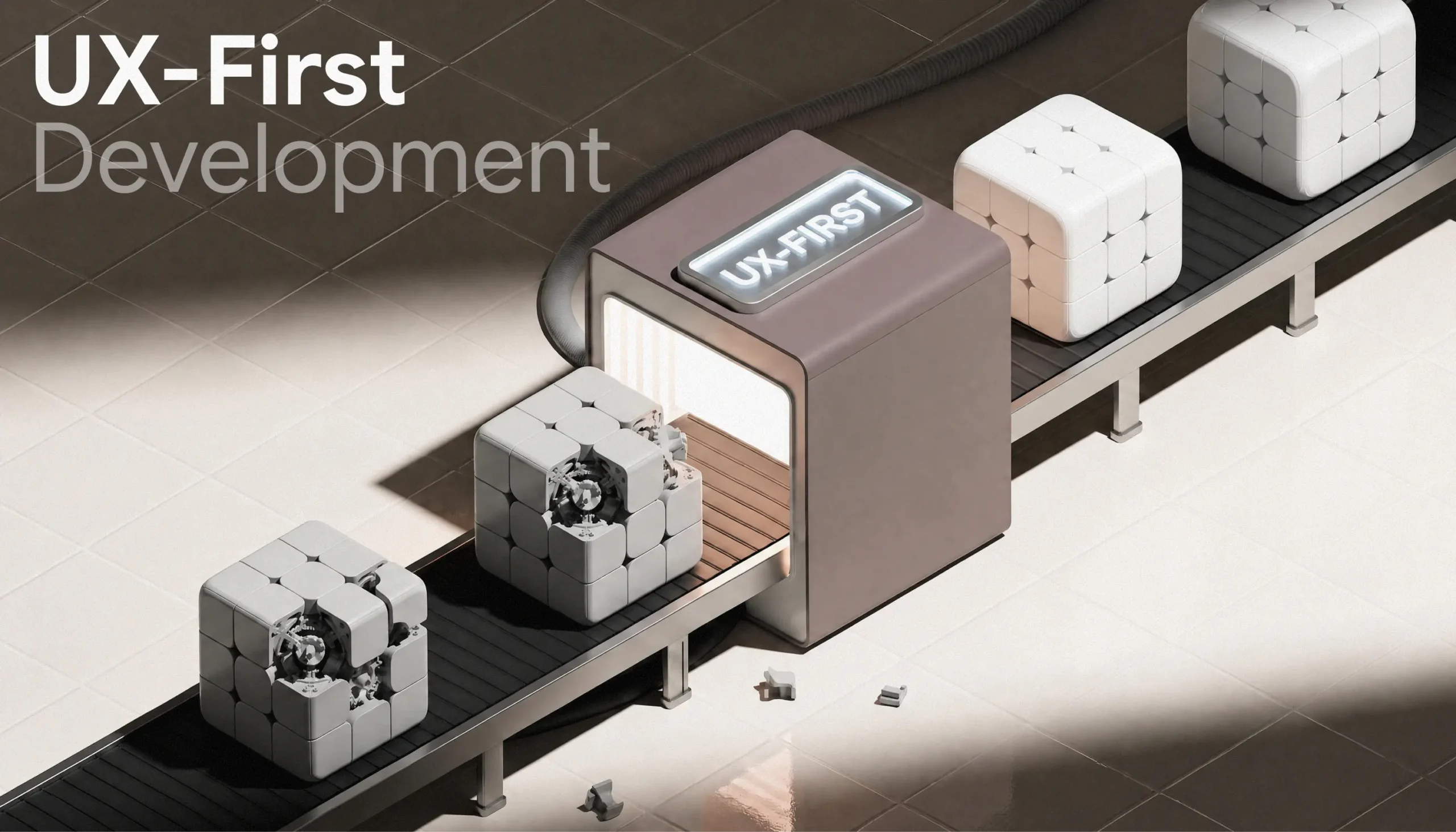
Many enterprise software companies still treat user experience as a superficial cosmetic step – an aesthetic layer completed shortly before engineering begins. They sketch static wireframes, apply a visual brand layer, and pass mockups down the assembly line to developers.
This approach often fails to address how modern cloud platforms actually operate under heavy enterprise workloads. Modern cloud applications don't work in a vacuum. A user's journey on the screen directly dictates how your database spins, how often data needs to sync, and what kind of load your servers take.
If you want a product that scales reliably, user flows should be closely connected to core logic. UX-first development directly reshapes database schemas, API payload structures, and micro-frontend architectures based on real-world workflows.
When you design technical systems around human behavior, you can reduce architectural waste and improve feature utilization. Your developers build a clean, modular foundation that is actually ready for growth. Systems that are better optimized for long-term operational scale, low maintenance debt, and immediate product adoption.
Traditional software delivery operates on a fragmented assembly line model. First, product managers create a feature list. Next, UI designers build visual mockups based on those static assumptions. Finally, software engineers receive layouts and try to write code that fits the predetermined visuals. This process often separates technical realities from user behavior, creating severe architectural friction.
The UX-first approach restructures this sequence. It merges user research, business strategy, and systems engineering into a single continuous pipeline. Teams don’t start by sketching UI mockups. Instead, product managers, designers, and system architects sit down together to map out user tasks, data density, and information hierarchies first.
Only when everyone understands how data needs to move do they design the system boundaries, database rules, and API paths. The product grows as a single, connected system where code and design fit perfectly.
| Feature/dimension | Traditional product development | UX-first development |
|---|---|---|
| Starting core point | Isolated functional list items | Strategic human needs and workflow density |
| Architecture trigger | Abstract database schemas | Real-world interface interaction models |
| Team collaboration | Linear handoffs between departments | Shared cross-functional system design |
| Engineering phase | Coding based on static visual layouts | Interactive building focused on data streams |
| Risk management | Late, expensive post-release fixes | Early interface validation and testing |

From UX to scalable products
We combine UX thinking with development expertise to build SaaS products where user needs, business goals, and technology work together
Contact usYour design decisions set the limits of your platform's performance long before code enters a staging environment. Complex interaction flows change how data moves between your software layers.
Take a real-time tracking dashboard, for instance. If your users need to see metrics updating every second, that demands a completely different background sync strategy than a static, text-heavy report page. If the screen needs live updates, your developers have to adapt the entire backend architecture instantly.
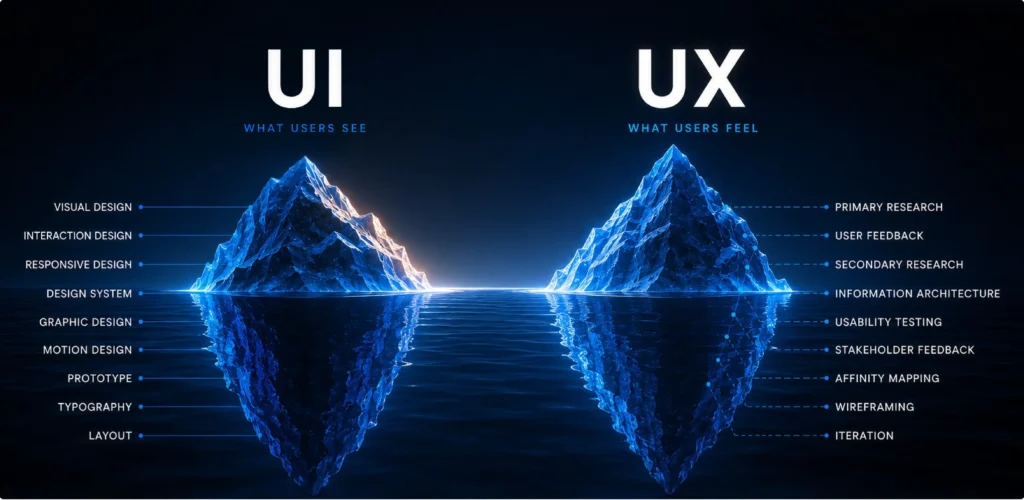
Every interface choice triggers a reaction underneath: database tables change, access privileges shift, and integration paths scale. High data density requires optimized data models, or the app may become unresponsive on the client side.
When you prioritize usability from day one, you naturally guide your engineers toward building clean, decoupled services. A clear user flow shows developers exactly where to draw boundaries between system modules so the code remains flexible during sudden traffic growth.
Shifting to UX-driven software development is also a financial decision. Enterprise users are unlikely to spend much time trying to understand a confusing application that requires weeks of staff training. They may eventually move to a product that feels easier to adopt and use.
When a platform is built around the actual physical steps a user takes, team onboarding becomes faster, and retention is more likely to improve. That’s how product design shifts from an expensive line item into a predictable growth driver.
Investing in UX-led development also protects your engineering budget from endless post-launch patches. It is cheaper to catch a logic flaw during early wireframing and prototyping. Try fixing that same mistake when the code is already live and processing enterprise transactions. You stop wasting engineering hours on urgent post-launch fixes and let your developers focus on features that actually move the needle.
Let’s look at how this plays out in the real world. Activate came to UITOP with a heavy asset management platform that was reaching performance limitations. The interface would lock up during routine updates, data dropped constantly, and fleet managers had to keep twenty separate browser tabs open just to cross-reference basic machine metrics.
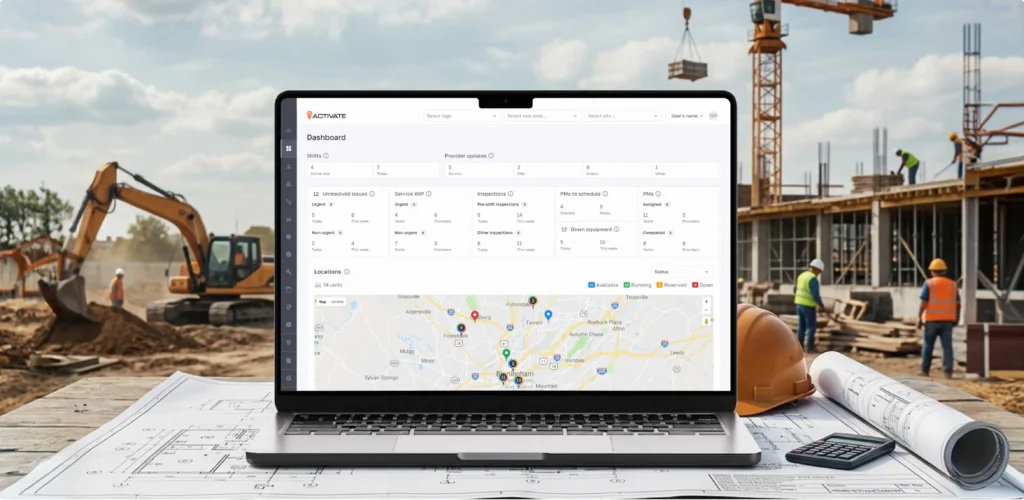
The platform needed to display up to 20,000 active industrial assets concurrently on an interactive map layer. At the same time, it had to stream live diagnostic alerts, fuel data, and location updates. Under an old development model, trying to render this large volume of data through the main browser thread would cause the entire application to freeze instantly.
We started by studying how fleet managers actually parsed information during emergencies. After mapping these patterns, we broke down the legacy backend and refactored the frontend into modular React micro-frontends.
To keep the UI responsive with 20,000 live units on screen, we pushed all heavy data sorting and filtering completely out of the browser’s main thread. We used background Web Workers to do the heavy lifting in isolation.
We implemented normalized state management and memoized components so managers could dive deep from macro fleet statistics into specific machine maintenance logs with a single click without losing their place or causing screen stutter. On the backend, we built a middleware layer with strict schema validation to protect data integrity during high-load syncing with providers like Caterpillar. Finally, we deployed automated CI/CD pipelines and distributed tracing to catch system drifts before they ever hit production.
The modern SaaS product development process is a systematic technical sequence that follows four logical steps:
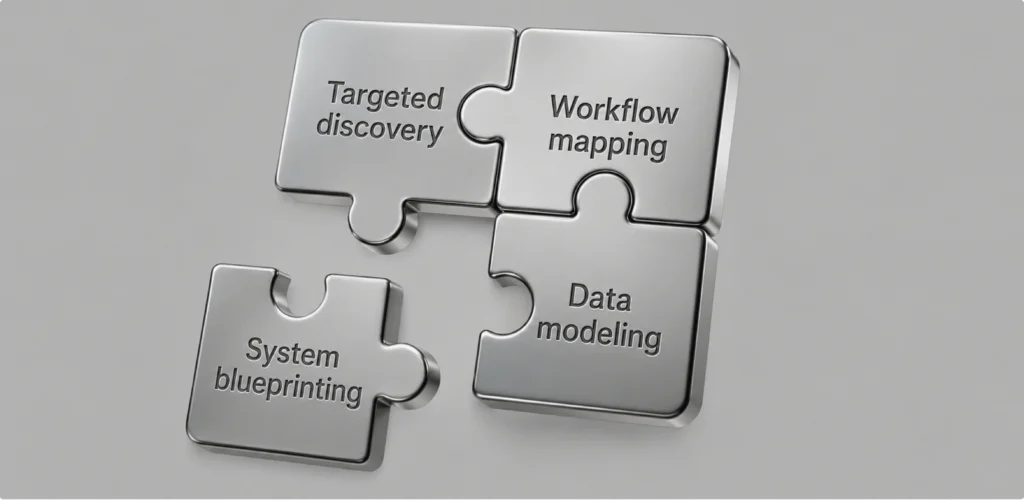
When your data models match real-world workflows, your system runs smoothly. Your user permission tiers dictate how authentication tokens are structured inside your secure APIs. This direct alignment ensures your platform stays responsive even when hit with heavy enterprise workloads.
Launching an application without verifying your user flows can lead to significant product debt. Features may be added without a clear structure, navigation can become overloaded, and users may need too many steps to complete basic tasks.
This interface bloat confuses customers, overwhelms your support staff, and reduces activation rates. Your team may end up spending valuable time resolving usability issues instead of shipping high-value updates.
This friction quickly spreads to your codebase incredibly fast. Developers are forced to write messy workarounds to connect unverified front-end layouts with the backend database.
Over time, these patches make your entire system brittle and risky and difficult to update. A minor change in one area may affect unrelated features. Breaking out of this trap eventually requires pausing your roadmap for months to perform an expensive, system-wide rewrite.
Moving to UX-first product development requires removing silos between teams. Product managers, visual designers, and software engineers need to sync from day one. You have to analyze technical limits and user needs at the exact same time before anyone locks in the project scope. This stops you from spending weeks designing an interface that is impossible to code within budget.
Engineers join early design workshops to flag performance risks and validate ideas right away. Designers review backend capabilities to understand how data boundaries impact frontend presentation layers. This ensures all stakeholders share ownership of both product usability and platform performance metrics.
When you map out your user journeys before writing code, you can dramatically simplify your backend logic. Knowing how information needs to be handled helps you cut out bloated, unnecessary feature requirements before they enter your sprints. This approach protects development timelines and reduces system complexity.
Here’s one of our cases about the Valocore software that illustrates how UX-first thinking helps reduce development complexity.
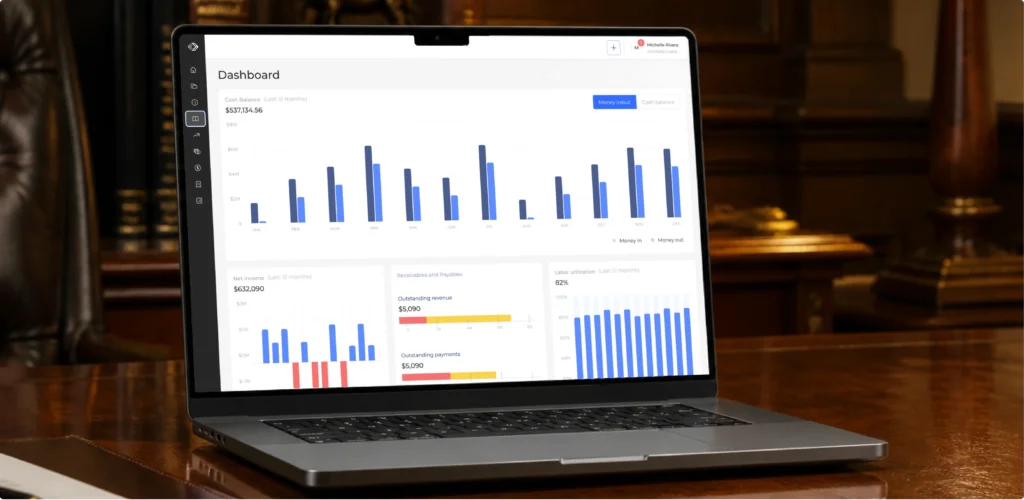
We started by auditing how medical dispatchers and warehouse managers handled logistics routines. We discovered a massive problem: over 80% of data errors happened because users were overwhelmed by visual clutter while rushing to process urgent, multi-item shipments. They didn't need a heavy, complex relational database scan for every single minor form field. They needed a clean, fast screen that handled instant balance checks automatically.
Based on the research findings, we built a single, unified web platform that replaced three disjointed legacy systems. The framework relies on an agile React setup paired with an ultra-lightweight database schema. We did this on purpose: if the client needs to scale up the platform or add custom inventory modules next year, the development team can plug them in without rewriting the entire application core from scratch.
To support fast daily use, our team created a custom, modular component library focused completely on text scannability and fast form entry. We stripped out unnecessary navigation clicks. Now, warehouse dispatchers can verify inventory and print shipping labels in half the time, which has completely dropped training costs for new hires.
To keep stock counts synchronized between regional warehouses and the central hub without slowing down the app, we built optimized RESTful API endpoints. Data moves continuously across facilities in the background, keeping balances accurate without locking up database rows.
Processing an order with hundreds of medical items can easily freeze a standard web page. To prevent browser lag, we managed client-side states through light, decoupled state containers. Pages update instantly, keeping the user flow smooth even during peak fulfillment hours.
To protect sensitive medical client data and distribution records, UITOP deployed a flexible role-based access control engine across different user tiers. Warehouse workers, procurement officers, and external drivers get clean, tailored dashboards that show only the specific data points required for their jobs. This helped ensure that each team member could access the right information while keeping critical data secure.
By packaging everything into automated deployment pipelines, we ensured that the client receives stable software patches and new features seamlessly, without forcing system maintenance windows or stopping warehouse operations.
The platform delivered clear operational improvements:
When design and engineering teams operate in silos, you waste time and money. When designers work without developer input, they often build layouts that are incredibly expensive, difficult, or inefficient to translate into code. This disconnect creates endless modification loops, missed product launch dates, and blown engineering budgets. Teams get stuck trying to compromise between visual aesthetics and backend realities.
To avoid this gridlock, scaling enterprise platforms partner with a unified UX-first SaaS design and development company, like UITOP. Housing both design and engineering under one roof ensures real-time technical validation for every single feature idea. It helps ensure that your software runs fast, scales smoothly, and stays aligned with your original vision.

Running a disciplined product discovery process is foundational to the development strategy. This upfront validation phase allows cross-functional teams to test core behavioral assumptions before investing in expensive complex system architecture. Rather than relying on guesswork or internal opinions, teams use real data and user metrics to guide their engineering roadmap.
Discovery helps teams separate high-value user features from low-value product complexity. It hands your developers verified user data, detailed workflow mappings, and explicit technical specifications. This preparation minimizes launch risk, speeds up your development sprints, and ensures every sprint delivers actual value to the business.
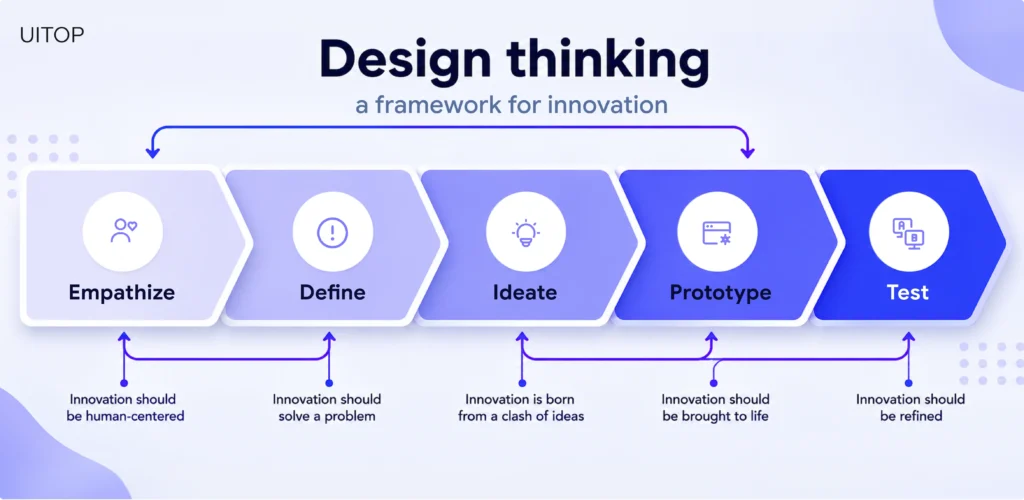
As enterprise applications handle increasingly massive data loads, design has to move past basic layout aesthetics. Complex business platforms require advanced data visualizations, multi-role workspaces, and automated workflows. Keeping these interfaces fast requires a tight, real-time connection between your front-end components and your backend database engines.
To remain competitive, market leaders are moving away from standard visual layouts. They invest heavily in comprehensive product design for SaaS products that unifies system architecture with human workflows. Adopting this holistic development strategy ensures your software platform remains adaptable, fast, and ready for long-term commercial scale.
One team. One product vision.
We help SaaS teams align design and development to create products that deliver real business value
Contact usAdopting a UX-first development strategy is a business choice that directly impacts your product's market success. Building your code around the actual physical steps a human takes prevents your application from encountering early technical limitations. Your developers build a resilient, high-performance system optimized for real-world growth.
If your internal teams are struggling with slow release cycles, complex software debt, or unverified product roadmaps, it's time to adjust your framework. Designing and developing under one unified framework allows you to eliminate delivery silos and accelerate time-to-value metrics. Contact UITOP today to book a technical consultation and discuss your business goals!
It’s an engineering methodology that maps out user workflows and interaction logic before building backend data models or system architecture. This ensures your software infrastructure directly supports real human behavior.
Traditional models rely on linear handoffs, often coding systems before validating usability. This strategy integrates design and engineering from day one, eliminating technical waste.
Yes. Creating clear, predictable interaction patterns allows engineers to design modular database tables and clean API endpoints. This structural clarity reduces code debt and supports fast system growth.
UX-driven development cuts down engineering rework costs, reduces customer churn, and improves overall feature adoption. It ensures development budgets focus entirely on building software that solves core customer issues.