How we use AI in our process

Design, Product
/
Oct 11, 2026

AI product teams often add a confirmation screen in front of an AI-generated decision and call the system human-in-the-loop. The label sounds right, but it doesn't hold up on its own. Say the person looking at that screen doesn't understand what the decision is based on. Or they have no real way to change the outcome once they click through. In every one of these cases, a human is technically standing in the loop and doing almost nothing useful there.
Human-in-the-loop AI, done well, is a deliberate split of decisions between your system and the person accountable for them, and this split should be designed and engineered. This article covers the patterns that make it hold, on your screens and underneath them.
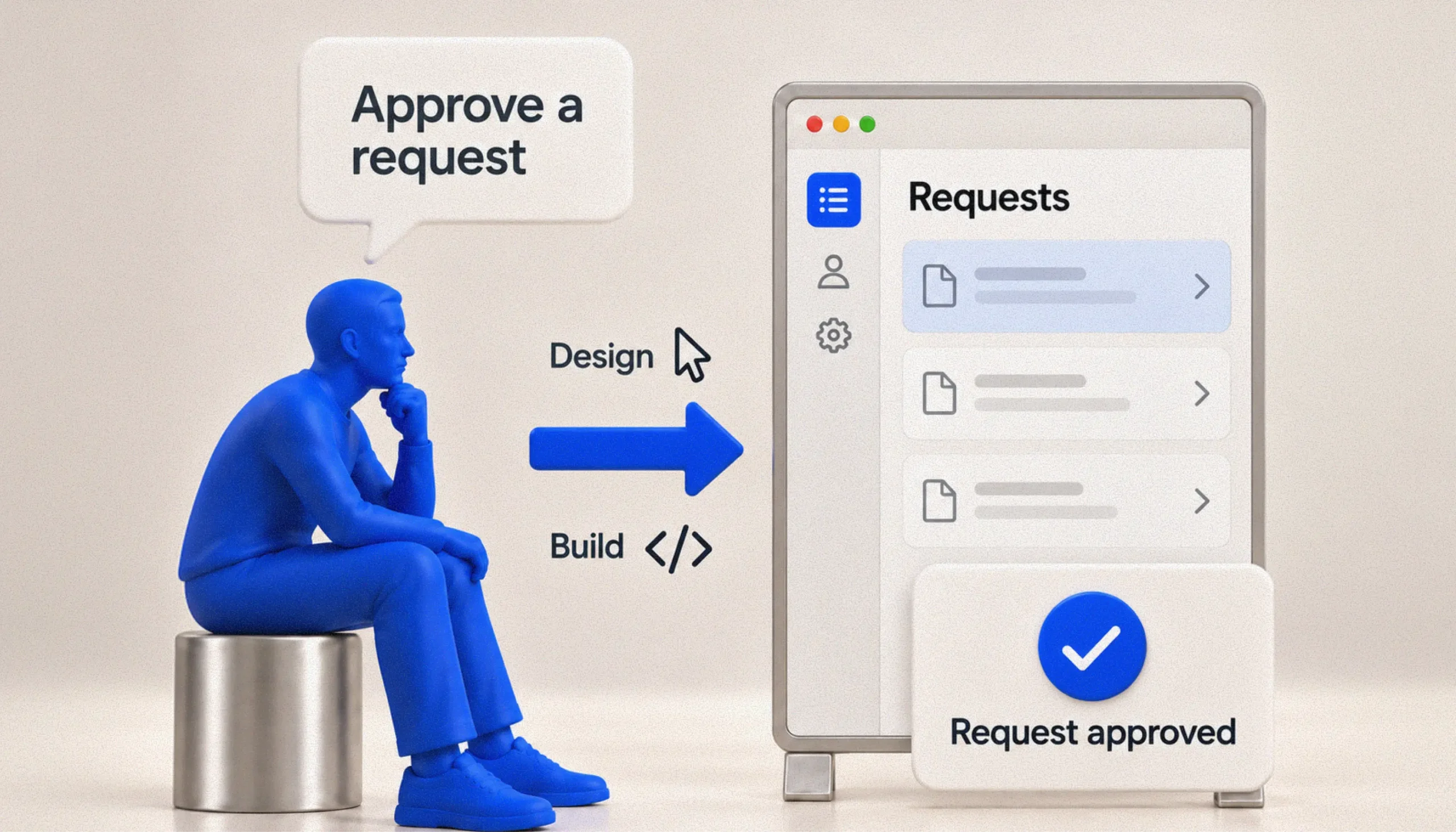
Human-in-the-loop, or HITL, means a person is involved before an AI-generated decision or output takes effect. They might review it, make changes, or approve it. But simply adding an approval step does not necessarily mean there is meaningful human oversight.
In some products, the AI has already made the decision and the reviewer is only asked to confirm it. If the person does not have enough context to understand why the AI reached this conclusion, or if they are expected to approve decisions too quickly, the review becomes little more than a formality. The reviewer also has to be able to change the outcome. If their input has no real effect, the human is technically in the process but not actually in control of it.

HITL also does not make an AI system safe by default. A review step can fail too, especially when someone has to check a large number of similar decisions and starts approving them automatically. Good AI UX design has to give reviewers enough information, enough time, and real authority to intervene.
Not every AI-driven decision in your product deserves a person standing in front of it. Treat all of them the same way, and a reviewer ends up spending time on the low-stakes cases while barely slowing down for the ones that actually matter.
Figuring out where a person belongs in the process comes down to a few questions:
A simple risk grid can help you decide how much human review an AI decision needs. If the decision is low-risk and easy to correct, the AI can usually act on its own and someone can check a sample later. Categorizing a routine support ticket would fit here.
Once you know which AI actions require human oversight, the next question is how much review each action needs. It does not have to be all manual or all automated. Different tasks can be at different points between these two extremes.
Some low-risk actions can run automatically. In other cases, the AI might suggest an action and wait for someone to confirm it, or prepare a draft that a person edits before it is used. Higher-risk actions may need formal approval before anything happens. And some decisions are too sensitive to automate at all.

You choose this level task by task. The same product can use different review patterns in different places. For example, AI might categorize incoming data automatically, draft a customer reply for a support agent to edit, and require approval before changing billing. These tasks do not carry the same risk, so they should not use the same level of oversight.
At UITOP, we treat this as an early product decision when designing understandable and controllable AI workflows.
Deciding where human oversight belongs is only part of the job. The review step also has to make it obvious who is reviewing the AI output and what that person is expected to decide. Everyone involved gets grouped under one generic “user” role, even though different people may have very different responsibilities once an AI-generated decision enters the workflow.
It helps to name these roles separately:
Once these roles are defined, your team can answer the other questions:
If these answers remain vague, people tend to follow whatever the AI recommends. Over time, the recommendation starts to look like the default answer simply because nobody has been given a clear responsibility to challenge it. The same problem appears with approvals. A reviewer might technically have permission to reject an AI decision, but if the product never makes that responsibility obvious, approval can easily become routine.
UITOP dealt with this directly while designing the approval logic for Pacioli, an accounting platform for a Canadian firm serving healthcare clients. Pacioli uses AI to analyze transaction data and categorize it according to each client's existing Chart of Accounts. Accountants still have control when automated categorization does not fit a particular vendor or transaction pattern.

To support this, we created a rules engine that lets accountants define their own categorization rules. These rules can be based on vendors, keywords, or specific patterns, and they take priority over the AI's predictions.
New categorization rules also pass through an approval stage before they take effect. The same applies to manually uploaded CSV transaction files. An administrator can review, approve, or decline them before they enter the accounting workflow.
People can step in at several points in the process. The AI handles the initial categorization, accountants can define rules that override it, and administrators review newly created rules before they are applied.
Once you know who reviews an AI recommendation, the next question is what that person actually sees. The interface has to give them enough information to judge the recommendation properly. This might include a confidence score, the source the system relied on, or a short explanation of what influenced the output. These details are useful only when they help the reviewer make a decision. Showing more information does not automatically make the review better.
A confidence score on its own is a good example. Seeing “87% confidence” looks precise, but it tells the reviewer very little about why the AI reached that answer or how trustworthy the number really is. Confidence does not always match real-world accuracy in a simple way. A reviewer usually gets more value from seeing what influenced the recommendation. For example, the system might explain that a vendor name matched an existing categorization rule, or that a transaction amount looks unusual compared with previous activity for that client. It is also useful to show where the system is uncertain, especially if this uncertainty could affect the final decision.
The main idea is to explain the decision the reviewer is looking at right now. They usually do not need a general explanation of how the whole AI system works.
This explanation should also be written for the person doing the review, not for the team that built the model. Technical details can be useful internally, but a reviewer often needs a short explanation in language they already use in their job. UITOP's guide on practical principles for explainable AI UX goes deeper into how to present this kind of information in AI products.


Adding AI to important workflows?
We help create systems where AI recommendations are useful, explainable, and easy to review
Contact usBefore the action is actually applied, the person approving it should be able to see what will change if they confirm. The interface should show the effect of the action in concrete terms, including which records will change, what they look like now, what they will look like afterward, whether the change can be reversed, and which details the reviewer can still adjust before approval.
The confirmation step should also match the level of risk. If a reviewer is checking a batch of low-risk categorizations, a group approval screen makes sense. They can scan the list, open the entries that look questionable, and approve the rest together. A higher-stakes action deserves more focus. If someone is approving a large refund or releasing a medical record, the confirmation should be specific to that case and show the information that matters for that decision.
It helps to look at one flow from beginning to end. Imagine an AI system flags a transaction as likely miscategorized and suggests a correction. The accountant sees the original entry beside the proposed change, along with a short explanation of why the system made that recommendation. They can edit one field, leave the rest as proposed, and confirm the update. The system then applies the change, records who approved it and when, and updates the client’s records.
Even when the review screen is well designed, the process becomes limiting if every decision ends in a simple yes or no.
Sometimes the reviewer only needs to change one detail, so inline editing should let them correct that field and leave the rest of the recommendation as it is. In other cases, part of the AI suggestion is useful and part of it is not. The reviewer should be able to accept the parts that work and change the parts that do not. If they reject a recommendation, giving a reason also creates useful feedback for the team or the system.
The reviewer should also have a way to recover after an action has already been applied. Undo or version history gives them a path back if the change turns out to be wrong later. And if the AI is close but needs another attempt, the reviewer should be able to adjust the instruction and try again, for example by asking it to exclude a specific vendor. They should not have to restart the entire task. There also has to be a manual option for cases where the AI cannot produce a useful answer.

The interface also should not make disagreement with the AI look like a mistake. Overriding a recommendation is part of the reviewer's job. If the product makes the action difficult or treats approval as the expected path, it pushes reviewers toward accepting suggestions they might otherwise question.
Feedback starts with the correction a reviewer makes in the current case, but it can also be used later in different ways. A correction might apply only to this one decision. In other products, it can help adjust future recommendations for the same user or account. Teams may also collect feedback across many reviews to check how the model is performing over time or to see where the product itself calls for improvement.
Your product should give people a basic idea of what happens to their feedback after they submit it. If a correction only affects the current case, say that. If feedback is reviewed later or used in a weekly model update, this should be explained too. Telling users that every correction immediately improves the AI creates the wrong expectation when the actual process works differently.
Direct feedback is usually easier to interpret because the reviewer is intentionally telling you that an output was right or wrong. A correction or rating gives you much more context than signals such as how quickly someone clicked a button or how long they looked at a recommendation. These indirect signals can be misleading. A reviewer might approve quickly because they are rushed, for example, and the system could read this quick approval as evidence that the recommendation was correct.
Even a well-designed review flow runs into cases it can't resolve cleanly. An AI system hits situations it can't confidently resolve on its own:
Each of these situations deserves a plan worked out ahead of time. Improvising it once the product is already live costs a lot more. The plan covers a safe default action to fall back on, a message to the user that actually explains the situation, a fallback path that doesn't leave the task stuck, and a defined route to escalate when a case needs a person with more authority.
Everything described so far depends on the backend supporting the review process properly. This part is easy to overlook because users never see it directly, but it determines whether the approval flow actually works the way the interface says it does.
The backend should always know the current status of each AI recommendation. A recommendation might first be proposed, then sent for review, approved, and finally applied. Tracking these stages separately matters because the AI creating an output does not mean that output has already changed anything in the product. If review is required, the action should wait until the right person approves it.
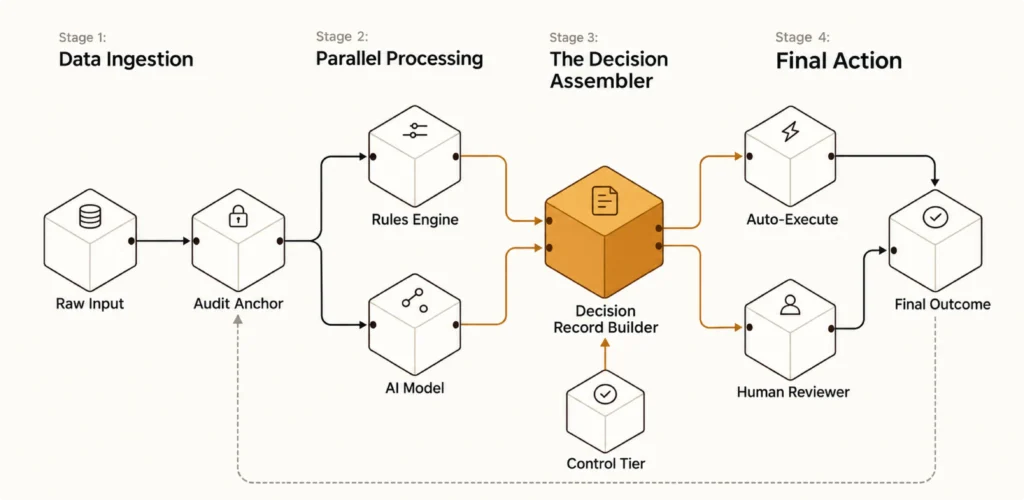
Permissions are part of the same process. The system has to check on the server whether the person reviewing a recommendation is actually allowed to approve that type of action. Showing an approval button in the interface is not enough if the backend would accept the same request from someone who does not have that permission.
A few other details matter here too:
Approval has to be verified on the server. A screen that displays "Approved" but never confirms that the approval actually took place on the backend is a UX pattern pretending to be a security control. UITOP's approach to engineering reliable workflows around AI decisions treats this backend layer as inseparable from the review screens on top of it.
A well-designed approval flow means very little if the system underneath doesn't actually enforce what it shows.
Need AI decisions your users can rely on?
We design the product flows and backend foundations that make AI easier to control
Get startedTo understand whether a human in the loop AI system is working well, you have to look at both sides of the process: the AI and the person reviewing its output. Model accuracy matters, but it does not tell you whether reviewers are making good decisions or whether the review process is helping at all. A few metrics are especially useful:
One metric deserves extra care: override rate. A low override rate can look positive on a dashboard, but it does not always mean the AI is performing well. It could also mean reviewers have stopped checking recommendations carefully and are approving them by default.
These two situations look almost identical in the data. To tell them apart, you have to look at how reviewers are behaving during the review itself. Clicks and approval rates alone will not give you the full picture.
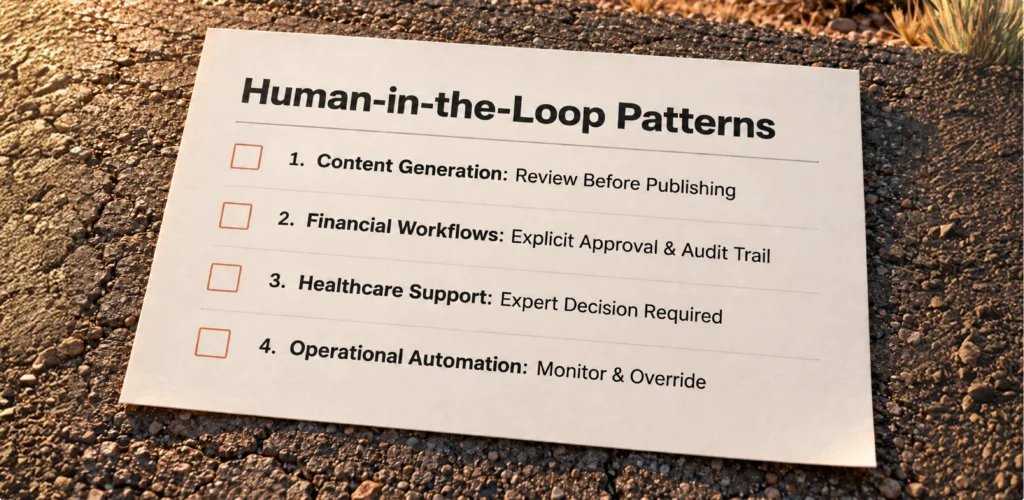
At this point, it helps to look at a few examples, because the right level of human oversight depends a lot on what the AI is actually being asked to do.
Bringing all of this together, it is necessary to turn the discussion into a set of questions your team can actually use during planning. They cover the product itself, the review experience, the system behind it, and what happens after launch.
| Team question | Evidence required | Failure if missed | Owner |
|---|---|---|---|
| Which decisions need a human, and at what level of review? | A risk grid covering stakes, uncertainty, reversibility, and volume | Over-reviewing low-risk work, under-reviewing high-risk work | Product |
| Does the reviewer see the actual evidence behind a recommendation? | Explainability content tested with real reviewers | Rubber-stamping, decisions nobody actually checked | Design |
| Is the authority to override explicit and enforced? | Documented roles and a permission model | Automation bias, unclear accountability | Product and engineering |
| Is approval verified on the server, or only shown on screen? | Backend checks and an audit log for every approval | An interface that displays control but never actually enforces it | Engineering |
| Are override rates and reviewer behavior actually monitored? | Dashboards tracking overrides, corrections, escalations, and reviewer activity | A system that quietly drifts into rubber-stamping unnoticed | Product and data |
We treat this checklist as a starting point. AI product design that connects user control to the underlying system runs closer to an ongoing discipline than a one-time deliverable.
Meaningful human oversight only works when several parts of the process support each other. The review has to happen before the AI action becomes final, and the person reviewing it needs enough information to understand what they are being asked to approve. They also need the authority to change or stop the decision when necessary.
Where possible, the reviewer should also have a way to undo a decision later. The backend matters just as much as the review screen here. If the interface shows that an action was approved but the system never checks that approval before applying the change, the review step is only visual. It does not actually control what the product does.
Over time, people are more likely to use AI features when they understand how decisions are made and know they can intervene when the recommendation does not look right. This comes from making the review process useful enough that people actually pay attention to it.
If your product is adding AI to decisions that affect money, patient care, or important operations, and the review step still works mostly as a confirmation screen, UITOP can help design the full workflow. Contact us to discuss your AI project and create a truly human centered AI solution!
Human-in-the-loop AI means that a person remains involved in decisions the AI helps make. The system can prepare a recommendation or draft, but a human still has a defined role before the decision becomes final. How involved this person is depends on the task and the level of risk.
Approval makes sense when an AI decision could create a significant financial or legal consequence, affect someone’s health, or be difficult to undo later. In other situations, periodic review may be enough.
Reviewers are more likely to question AI output when the product gives them useful context and makes disagreement easy. The interface should support correction or escalation just as naturally as approval. Teams should also watch how review behavior changes over time, because repeated approvals do not automatically mean the system is consistently right.
Useful controls depend on the type of work. A reviewer might edit part of a recommendation, accept only selected changes, return the case for another attempt, or restore an earlier version after approval.
Look beyond model performance and examine how people interact with its recommendations. You can track how often reviewers change AI output and how long these corrections take. It is also useful to see which cases are escalated and whether incorrect recommendations are still being approved.