How we use AI in our process
AI-driven workflow management system
for CS teams

Aimiable optimizes workforce performance with advanced task scheduling, team collaboration,
and performance tracking, keeping teams synchronized and productive.

Aimiable’s original interface was complex and hard to navigate. As the platform added new AI features, the layout became crowded, which confused users and lowered conversion rates. Most importantly, users didn't trust the AI because the interface didn't explain how the AI made its decisions, making them look for manual workarounds. The main challenge was to simplify complex data and build user trust in AI capabilities.
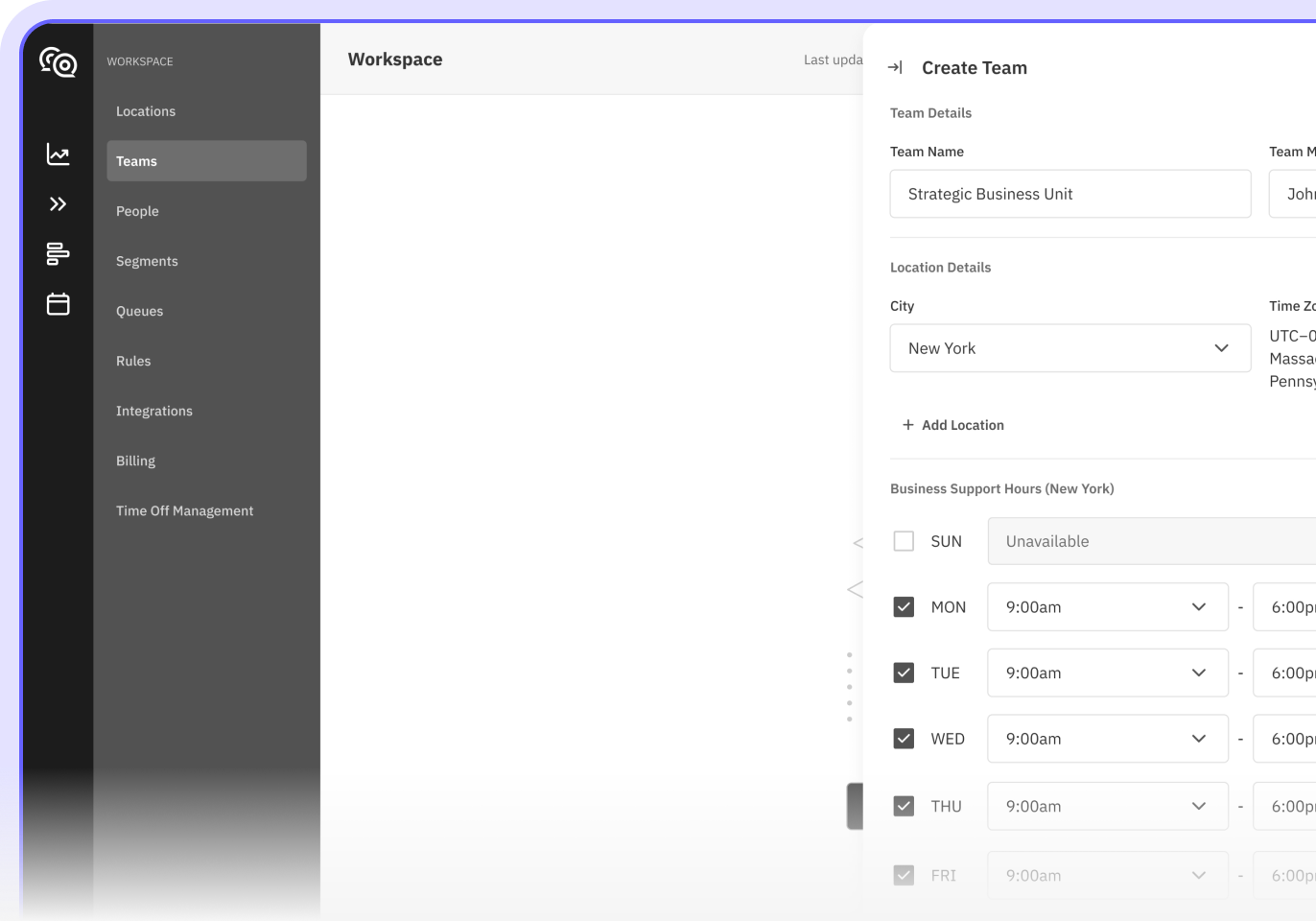
We made the new interface clean, intuitive, and transparent, showing users exactly how the AI works so they can completely trust it. On top of that, we built a flexible design system that allows the platform to easily scale. Now, the team can introduce new AI features whenever they need to, while the navigation stays simple, clean, and user-friendly.

Project Brief
Aimiable is an AI-powered workflow management platform that originally had a crowded and confusing interface. The main goal was to fix usability and unlock the full potential of its AI-powered system. We used an advanced product design approach to simplify automated scheduling, real-time task optimization, and predictive AI forecasting. This made the AI features completely intuitive, allowing support teams to stop doing manual routine work, boost productivity, and stay perfectly organized.

Scheduling
Problem
The original scheduling interface was too confusing for managers to handle complex, AI-driven calendars. It was difficult to see shifts clearly, resolve overlaps, or trust automated suggestions. Without a clear visual hierarchy, managers spent hours double-checking everything manually, which slowed down the entire process.
Solution
We designed a clean and highly intuitive UI that makes the platform feel incredibly easy to use. By adding color-coded shifts and clear layouts, we made it simple to view, edit, and instantly approve the AI's schedule recommendations. This allows managers to build perfect schedules faster, make zero mistakes, and work seamlessly on any device.

Schedule optimization
Problem
When sudden changes or absences happened, managers had to manually rewrite chaotic shifts, which wasted hours. Human planning simply couldn't keep up with real-time updates, leading to missed support coverage, double work, and dropped team productivity. Without a powerful automation tool, tracking these shifts was a constant nightmare.
Solution
We designed a simple, AI-powered interface that now automatically redistributes a sick agent's workload among available team members. The AI ensures full support coverage, prevents gaps in service, and sends real-time updates with a single click. It completely simplifies the whole process, saving time and letting AI prevent manual errors.

Automatic scheduling
Problem
Creating weekly schedules for multiple support channels and shifts manually was a nightmare for managers. It often caused costly mistakes, like understaffing during busy hours or accidental overscheduling. Without a smart automation tool, balancing the workload fairly across the entire team was nearly impossible.
Solution
The AI-driven interface completely simplifies this task by automatically displaying perfect schedules based on live channel demands. This feature balances workloads across the team instantly, ensuring flawless support coverage 24/7. Managers can now let the AI handle the complex calculations while they focus on managing their team and operations in real time.

Forecasting
Problem
The old interface lacked clear data visualization, making it hard for managers to predict future workload and staffing needs. Without clear insights into historical and upcoming case volumes, planning felt like guesswork. This often led to understaffing during peak hours or wasted budget on overstaffing.
Solution
The forecasting feature, powered by AI, completely removes guesswork by visualizing complex data predictions with incredible accuracy. The interface breaks down these smart forecasts by hour, day, and month across all channels. This clear design helps managers make perfect staffing decisions instantly and balance team workloads smoothly.

Components Library
Problem
Inconsistent UI elements made the platform feel messy and hard to navigate. Because there was no unified design system, adding complex AI data and new features only made things worse. The interface couldn't handle the scale of such a powerful technology, leading to a disconnected user experience and slower development.
Solution
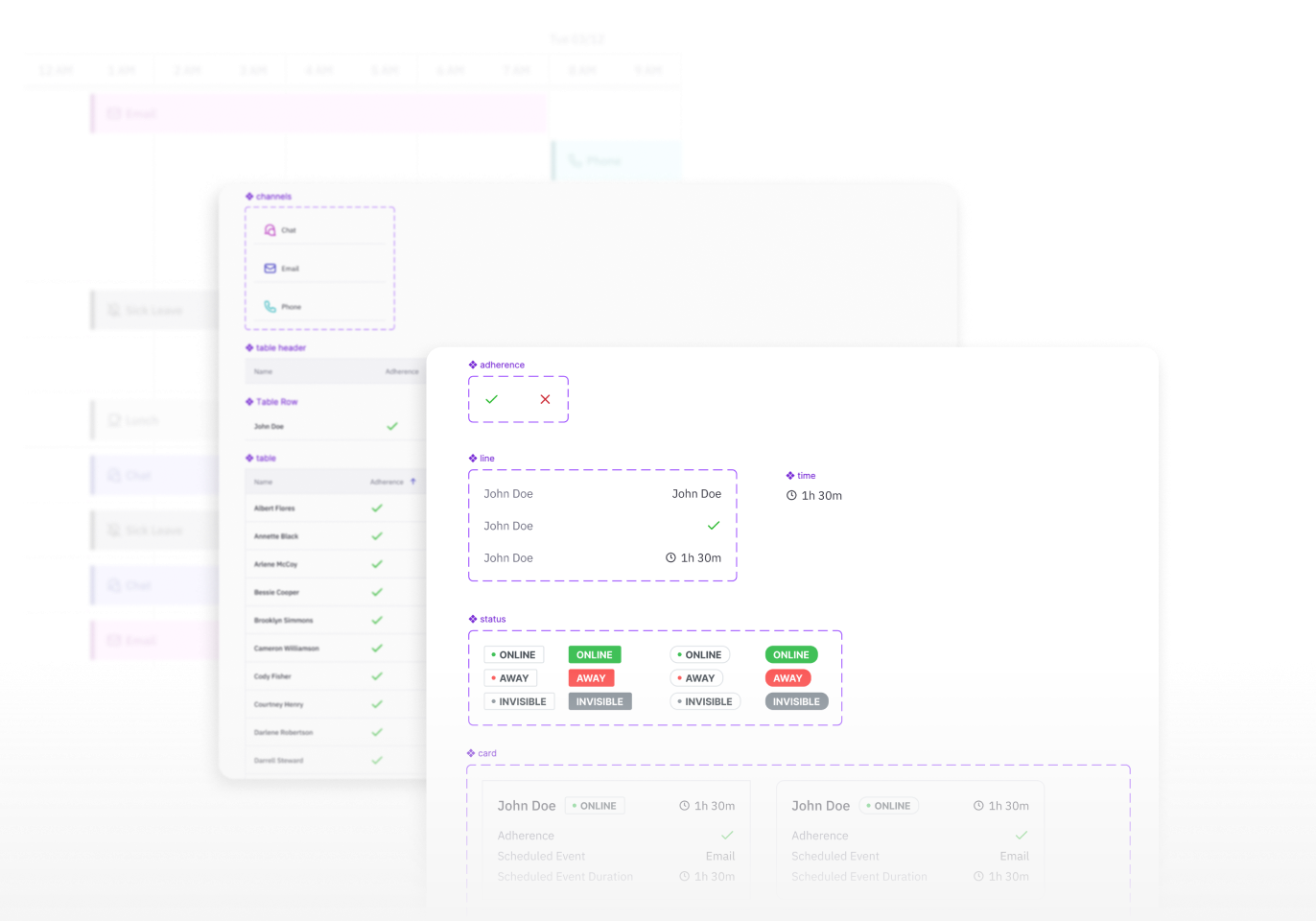
We built a unified component library designed specifically to handle and display advanced AI capabilities. This system easily visualizes complex, high-tech AI insights through beautiful, clean charts and layouts. By introducing a clear color-coded system, we helped users navigate the platform and easily scan AI data, while reusable components allow developers to launch new features much faster.

Similar cases


Technology
Advanced design approaches and tools were employed to create a seamless and intuitive user interface.


Problem solving
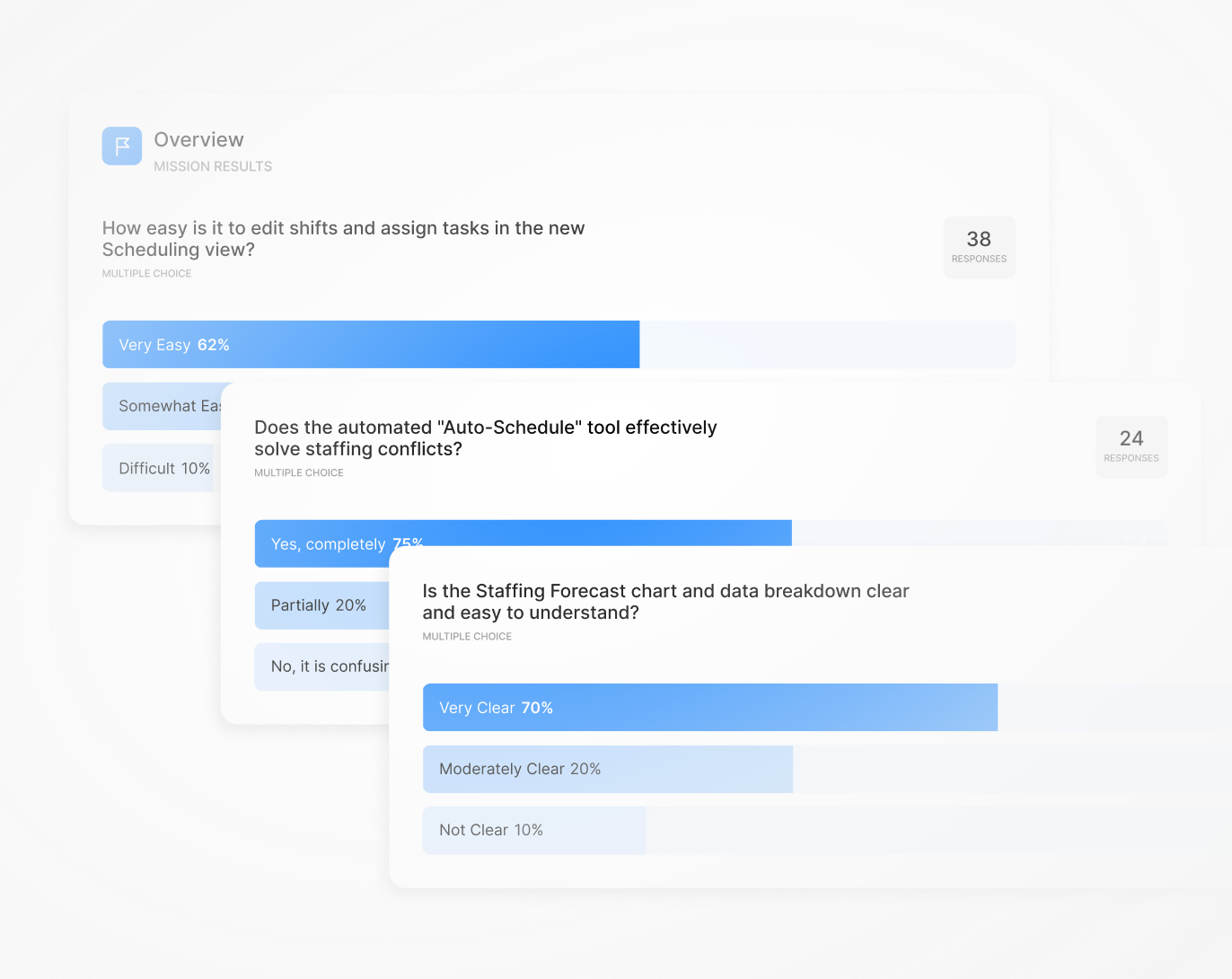
An effective design process blends creativity with practical needs. We used real user feedback to turn powerful AI algorithms into simple features that anyone can easily use and control.
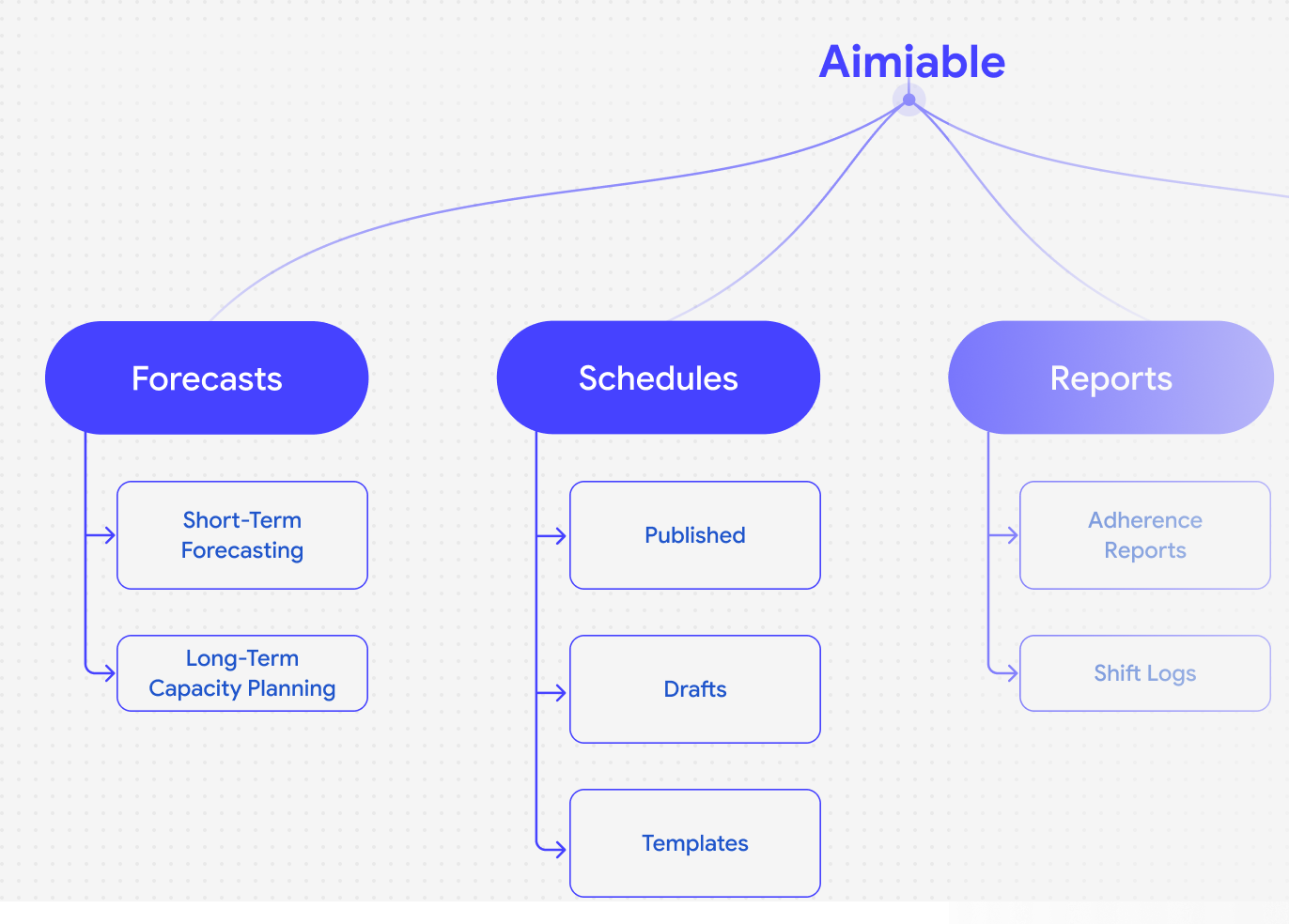
Architecture
Wireframing
Design system
Prototype & Testing