How we use AI in our process

Product, Development
/
Aug 13, 2026
AI has become part of product work so quickly that we have barely had time to decide what role it deserves. Even a year ago, teams were debating whether to use it. Now it is already drafting interface copy, suggesting layouts, reviewing code, and appearing in almost every conversation about efficiency. The question is no longer whether AI belongs in the process. It does. The more useful question is what we are actually asking it to do.
At UITOP, we have been testing AI tools since they first became widely available. By now, we have a fairly grounded view of where they help and where they don’t and how they fit into our design and development process. In this article, we are sharing this view.
You can also watch the LinkedIn video by Katerina Bulkina, UI/UX Design Team Lead at UITOP, where she discusses the role of AI in product work.
AI first entered product teams through fairly modest tasks. Someone used it to rewrite a tooltip, another person summarized a long interview transcript, and a developer asked it to explain a stubborn piece of code. None of this looked like a new product methodology. It was simply convenient, so teams continued using it.
Now its role is harder to separate from the rest of the workflow. AI is built into research tools, design platforms, development environments, and testing software. AI product development is now part of the day-to-day work of product teams.
Typical AI use cases include:
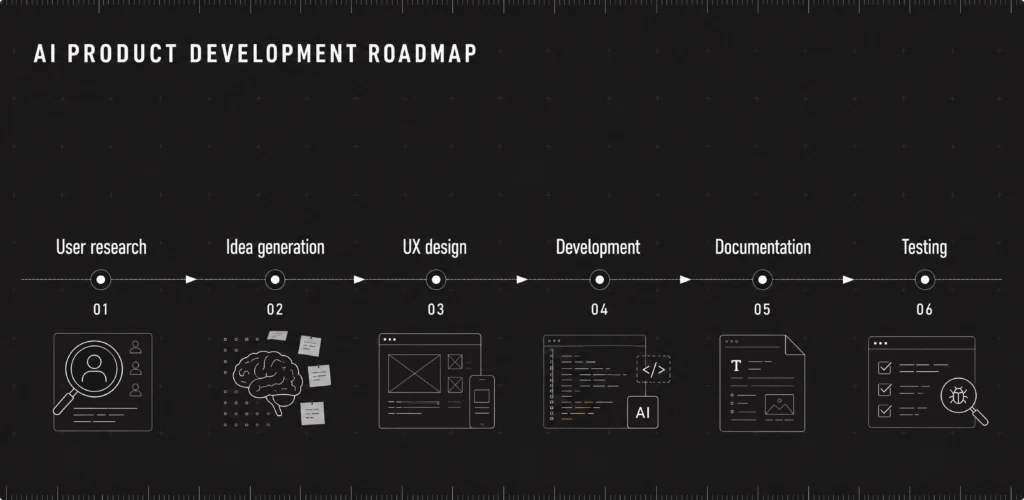
So, how is AI changing product development today? First, it is taking over much of the routine work that consumes time. That gives product teams more time to focus on decisions that need context and experience. Yet AI only gets so far without guidance…


Explore how we use AI in our process
See how our team uses AI to speed up research, design, development, and testing while keeping product strategy and UX at the center.
Learn moreAI becomes less impressive the moment a product decision depends on context it was never given. It can suggest a feature or explain why one option looks stronger than another. What it does not know is why the team is considering that feature in the first place, which business goal it supports.
That is where product strategy enters the picture. A team has to decide which problem deserves attention. Team members have to understand what the company is trying to achieve, what users actually need, and whether a promising idea still makes sense six months from now. AI can help examine these decisions, but it cannot take ownership of them.
So, AI can be very good at producing possibilities, sometimes more than anyone asked for. But the product team still has to judge which of them fits the users, the business, and the product already being built.

After several years of testing AI tools and using them across design and development projects, we have identified a few areas where the productivity gains can be real:
As AI becomes part of regular design work, it is worth asking what we are actually asking it to decide. Producing a screen is relatively easy. Understanding why this screen exists, who needs it is where the real work begins.
AI only sees the context placed in the prompt. It does not independently plan research, speak with users, or notice when what people say does not match what they do.
You have probably seen the memes about how hard it can be to explain anything to AI (or experienced it yourself), and this is still not going anywhere. A designer rewrites the prompt, adds context, corrects the result, and tries again. The output improves because the designer keeps clarifying the task and editing what AI produces.
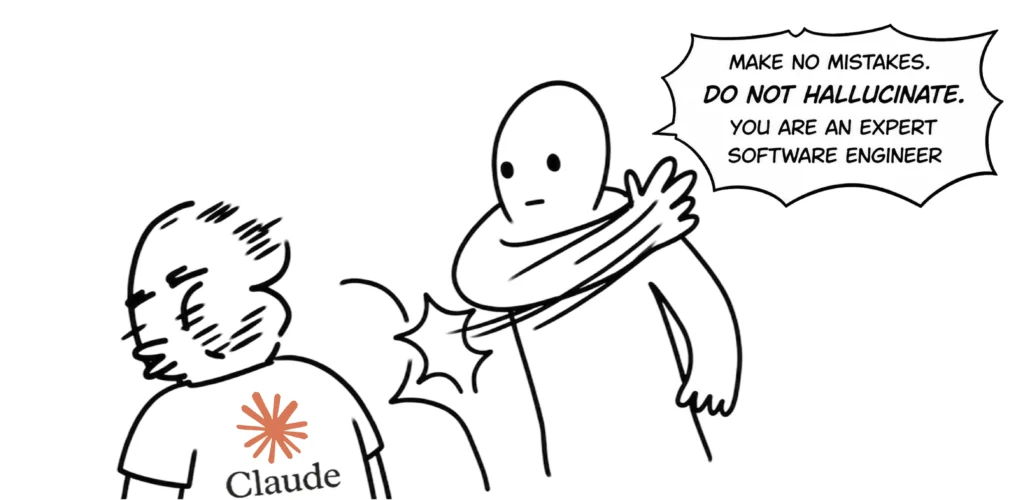
This is the limit of AI UX. It speeds up drafts and exploration, but the team still has to understand what deserves to be designed and why.
The same limits become even more important once we turn to development.
AI writes code quickly, especially when the task is narrow and well defined. The speed is useful, but a product does not become easier to scale simply because its first features were delivered faster. Scalability depends on decisions made much earlier: how the system is divided, how data moves through it, and how future changes will affect what is already there.
These decisions rarely look urgent at the beginning. The product works, the release goes out, and everyone moves on.
Good architecture gives developers room to extend the product without rewriting it each time the roadmap changes. It also makes maintenance less dependent on the person who wrote the original code. AI can assist with implementation and point out familiar patterns, but it does not know which trade-offs the business is prepared to accept or how the product is expected to grow.
In product development, architecture is a long-term decision disguised as a technical one. AI may speed up the code, while experienced developers still decide what kind of system that code is becoming.
Here is how we use AI in our product development process at UITOP: we use AI as part of the design process, but we decide where it enters and what it is trusted to do. The tool can speed up research, preparation, and prototyping, while the team remains responsible for the direction and the final result.
For instance, a client needed a working demo of a warehouse management system for an investor presentation, with only three weeks to prepare it. Building the full frontend would have taken far longer, so we designed the interface in Figma and turned it into an interactive prototype with Lovable. The demo was hosted on a custom URL, which allowed the client to present the product as a realistic experience.
The prototype gave investors a better understanding of the concept and helped the client collect early market feedback. AI helped us produce a convincing demo within the deadline, but the product logic, user flows, and interface decisions still came from the design team.
Beyond rapid prototypes, these are the areas where AI product design brings the most value to our work:
The development side follows much the same pattern as design: AI is most useful when the task is defined, and the team already knows what a good result looks like. It saves time on work that developers have done many times before, which makes it a welcome addition to the workflow.
Boilerplate code is an obvious example. Standard components, basic API integrations, or familiar validation logic no longer need to begin from an empty file. AI prepares a first version, and the developer adjusts it to the project. The same applies to refactoring. It can suggest a cleaner structure or point out repeated logic.
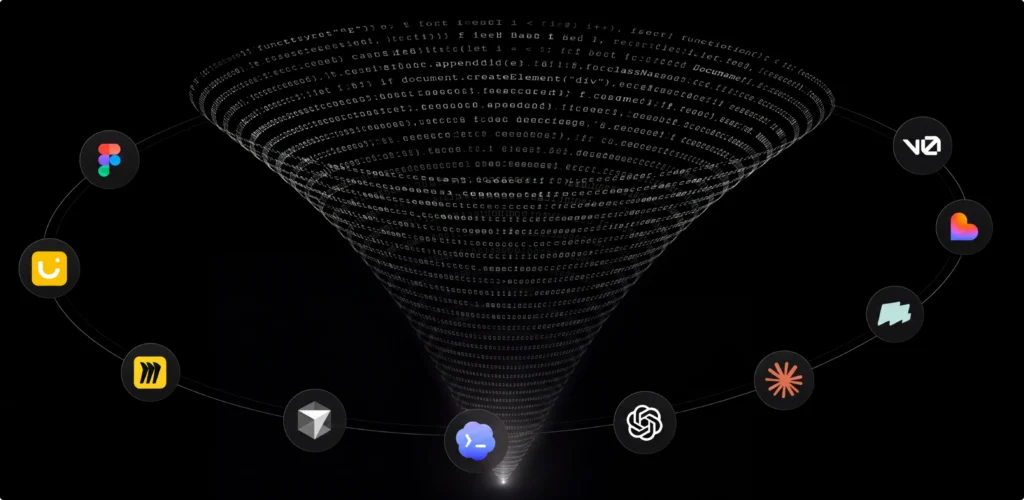
Documentation also becomes easier to maintain. AI helps explain existing code and update descriptions after changes. During code review, it can flag suspicious patterns or draw attention to areas worth checking. This extra pair of eyes is useful, even if it occasionally has the confidence of a reviewer who joined the project five minutes ago.
The productivity gain in AI software development comes from shortening these routine stages. Developers spend less time writing familiar code or preparing the first draft of documentation and more time working through the decisions specific to the product.
AI becomes much less useful once the question changes from “What could we build?” to “What is worth building now?” As we have already mentioned, it can generate ideas, compare features, and summarize market information. This still leaves the team with the harder decision: which problem matters enough to invest in.
Product-market fit is not something a model can confirm from a prompt. It develops through real use, customer feedback, sales conversations, failed assumptions, and repeated adjustments. AI can help process this information, but it does not know whether users value the product enough to adopt it, pay for it, or return to it.
The same applies to business goals. AI does not decide whether the company needs faster growth, better retention, a new market, or a more focused product. It works with the direction it receives.
So, AI product strategy is useful when AI supports research, challenges assumptions, or helps teams examine several paths. The strategy itself still comes from people who understand the product and what the business is prepared to commit to.
What this leads us to is that AI brings the most value when it is used by a team that already understands the product.
Yes, AI lets us work faster. It prepares drafts, supports exploration, and takes care of repetitive work. What it does not provide is agreement on priorities or an understanding of how one decision affects design, development, and the business over time.
So, the best results come when AI supports that collaboration. The team still decides which ideas deserve attention or which compromises are acceptable.
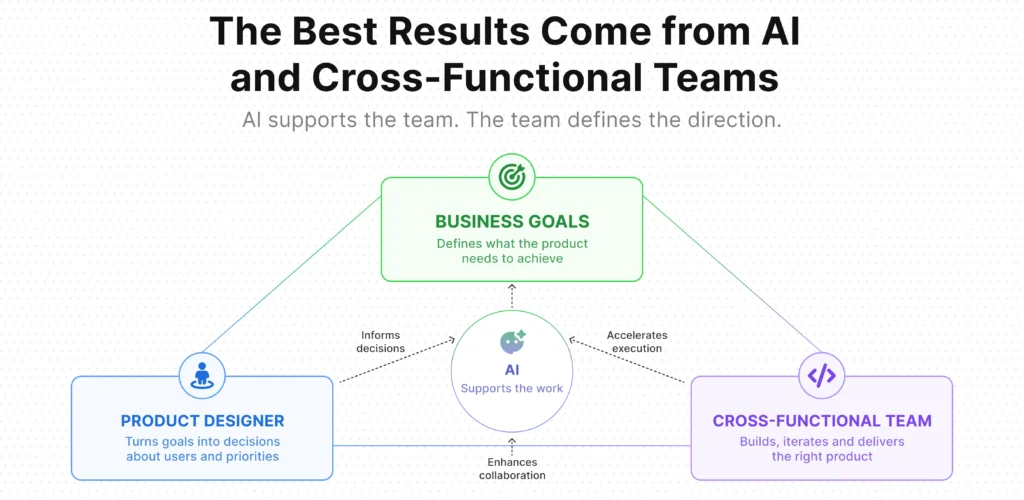
The triangle below shows the relationship quite well. AI is part of the process, but it does not define the direction. Business goals explain what the product needs to achieve, while the product designer turns these goals into decisions about users and priorities. AI supports the work by speeding up research, exploration, and production.
AI does more than take routine work off the team’s hands. It also puts more pressure on processes that were already important in design and development. Product discovery is one of them.
When AI is part of the workflow, teams produce ideas and early concepts much faster. This sounds efficient (and it is), but a larger volume of options does not tell you which problem deserves attention.
The product discovery process gives AI the context. Research can show how users deal with the problem today, while technical review helps the team understand which direction fits the existing system. These findings make prompts more precise and give designers and developers a basis for judging the output.
This matters because AI rarely questions the premise of a task. Ask it to design a feature, and it will usually design the feature.
Therefore, if AI is part of the process, product discovery has to become more disciplined. The faster the team generates possible solutions, the more important it becomes to confirm that it is working on the right problem.
Once discovery has helped the team understand the problem, AI has much better material to work with.
In a UX-first development approach, these findings stay with the project as it progresses. Research informs the flow, and the flow affects technical decisions before development begins. By the time AI assists with code or test preparation, the team has already set the direction and agreed on how the feature is expected to work.

Without that groundwork, AI fills in the missing details itself, and it does so with remarkable confidence. The team then spends time correcting assumptions that could have been resolved before the first prompt was written.
At UITOP, we follow this process in our own work. We are a UX-first development company, with design and development handled under one roof. This lets us carry research and UX decisions into implementation.
Designers involve developers, while developers understand why a flow was designed in a particular way. AI then works within this shared context. It helps us work faster, but the product direction stays consistent from the first research findings to the tested release.
Have an idea? We can help create the product behind it
UITOP brings the UX and development work that starts where the prompt ends.
Let’s build from thereProduct teams are right to use it. There is little value in spending hours on repetitive work when a tool can prepare the first version in minutes.
But the benefit still depends on the process behind it. If discovery is rushed, AI only helps the team develop an untested idea faster.
Generally, AI is becoming a standard part of modern product development, much like many tools that once seemed new. Its role is to give designers and developers more time for the work that depends on research, product judgment, and technical experience.
The teams getting the most from AI are usually the ones that already know how to build products well. They understand the problem and review AI output with enough experience to know what belongs in the product.
So, this is how we view AI at UITOP and how we use it in our work. We bring it into the process where it saves real time: early research, first drafts, repetitive design tasks, code preparation, documentation, and testing.
For our clients, that means fewer hours spent on routine production and a shorter path from the first idea to a working release. Faster time to market matters, especially when a product needs to reach users early and start collecting feedback.
We still treat AI as a tool, a powerful one. Our role is to guide it with product context, research, UX decisions, and technical constraints, then decide which parts of its output are worth using.
Lovable can generate a working prototype surprisingly fast. It still will not decide which product is worth building, how the flow should work, or what will survive contact with real users and real development constraints.
If you need a team that knows how to use AI without handing the product over to it, talk to our UITOP team. We’ll help you turn the idea into a product that is ready for more than a demo.
AI product development means using AI throughout the work of researching, designing, building, and testing a digital product. During development, AI helps prepare routine code or explain an unfamiliar part of the codebase. It is also helpful when drafting documentation and preparing test scenarios.
The important part is how these tasks connect. AI receives a defined request and produces material for the team to review. It does not decide which user problem deserves investment or whether a feature supports the business. These decisions still come from product research, UX work, and technical planning. Used well, AI reduces preparation time and lets the team devote more attention to decisions that require knowledge of the product.
AI already performs parts of a designer’s work. It produces interface concepts, suggests copy, creates wireframes, and offers alternative flows. That can be effective when the designer needs several directions or wants to test an idea before investing in detailed screens.
Replacing the designer is a different question. UX work begins before an interface is generated. Someone has to understand the users and actually decide what needs to be researched. Product requirements also contain compromises that are rarely visible in a prompt. AI will compare the information it receives, but it does not know which compromise the business is prepared to make. Designers provide this context and take responsibility for the result.
In AI software development, the biggest gains usually come from tasks that are well defined. Developers use AI to prepare boilerplate code and explain unfamiliar functions. It also helps during refactoring by identifying repeated logic or suggesting a simpler structure.
Additionally, a developer can turn rough notes into an initial technical description, then check the draft against the actual implementation. Plus, during code review, AI can draw attention to suspicious patterns and suggest areas that deserve a closer look. Overall, AI shortens the first stage of implementation, but the engineering team remains responsible for how the code fits the product.
AI often improves development speed, especially when the team already understands the task. It reduces the time spent preparing first drafts and reviewing large amounts of material. But the increase in speed is less useful when the product direction is still uncertain. If the team has not confirmed the user problem or agreed on the expected behavior, AI may simply produce more versions of an unresolved idea. They might look finished enough to encourage decisions, and the team then returns to questions that should have been addressed earlier.
The best productivity gains appear when discovery, UX, and architecture have already established the boundaries. AI then works on a defined part of the process.
AI makes generating product ideas remarkably easy. But deciding which idea deserves months of design and development remains much harder. Product strategy, in this case, lets you connect user needs with business goals and the realities of delivery. It helps the team decide which market to serve, what evidence would justify further investment, and much more. AI can summarize research or compare several roadmap options, but the quality of its response depends on the assumptions already included in the request.
Product-market fit also cannot be confirmed through generated analysis alone. It becomes visible through actual adoption, usage patterns. Teams need to interpret that evidence and adjust the roadmap when earlier assumptions no longer hold.