



















AIHow we use AI in our process Learn moreabout how we use AI in our process

AI AGENTS FOR YOUR WORKFLOWS

AI Agent Development Company

Add an AI agent to the software you sell, or hand it your team’s repetitive multi-step work. Every action passes 2–3 checks, and the steps that carry risk wait for approval.

Contact us
Agents inside your productAgents for your team’s workApproval on risky steps

AI Agent Development Services
for Real Work in Your Tools

01

Start with the most time-consuming job

A first agent rarely needs to act alone. We start with the job that costs your team the most hours or keeps customers waiting, such as updating orders or sorting requests. You see what the agent saves on that job before you fund the next, and its access grows only after it proves itself.

02

A second check before every action

Before an agent sends a message or changes a record, a second model reviews the planned step against your rules. If that check fails or the agent is unsure, the task goes to a person with the request, the data the agent pulled and the step it planned, ready to approve or fix.

03

For your customers or your own team

In a SaaS product, the agent works for your users through your own API, and they see its steps right in your interface. For internal work, it connects to the systems your team uses under its own account, and every change it makes is marked as the agent’s.

Selected Metrics that
Reflect Our Product Delivery Experience

13
AI projects delivered
3
Model types: GPT/Claude, open-source, custom
110
Engineers, designers and QA in one team
100%
In-house team
74%
Long-term clients

What Clients Say About
Working with
UITOP

5.0
25 reviews
Cole Weiler video review
Play
Cole Weiler

Cole Weiler

CEO, BoltWise

“They took extra time to ensure that our frontend developer could easily implement the wireframes.”

Sam Jordan

Sam Jordan

TrovBase, CEO
USA
Jake Heimark video review
Play
Jake Heimark

Jake Heimark

Costa Security, CEO

“They took way more responsibility than we asked and we were so happy with the results of all their work. UITOP was easy to work with, flexible, and valuable to our company.”

Neil Hosey

Neil Hosey

ResHub, CTO
USA
Dirk Pauw video review
Play
Dirk Pauw

Dirk Pauw

CEO, Tavas

"We are happy with the improved UI/UX, which has made product navigation cleaner, simpler, and more intuitive. The team is great and always there to help."

Michael Mosseri

Michael Mosseri

Total Brokerage, CEO
USA
Dylan Gambardella video review
Play
Dylan Gambardella

Dylan Gambardella

Founder, Different Health

“We’re most impressed with UITOP’s ability to come up with a system to be able to bring design solutions.”

Jordan Girard

Jordan Girard

Whiterock, Founder
USA
Nicolas Endress video review
Play
Nicolas Endress

Nicolas Endress

ClimEase, CEO
Cases

AI Agent Development Cases

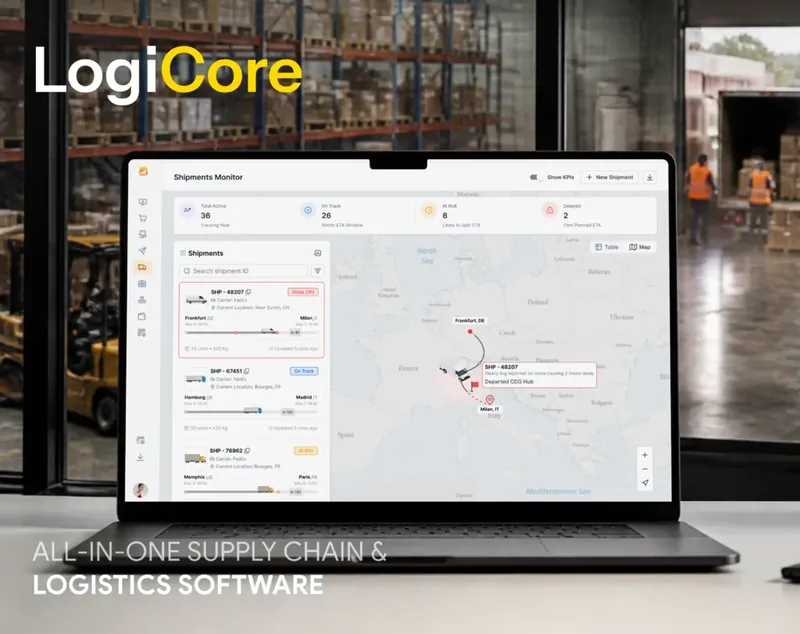
LogiCore AI order ranking case by UITOP
LOGICORE

AI that ranks orders for warehouse teams

LogiCore is an enterprise platform for warehouses and truck fleets, where teams decide every day which incoming orders to handle first. UITOP designed and built the platform, which syncs every warehouse and truck in real time. On top of that data, AI ranks incoming orders by urgency, value and delivery details and puts the most critical ones at the top, so the team acts on them first. Daily shipping decisions became twice as fast, and the platform stays stable at peak load.

Explore LogiCore case study
Pacioli case by UITOP
PACIOLI

AI that works between banks and QuickBooks

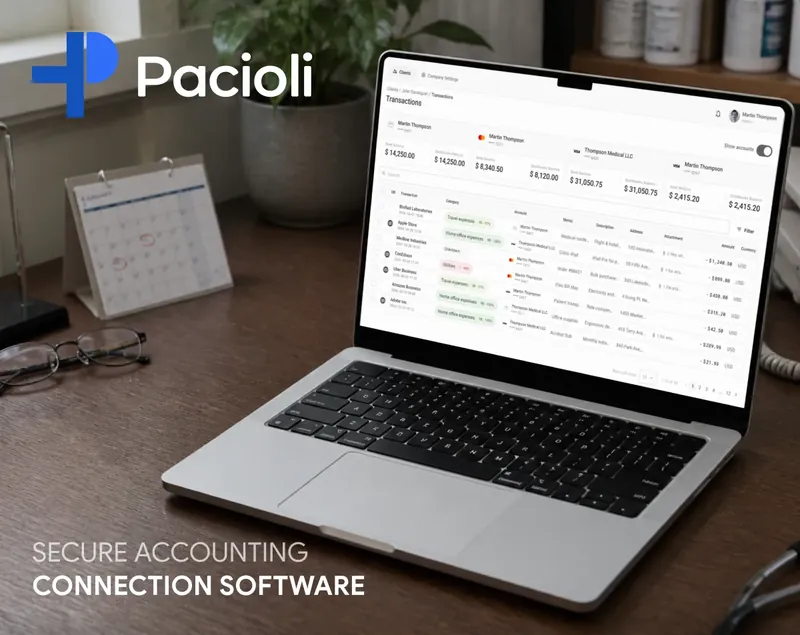
Pacioli is an accounting platform for healthcare professionals in Canada, and its AI does the sorting between the bank and the books. Transactions arrive from about 97% of Canadian banks, each in its own format, and the AI places every one in the right account. Accountants stay in charge, because their firm’s rules always win over the AI. A UITOP team of 6 designed and built the web platform and the mobile app.

Explore Pacioli case study
Sully AI copilot case by UITOP
SULLY

Conversational flows for a doctors’ copilot

Sully builds an AI copilot for doctors, who read its answers between patients and have little time for long text. UITOP designed the copilot experience and its conversational flows. Each exchange stays short and ends with a clear next step for the doctor. The product reached high usage among doctors, and Sully closed a successful Series A.

WHY UITOP

Why Companies Choose UITOP for AI Agent Development

01

Agent design and code in one team

Full-stack engineers and designers build the agent together, and DevOps, a PM and QA engineers join when your project needs them, from the first week or later. The people who decide where a person approves a step work next to the engineers who connect the agent to your APIs, so the approval screen and the permission rules come out of one plan.

02

More access after proven results

Full autonomy is rarely the right first release, so our agents start by suggesting actions that a person confirms. A step your team keeps confirming without edits becomes a candidate for automatic approval. You decide when that switch happens, based on how many of the agent’s suggestions people accepted as they were over recent weeks.

03

Tested on your past cases

Before launch, the agent works through a set of past cases from your records, the messy ones too. We count how often it chose the right action and how long each task took. That set runs again before every release, so a fix for one type of request does not quietly break another. You see the numbers before the agent touches live data.

04

GPT, Claude, Gemini or your own

UITOP has integrated GPT, Gemini and Claude, added open-source models to products clients already run and built custom models on client data. That range matters when your data cannot leave your servers. An open-source model can run on your own hardware, under your security rules. Your data never trains models for other clients.

05

Screens for the people who check

An agent changes how your team works, so the people who check it need a view of their own. Our designers plan the queue of tasks waiting for approval and the record of what the agent did and why. They also design the undo action. These screens decide whether your team trusts the agent enough to stop re-checking its work by hand.

06

A known cost for every task

Each agent run costs money in AI requests, and that cost grows with every extra step. We show the cost per task from the very first test run on your cases. Simple steps go to cheaper models, and the strongest one is kept for planning. You know what the automation will cost each month before it handles your full volume of requests.

Have a job for an agent?

Tell us which task takes your team the most hours, and we will look at whether an agent can take it on.

Contact us

What You Get from Our AI Agent Development Services

Choosing the Job for the Agent

The job, its steps and its risks

We map one job step by step, from the event that starts it to the record it changes at the end. Then we mark the steps where a mistake costs money or a customer. Those steps get a person’s approval in the first release, and the rest can run without one.

Access and data audit

We list the systems the agent has to read and change, the APIs they offer and the data the agent is allowed to see. Before the build starts, you learn which connections are ready and which ones need work from your IT team. You also get an estimate of how long that work takes.

Agent or simpler automation

Some jobs run better on fixed rules. When the steps never change, a plain script or a workflow tool is cheaper to build and support, and we tell you so before any build starts. Choose an agent when each case needs reading, a choice between actions or a reply in plain language.

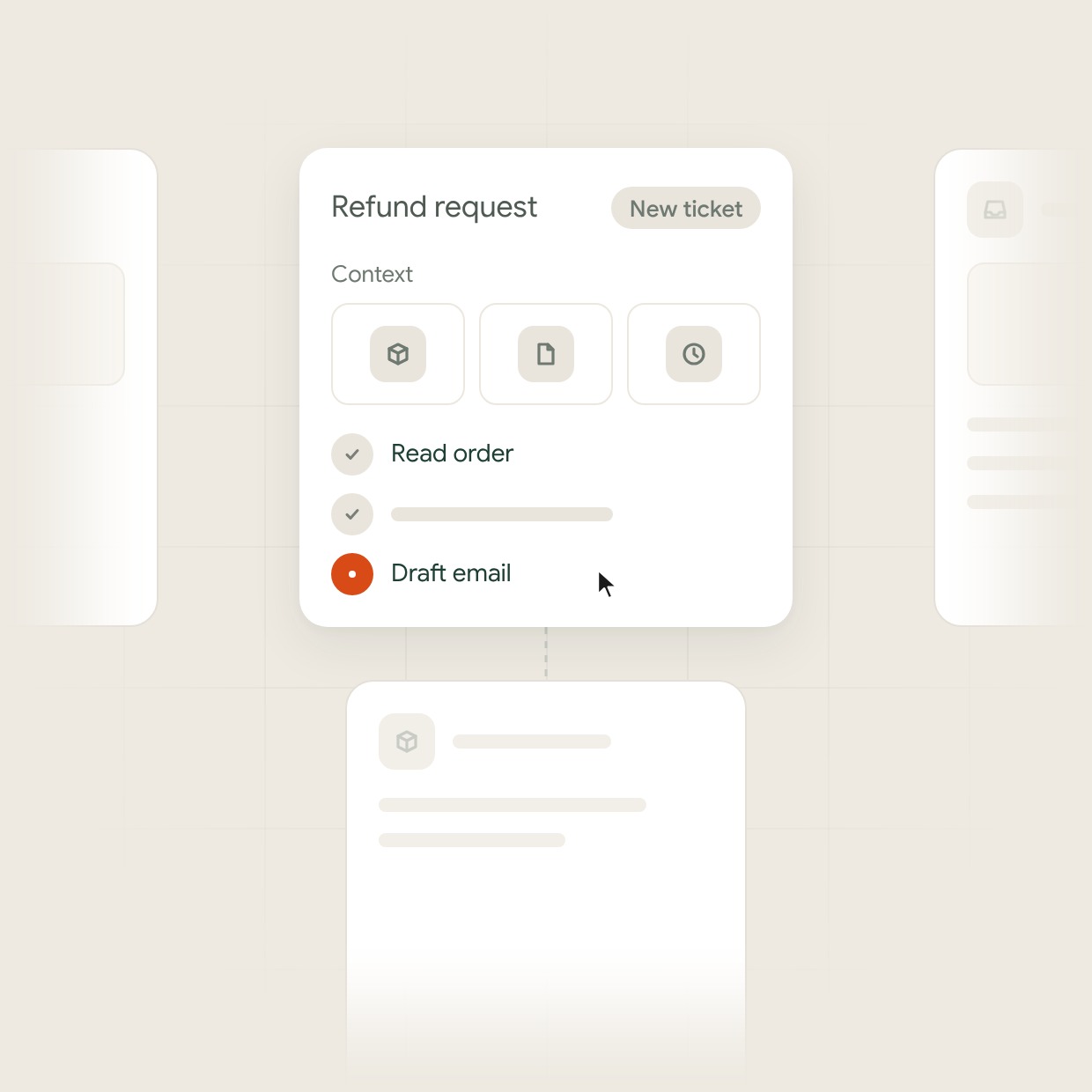
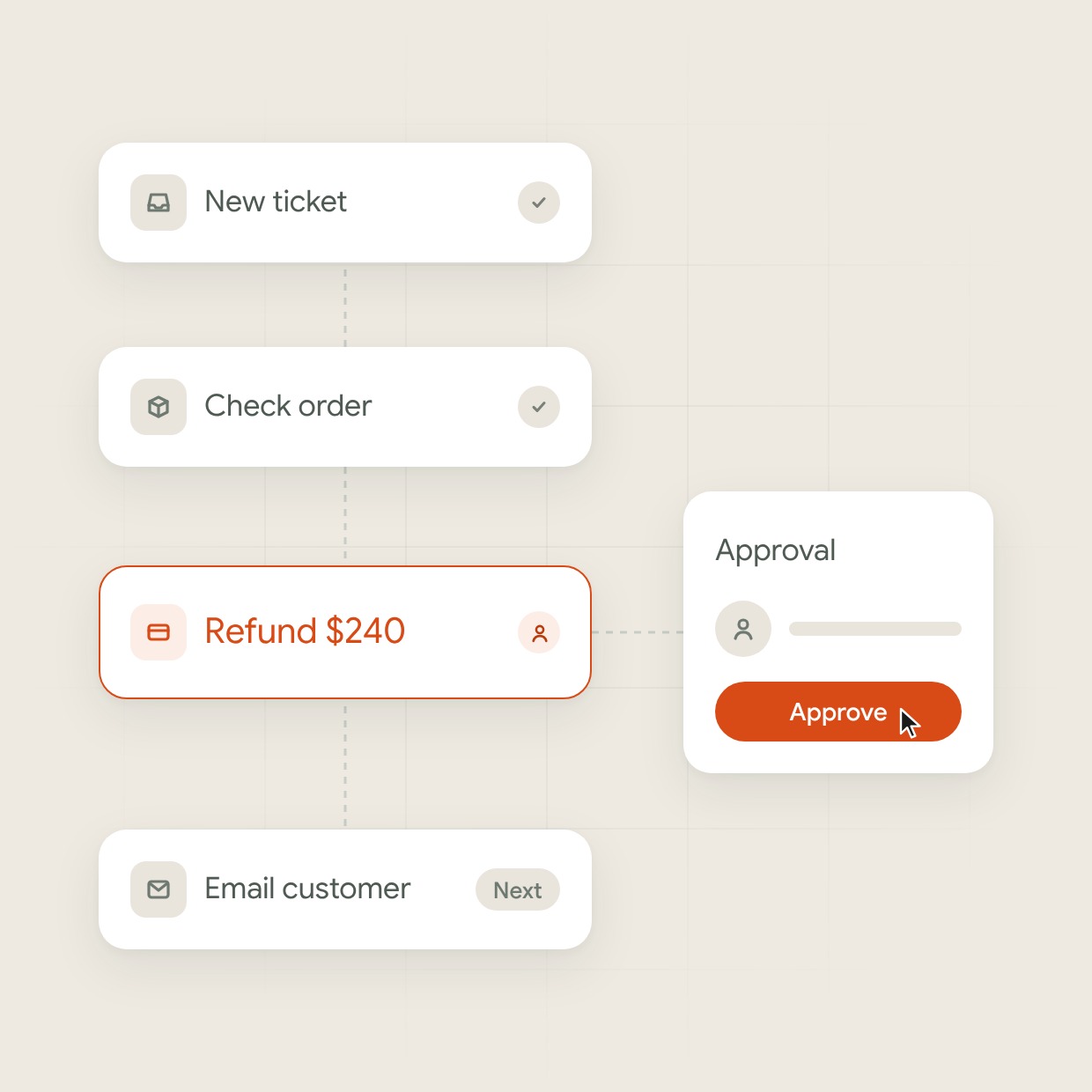
Refund job steps in one column: new ticket and order check done, Refund $240 waits for a person to approve, email to the customer comes nextRefund job steps in one column: new ticket and order check done, Refund $240 waits for a person to approve, email to the customer comes next

Agent Build and Integration

Actions the agent is allowed to take

Reading an order, creating a ticket and drafting an email are each a separate action with fixed inputs. The agent can take only the actions on that list, under its own account in your CRM, ERP, support desk or internal services.

Context for each task

For each task the agent pulls only the records that case needs, such as the customer’s history, the order or the policy that applies. On long tasks it keeps a short summary of earlier steps. That way it does not lose track halfway through a task with many steps.

Triggers and queues

An agent starts from an event in your systems, such as a new ticket, a form or an email, or on a schedule. We build the trigger and the queue behind it. When requests spike, they wait their turn, and none of them gets lost. Each one keeps a record of when it arrived and who handled it.

A refund request taken from the queue, with the order, policy and history pulled as context and only allowed actions runningA refund request taken from the queue, with the order, policy and history pulled as context and only allowed actions running

Control over Agent Actions

Approval cards for risky steps

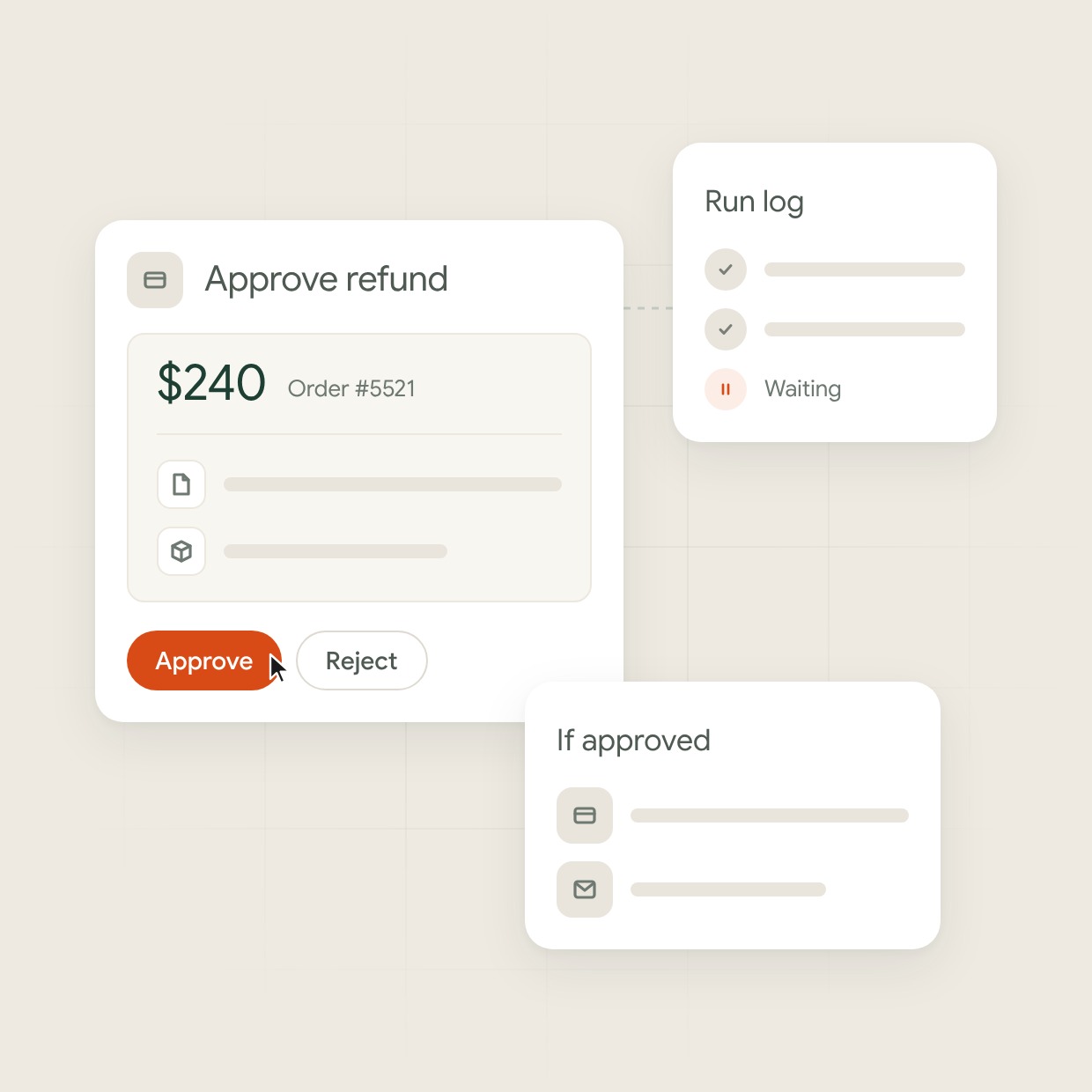
Payments, messages to customers and deleted records wait for a person’s yes in the first release. The approval card shows what the agent wants to do and the data behind that choice. Below that sits what changes if the step goes ahead, so the person checking does not have to open other systems.

A log of every agent action

Each run is stored with its input, the steps the agent took, the tools it called and the result. When something goes wrong, your team finds the step that caused it. Where your systems allow it, the change can be undone from the same screen.

Limits on each run

Every run has a cap on the number of steps and on the tools it may call in a row. When the agent reaches a limit, it stops. A person gets the task with a note on where the agent got stuck, instead of the agent trying the same thing again in a loop.

Approval card for a $240 refund with the data behind it and the cursor on Approve, next to the run log and what changes if approvedApproval card for a $240 refund with the data behind it and the cursor on Approve, next to the run log and what changes if approved

Testing and Life After Launch

Cases built to make it fail

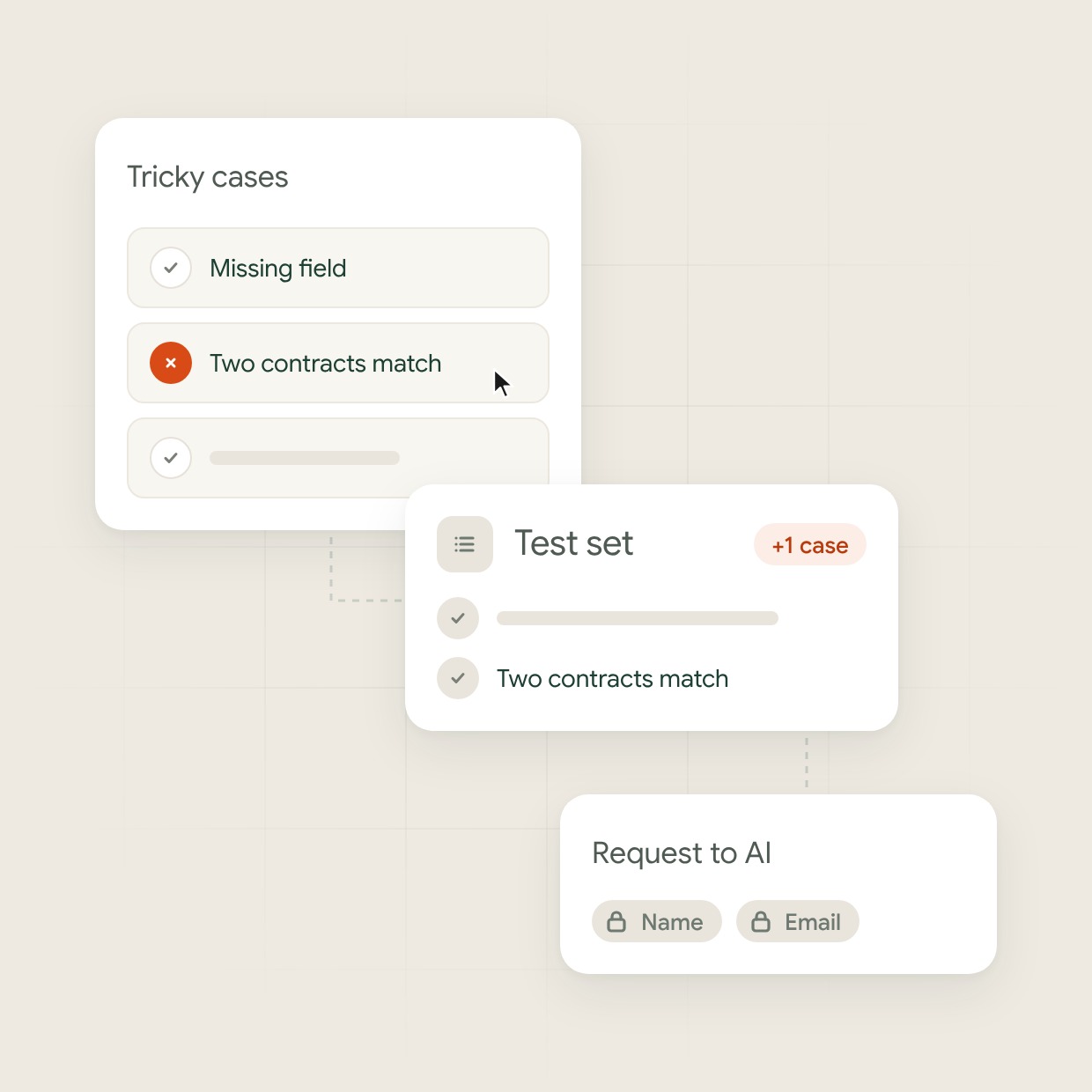
Next to your past cases, we write inputs meant to trip the agent, such as a request with a missing field or a payment that matches two contracts. Each failure we find becomes a new test case. Every later version of the agent has to pass it before release.

Personal data in agent requests

Where the job allows it, names, emails and account numbers are masked before a request goes to the AI. They are restored only inside your systems. The log shows what the AI received in each request, so your team can check what data left your servers.

Monitoring after launch

After launch we track the share of tasks the agent finishes, the steps where people overrule it and the cost of each task. New tools and wider access come in small releases. Your team sees in the release notes what changed in each one and why.

A tricky case where two contracts match fails, gets added to the test set, and the request to AI keeps name and email maskedA tricky case where two contracts match fails, gets added to the test set, and the request to AI keeps name and email masked
HOW WE WORK

Our AI Agent Development Process

  1. Map the job

    The steps, risky actions and how to measure success
  2. Check access

    The APIs, permissions and data the agent needs
  3. Prototype on past cases

    Agent results on your records and a first approval screen
  4. Build & connect

    A working agent in your tools with approvals and logs
  5. Test & launch

    A tested release with approval on risky steps
  6. Monitor & expand

    New tools and access based on real results
RELATED SERVICES

Not quite what you need?

Questions and answers

Frequently Asked Questions

What is AI agent development?

AI agent development, also called agentic AI development, is building software that plans and carries out several steps toward a goal through the tools and APIs it is allowed to use. One example is reading a request, looking up data and updating a record. The work spans the choice of the job, tool access, checks before each action, tests on real cases and monitoring after launch.

How much does an AI agent development company charge?

At UITOP, an AI agent inside a product you already run starts from €6,400. The price grows with the number of systems the agent connects to and the actions that need approval screens. The state of your data matters too. You get a written estimate before work starts, based on our average rate of €40 an hour.

How long does it take to build an AI agent?

A first agent for one job in a product you already run takes from 4 weeks. Each new system it connects to adds time, and so does access your team has to grant. You get a timeline after we map the job and check access, before the build starts.

What is the difference between an AI agent and a chatbot?

A chatbot answers questions in a conversation, while an agent takes actions in your systems, such as creating a ticket, updating an order or sending a reply after approval. A workflow tool follows fixed steps and fits jobs where every case looks the same. An agent fits jobs where each case needs reading and a choice between actions.

Can an AI agent work with our existing systems?

Yes, if the system offers an API or another way to read and write data, such as a database or an inbox. We connect agents to CRM, ERP, support desk, accounting and internal tools. Each agent gets its own account with permissions limited to its job. When a system has no API, we first look at exports or a small service on your side.

How do you prevent AI hallucinations?

AI models can hallucinate, so we build AI features in layers where one model checks another’s output before it reaches users. Results with low confidence go to a person, and a test set from your real cases runs before every release. For mature products we build custom models trained only on your data and keep working to cut hallucinations further.

How do you use AI in your own work?

We use AI tools across design and development, and our designers and engineers check every result. AI helps us write code faster, design and build components faster, hand them from design to development and assemble new screens from existing parts. On one fintech project, Figma MCP and Claude Code turned a design system into code in 3 days instead of about 2 weeks. Our engineers design the architecture and review the code before every release.

Can you work with our in-house team?

Yes. UITOP designers and engineers work with your in-house team as part of it. They join your daily calls and chats, plan the work with your developers and follow the same process and code review. You can talk to them every day, like to any other teammate. Your team sees each change and keeps full ownership of the code.

Do you work with companies in the UK and EU?

Yes. Our working day overlaps most of the UK and EU working day, and for US clients we are available for most of the Eastern Time working day. We quote in US dollars and euros.