



















AIHow we use AI in our process Learn moreabout how we use AI in our process

AI INSIDE YOUR EXISTING PRODUCT

AI Integration Services for Existing Products

We add AI features to the product you already have and design, build and test each one on your real data, so it fits your current system and the screens your users already work in.

Contact us
Fits your existing productTested on your dataDesigned for your users

Integrate AI into Existing Software
Without Rebuilding It

01

Start inside a screen people use

A chat window in the corner is rarely the best first AI feature. We put AI into the screen where people already sort records, read documents or answer the same questions. One task goes first, and the next one waits until the first proves useful.

02

Keep people in charge of AI results

We build AI in 2–3 model layers, so one model checks another’s output before users see it. Every AI result gets edit, undo and override, and unsure results go to a person. Users see the source or the factors behind each result and correct it in one step.

03

Your current code stays in place

We connect AI through a separate layer next to your backend, so your code and release process stay as they are. You can switch AI off for one account or for everyone. Your data follows your access rules and never trains models for other clients.

Selected Metrics that
Reflect Our Product Delivery Experience

13
AI projects delivered
3
Model types: GPT/Claude, open-source, custom
110
Engineers, designers and QA in one team
100%
In-house team
74%
Long-term clients

What Clients Say About
Working with
UITOP

5.0
25 reviews
Cole Weiler video review
Play
Cole Weiler

Cole Weiler

CEO, BoltWise

“They took extra time to ensure that our frontend developer could easily implement the wireframes.”

Sam Jordan

Sam Jordan

TrovBase, CEO
USA
Jake Heimark video review
Play
Jake Heimark

Jake Heimark

Costa Security, CEO

“They took way more responsibility than we asked and we were so happy with the results of all their work. UITOP was easy to work with, flexible, and valuable to our company.”

Neil Hosey

Neil Hosey

ResHub, CTO
USA
Dirk Pauw video review
Play
Dirk Pauw

Dirk Pauw

CEO, Tavas

"We are happy with the improved UI/UX, which has made product navigation cleaner, simpler, and more intuitive. The team is great and always there to help."

Michael Mosseri

Michael Mosseri

Total Brokerage, CEO
USA
Dylan Gambardella video review
Play
Dylan Gambardella

Dylan Gambardella

Founder, Different Health

“We’re most impressed with UITOP’s ability to come up with a system to be able to bring design solutions.”

Jordan Girard

Jordan Girard

Whiterock, Founder
USA
Nicolas Endress video review
Play
Nicolas Endress

Nicolas Endress

ClimEase, CEO
Cases

AI Integration Cases

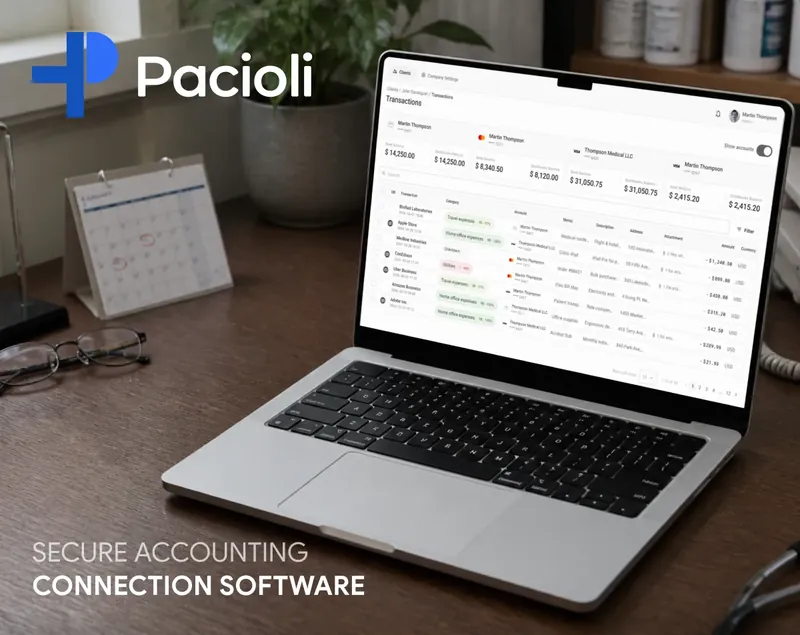
Pacioli AI transaction categorization case by UITOP
PACIOLI

AI categorization in an accounting workflow

MedTax, a Canadian accounting firm with healthcare clients, ran its work on spreadsheets and separate tools. Bank data arrived with unclear descriptions, and accountants sorted every transaction by hand. UITOP designed and built Pacioli, where AI maps each transaction to the client’s existing Chart of Accounts. Accountants set rules that override the model, and admins approve new rules before they apply. Live data comes from about 97% of Canadian banks.

Explore Pacioli case study
LogiCore AI order ranking case by UITOP
LOGICORE

AI ranking in an order list

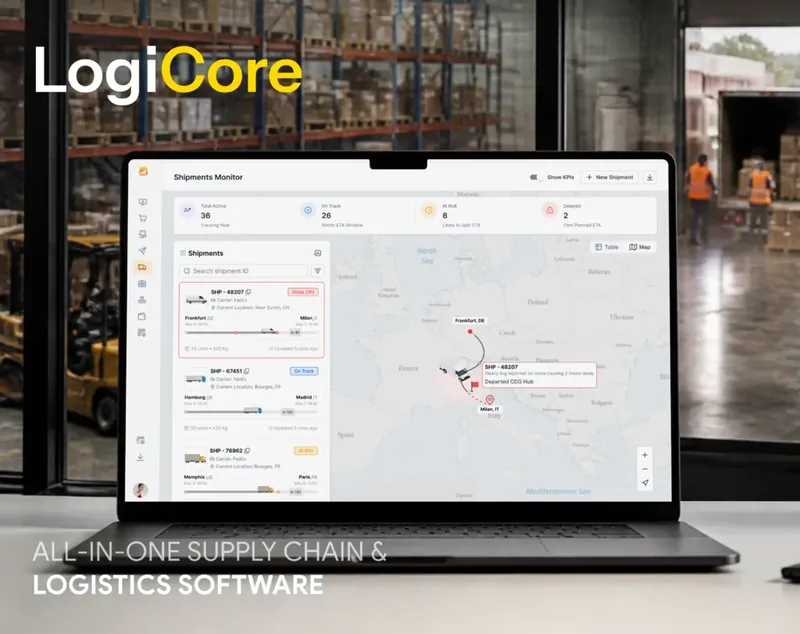
In LogiCore, a logistics and warehouse platform, the team sorted long lists of incoming orders by hand every day. UITOP designed an AI feature that ranks orders by urgency, order value and delivery data, highlights the critical ones at the top of the list people already work in and shows why each order is placed where it is. Managers can still move any order themselves, and nobody sorts the whole list by hand anymore.

Explore LogiCore case study
VigilYard AI dashboard UX audit by UITOP
VIGILYARD

A UX audit of an AI safety dashboard

VigilYard uses site cameras and IoT sensors to warn construction managers about heavy equipment near workers. The AI detected hazards, but managers missed alerts because live and old ones looked the same. UITOP audited the dashboard in 5 days and found 21 UX issues, 6 of them critical. Nine were quick wins with no backend changes, which the team can ship in one sprint.

Explore VigilYard case study
WHY UITOP

Why Companies Choose UITOP for AI Integration

01

Design and engineering in one team

Designers, full-stack engineers and a PM work on your AI feature in the same sprints, and QA engineers join if you want testing as part of the work. Because the designer who plans the review screen talks daily to the engineer who connects the model, the screens match what the model can do. You get one plan, one estimate and one point of contact.

02

You keep control of the code

We build the AI feature inside your existing product, not as a separate tool you have to maintain. You see each change before it goes live, and all the code belongs to you. At handover you get tests and documentation, so any developer who works on the product later can pick it up. The AI code follows the structure your product already uses.

03

We add AI only where it helps

Many tasks are solved by a rule, a filter or a better form, and we check this before any build. In an accounting product we built, a rule engine runs next to the AI model and wins whenever an accountant sets a rule. A rule costs nothing per request and gives the same answer every time. You pay for model calls only where a model does the job better than plain code.

04

We know how to design for AI

Designing screens for AI is a big part of what UITOP does. We have designed copilots, AI ranking and predictive features and audited AI dashboards where users ignored alerts. This experience shapes how your AI results look, where users correct them and what they see when the model is unsure. The same designers work on your feature.

05

Cost per request from the start

AI features cost money every time someone uses them. During the prototype we show the cost of each AI request and compare models on quality, price and speed. Usage limits per account go in before launch. You know what the feature costs per user before it reaches everyone. Limits stop one heavy account from running up the bill.

06

QA from the first sprint

QA engineers can join from the first sprint if you want testing as part of the work. Before each release they run AI results against real inputs, check the screens around them and test a slow or offline model, and after launch they track errors and user corrections. You decide how much of this testing your project needs.

Know where AI fits your product?

You know which tasks take up your users’ day. Tell us about one of them, and we’ll show what AI can do with it inside your product.

Contact us

What You Get from Our AI Integration Services

AI Opportunity and Data Check

One task and one success measure

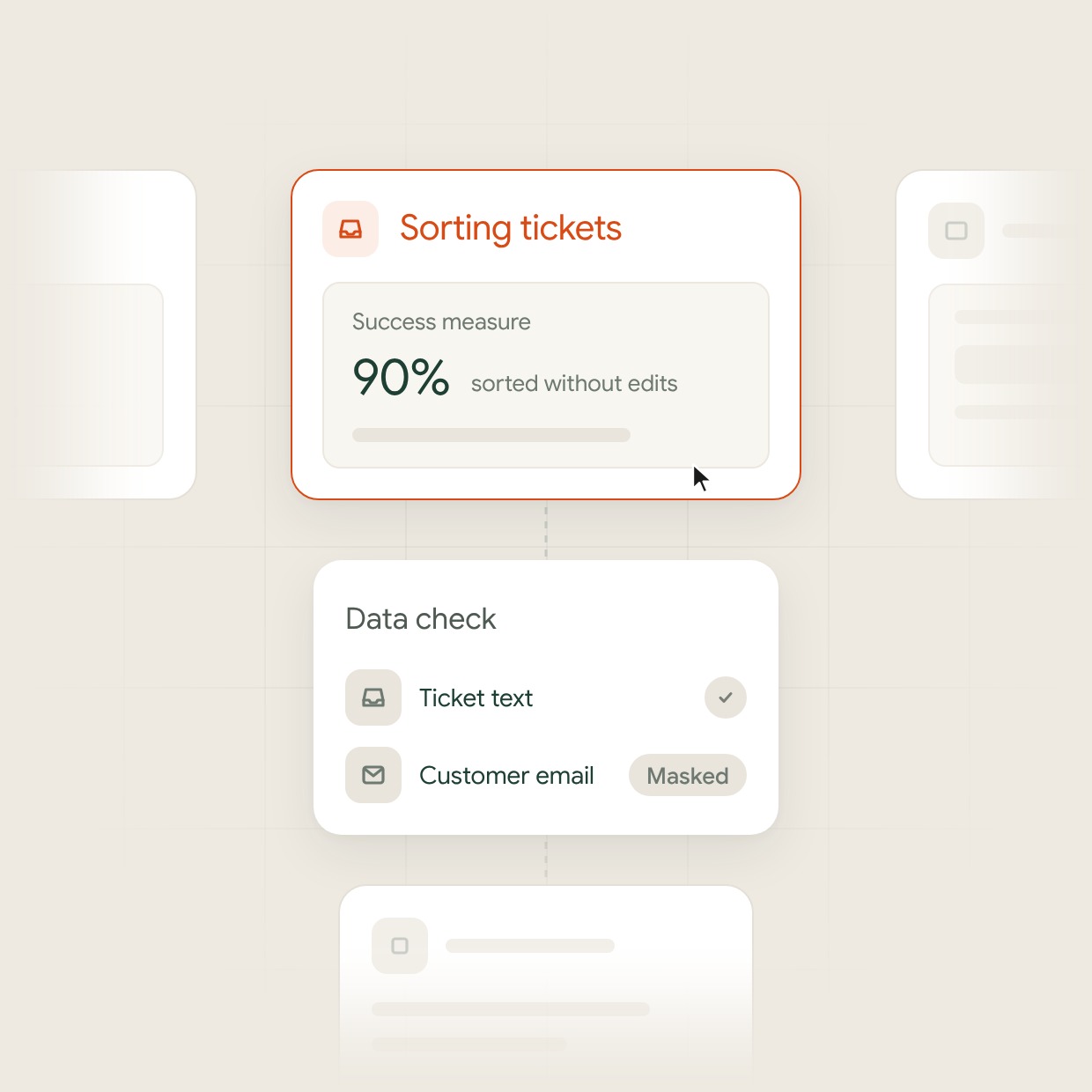
We pick the task where AI removes the most manual work for your users. Then we set one measure of success, such as the share of records sorted without edits. We also define what a wrong answer costs, which sets the accuracy the feature needs before launch.

Data audit and access rules

We check where the data for this task lives, how clean it is and which fields the model is allowed to see. Personal data stays out of prompts where the task allows it, and your data never trains models for other clients. You get a short report with the cleanup work, its timeline and the fields that need consent or masking.

Model choice by quality, cost and speed

We compare models from OpenAI GPT, Google Gemini and Anthropic Claude with open-source models on your own examples, adding retrieval over your knowledge base (RAG) for tasks built on documents. You see the results side by side and choose with numbers in hand, and open-source models can run on your own servers.

Sorting tickets picked among several candidate tasks, with a 90% success measure and a data check that masks the customer emailSorting tickets picked among several candidate tasks, with a 90% success measure and a data check that masks the customer email

AI Features Inside Your Product

Copilots in the screens people use

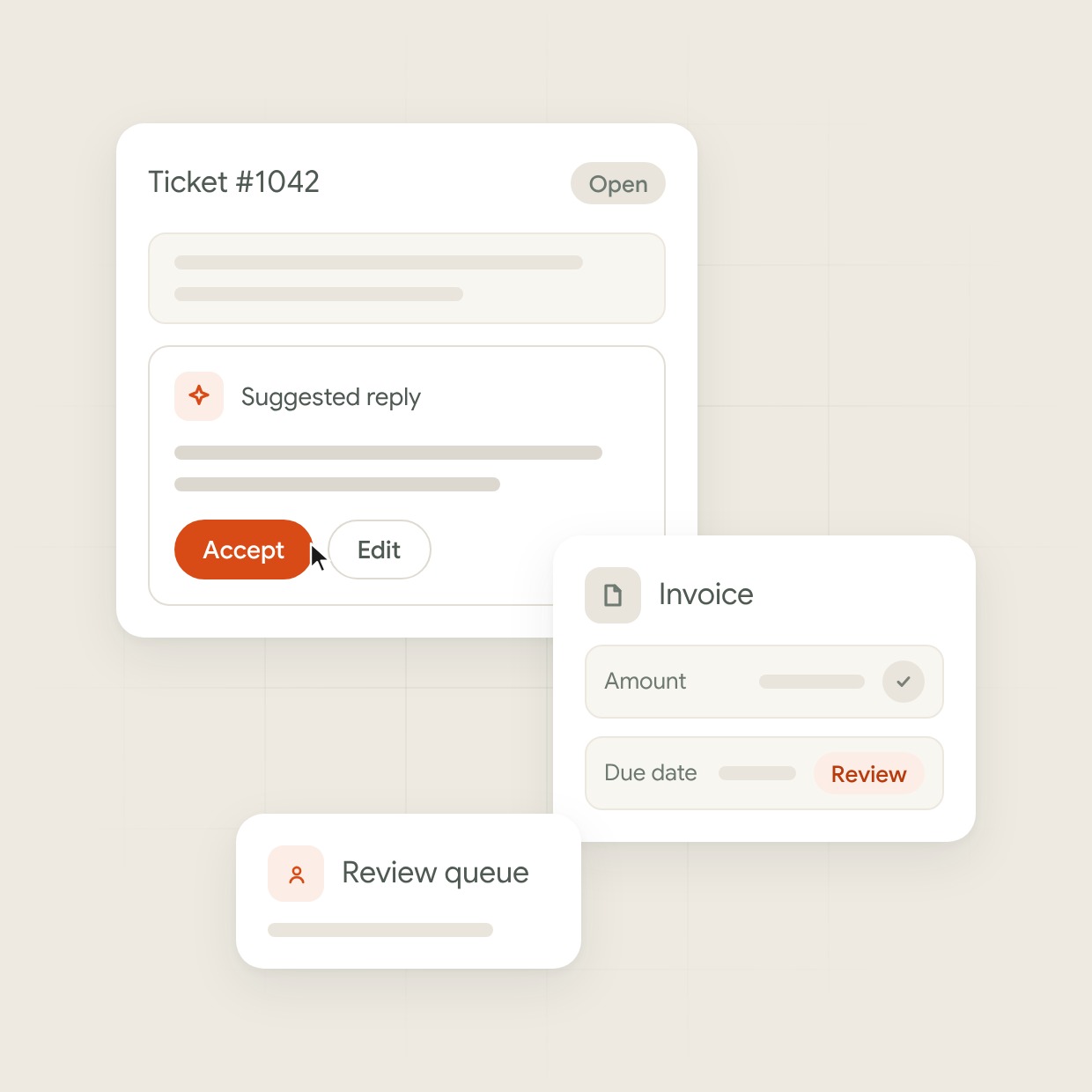
An assistant that drafts a reply, summarizes a record or fills a form sits next to the field it works on. Users accept, edit or reject each suggestion. The product records what they changed, so you see where the AI makes the most mistakes.

Search and answers over your documents

We connect your support articles, contracts or internal knowledge base to a search that answers in plain language and shows the source of each answer. Users open that source in one click to check the answer, and when nothing in your documents answers the question, the search says so instead of guessing.

Document and data processing

AI reads incoming invoices, forms or emails, pulls out the fields your system needs and writes them to your database. Results with low confidence go to a review queue, and a person checks them before they reach your reports or invoices.

Ticket #1042 with a suggested reply and the cursor on Accept, next to an invoice whose due date goes to the review queueTicket #1042 with a suggested reply and the cursor on Accept, next to an invoice whose due date goes to the review queue

Integration and Engineering

A separate AI layer

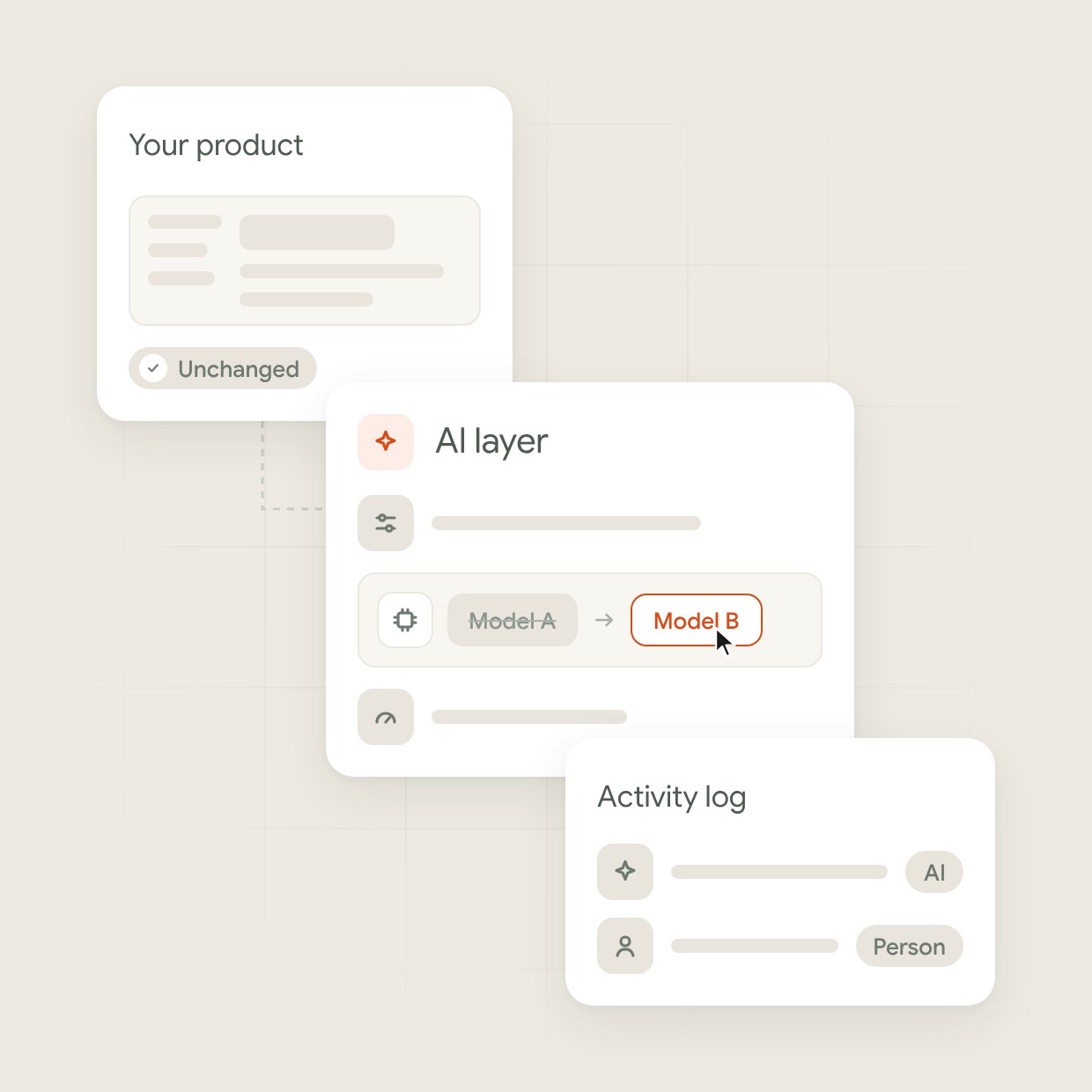
All AI work runs through one separate service connected to your product. Prompts, model settings and usage limits are kept there in one place. If you want to switch to another AI model later, we change it in that service, and the rest of your product stays as it is.

Connections to your systems

The AI feature works with the tools you already use, such as your CRM, ERP or accounting software. It takes data from them and puts results back. We set up these connections and keep a log of every AI action, so you always see what the AI changed and what a person changed.

States for slow and failed answers

We design loading, partial and error states for the moments when the model is slow, unsure or offline. The rest of the screen keeps working, and users know what happened and what to do next. A manual path stays open for every task the AI handles.

The model is switched from Model A to Model B in the AI layer, the product stays unchanged and an activity log tracks AI and person actionsThe model is switched from Model A to Model B in the AI layer, the product stays unchanged and an activity log tracks AI and person actions

Testing and Life After Launch

Evaluation on your real cases

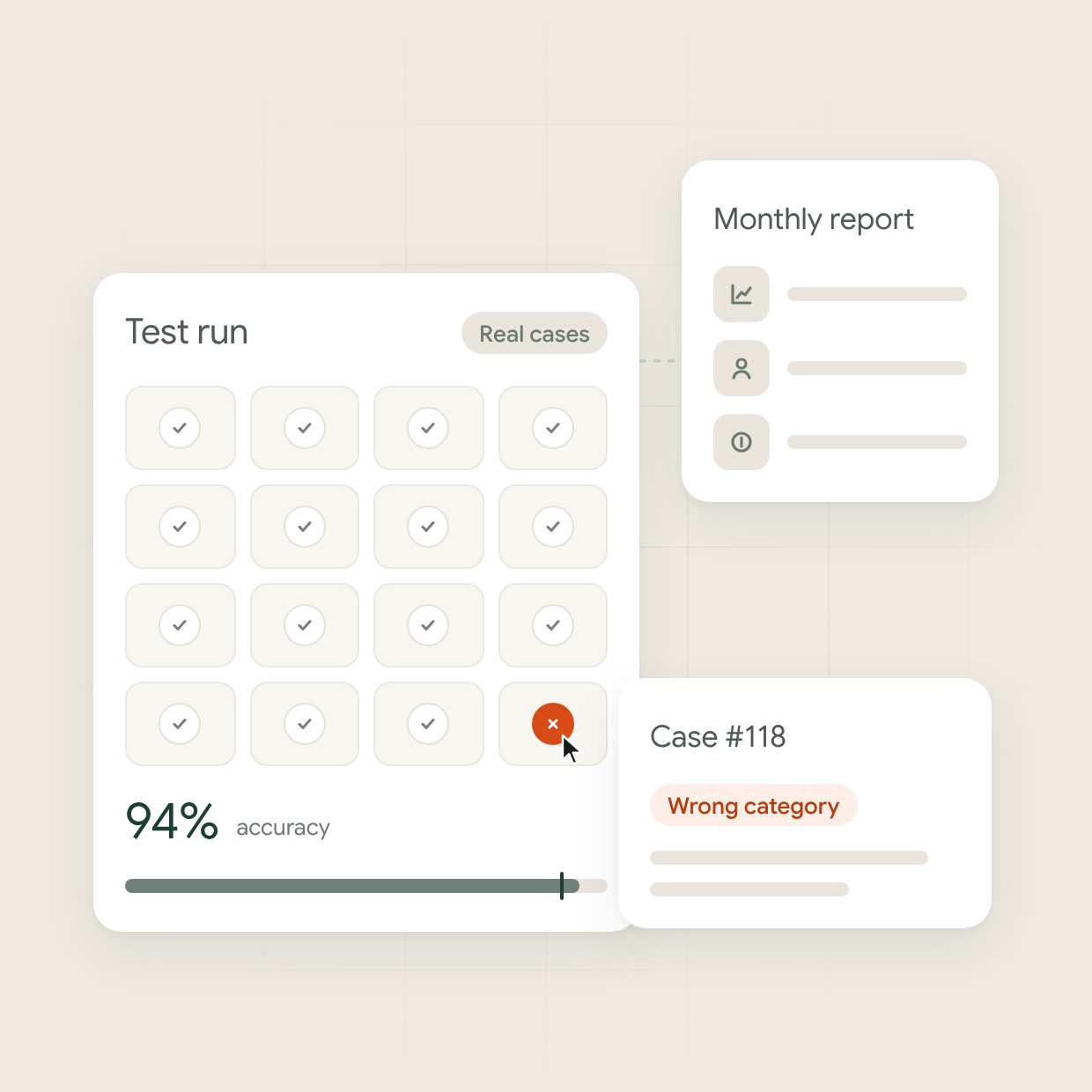
We build a test set from your real cases and measure accuracy on it before launch. Every new prompt or model version runs against the same set, so a fix in one place does not break another. You see the accuracy numbers and decide when the feature is ready for users.

Monitoring after launch

After launch we track where the model is wrong, where users overrule it and what each request costs, and we fix the biggest gaps first. Each month you get a report with accuracy, override rate and cost per request, along with the fixes we plan next.

Handover to your team

You get the code, the prompts, the test set and documentation for each AI feature. Your engineers can change a prompt, swap a model and rerun the tests without waiting for us. If you want us to stay on, we keep improving the feature on a part-time basis.

A test run on real cases reaches 94% accuracy against a 90% target and catches case #118 with a wrong category, next to the monthly reportA test run on real cases reaches 94% accuracy against a 90% target and catches case #118 with a wrong category, next to the monthly report
HOW WE WORK

Our AI Integration Process

  1. Pick the AI task

    One task, its success measure and the cost of errors
  2. Check data and access

    A data report and an access plan
  3. Prototype on your data

    Model results on real examples and clickable screens
  4. Build inside your product

    A working AI feature in your staging environment
  5. Test and release

    An evaluated release for a first group of users
  6. Monitor and improve

    Accuracy, cost and override tracking
RELATED SERVICES

Not quite what you need?

Questions and answers

Frequently Asked Questions

What are AI integration services?

AI integration services add AI features to software you already run. In UITOP projects, AI sorts bank transactions in accounting software and ranks urgent orders in a logistics platform. Other examples are a copilot in a form or search over your documents. Generative AI integration services and LLM integration services follow the same steps: a data check, model choice, the connection to your product and tests on your real cases.

How much does AI integration cost?

AI integration at UITOP starts from €6,400 for one AI feature with an open-source model in a product you already run. That equals four weeks of one full-time engineer at our average rate of €40 an hour. The final price depends on your data, the number of systems involved and your security requirements. You get a written estimate before work starts.

How long does it take to add AI to an existing product?

A basic AI feature in an existing product takes from 4 weeks at UITOP. That time runs from the data check to a tested release. Features that connect several systems or need a data cleanup take longer. We confirm the timeline after the first week, when the data check is done.

Do we need to rebuild our product to add AI?

No. We add AI through a separate layer that talks to your current backend, so your code and data model stay in place. The interface changes only on the screens where users meet the AI feature. A rebuild makes sense only when the product cannot give the AI the data its task needs.

Which AI models have you integrated?

We have integrated models from Anthropic, OpenAI and Google. From Anthropic, that is every Claude generation from Claude 3 to Claude 5.5, in Haiku, Sonnet and Opus versions, plus Fable 5.2. From OpenAI, we have worked with GPT-4 through GPT-6, up to GPT-6 Astra and GPT-6 Sol. From Google, we have used Gemini 2.0 to 3.8 in Pro, Flash and Flash-Lite versions. In one product we built, four models work together, from OpenAI, Gemini and Anthropic plus a custom model of our own.

How do you prevent AI hallucinations?

AI models can hallucinate, so we build AI features in layers where one model checks another’s output before it reaches users. Results with low confidence go to a person, and a test set from your real cases runs before every release. For mature products we build custom models trained only on your data and keep working to cut hallucinations further.

How do you use AI in your own work?

We use AI tools across design and development, and our designers and engineers check every result. AI helps us write code faster, design and build components faster, hand them from design to development and assemble new screens from existing parts. On one fintech project, Figma MCP and Claude Code turned a design system into code in 3 days instead of about 2 weeks. Our engineers design the architecture and review the code before every release.

Can you work with our in-house team?

Yes. UITOP designers and engineers work with your in-house team as part of it. They join your daily calls and chats, plan the work with your developers and follow the same process and code review. You can talk to them every day, like to any other teammate. Your team sees each change and keeps full ownership of the code.

Do you work with companies in the UK and EU?

Yes. Our working day overlaps most of the UK and EU working day, and for US clients we are available for most of the Eastern Time working day. We quote in US dollars and euros.