How we use AI in our process
Product, Development
/
Aug 26, 2026

Learning platforms have come a long way over the last decade. They're no longer built just for schools and universities. Today, they connect learners, instructors, administrators, analytics, certifications, and business systems in one place.
That shift has changed how modern LMS products are built.
Users now expect the same experience they get from products like Netflix, Duolingo, or Spotify. They want personalized learning, seamless mobile access, instant feedback, and intuitive navigation. Simply adding more features is no longer enough. In fact, every new feature increases product complexity.
Today, building a successful learning platform requires more than good UX. Product strategy defines business goals, UX removes friction, and engineering creates a foundation that can scale as users, content, and integrations grow. When these areas work together, organizations build products that remain effective long after launch.
Below, we'll look at the UX and development practices behind modern LMS and explore how thoughtful product decisions lead to learning platforms that stay effective as demand increases and your business expands.
A few years ago, most learning platforms had one main job: deliver educational content and track course completion.
Today's LMS products do much more.
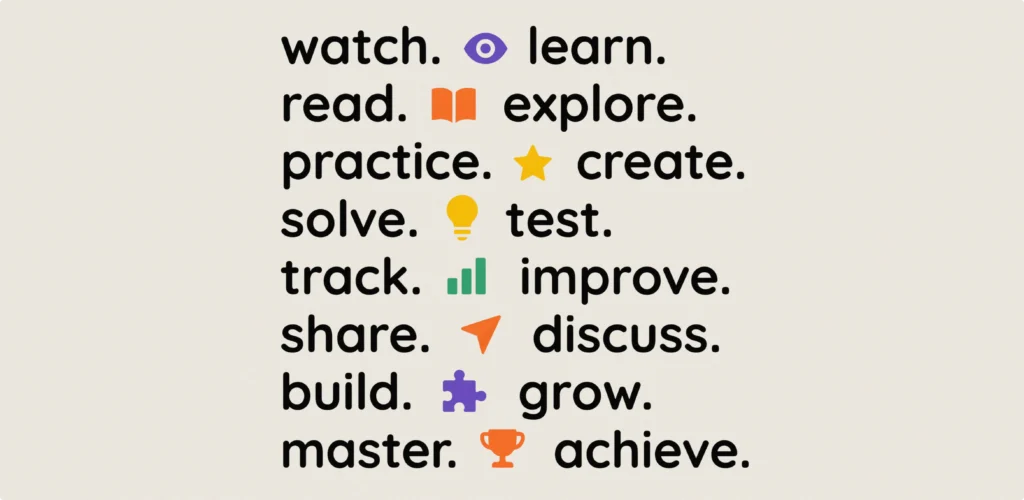
They solve business problems, not only educational ones. A healthcare provider may use an LMS to certify medical staff. A software company may onboard hundreds of employees every quarter. A manufacturing business may train thousands of workers across multiple countries. Although these organizations share one platform category, their workflows look completely different. Modern platforms are expected to adapt to different industries, learning models, and business processes without becoming difficult to use. This shift has changed learning management system development.
Modern platforms often include:
User expectations have changed, too.
People expect to start a lesson on their laptop, continue it on their phone, and pick up exactly where they left off. They also expect the platform to understand their needs instead of making them search through hundreds of courses.
Organizations have their own expectations. They want insights into learner engagement, completion rates, skill gaps, and training effectiveness. They also need strong security, since LMS platforms often store personal information, certifications, assessment results, and internal training records.
Perhaps the biggest change is flexibility. Learning programs evolve constantly, so the platform should adapt without requiring major redesigns every time a new workflow or training program is introduced.
The best LMS products make all of this feel effortless. Users focus on learning, while the technology quietly does the hard work.
Build an LMS that grows with your business
The best learning platforms start with the right product strategy, UX, and technical foundation
Contact usOne interface cannot satisfy everyone. This is one of the most common mistakes in LMS design.
Students, instructors, and administrators all use the same platform, but they have completely different goals.
Trying to serve all these users with the same interface usually creates chaos . People end up seeing tools they'll never use, while the features they actually need become harder to find.
That's why role-based UX is so important. It gives each user a workspace designed around their daily tasks instead of exposing every feature to everyone.
It's also worth remembering that user needs change over time. A first-time learner benefits from guidance and onboarding, while an experienced learner wants to get straight to the next lesson. The same applies to instructors. Someone creating their first course may need step-by-step support, while experienced instructors value automation and efficiency.
Understanding these changing expectations helps product teams create learning platforms that evolve with their users, making everyday tasks easier as their experience grows.
One of the biggest mistakes in LMS design is thinking in terms of features instead of user goals.
Learners don't open a platform because they want to use search, filters, or dashboards. They come to complete a task. Maybe they want to find the right course, finish today's lesson, submit an assignment, or prepare for an exam. If they have to stop and figure out how the platform works, the experience has already become harder than it needs to be.
That's why successful platforms are designed around user journeys rather than feature lists.

Take course discovery, for example. It might seem like offering hundreds of courses gives users more freedom. In reality, too many options often overwhelm people and slow them down. A better approach is to recommend the most relevant content based on someone's role, learning history, or goals. The fewer decisions users have to make, the easier it is to keep moving.
The same principle applies throughout the learning experience. Every step should answer the next question before users have to ask it. What should I learn next? How much have I completed? What happens after I submit this assignment?
Small UX decisions have a surprisingly large impact here. Breaking long lessons into shorter modules makes learning feel more manageable. Saving progress automatically lets users switch between devices without losing their place. Placing assessments naturally within the course flow helps learners stay focused instead of treating tests as separate tasks.
The best learning experiences feel almost effortless. Users move from one step to the next without stopping to think about the interface. That's usually a sign of good UX. It creates a clear path through the product, so every interaction helps users stay focused on learning instead of competing for their attention.
Most people like seeing progress. They don't like studying dashboards.
That's an important difference.
Many learning platforms collect everything they can: completion rates, study time, quiz scores, certificates, badges, and activity history. While all of this data can be useful, showing it all at once rarely helps learners. In most cases, it just adds noise.
A good LMS keeps things simple. Instead of asking users to interpret charts and numbers, it helps them answer three questions: What have I finished? What should I do next? How close am I to my goal?
Personalization makes progress even more meaningful. Someone who's almost finished a certification might see the final module highlighted, while another learner gets a recommendation based on their interests or previous assessments. The platform adapts to where each person is instead of treating everyone the same.
It's also worth remembering that different users care about different things. Learners need motivation. Instructors want to spot people who might need extra support. Managers care about completion rates, skill development, and business outcomes. Showing everyone the same dashboard usually means nobody gets the information they actually need.
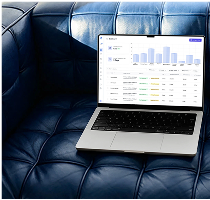
We saw the same pattern while working on BookIntellegence, a platform for book publishers. Users relied on huge amounts of data every day. They needed to compare sales performance, monitor reader reviews, and analyze market trends without getting lost in dozens of screens. So our job was to organize that information into dashboards that were clear and easy to use. By redesigning the navigation, introducing role-focused dashboards, and organizing complex information into clear workflows, we helped the client achieve a 93% usability score and a 150% increase in new users during the first quarter after launch.

The same principle applies to LMS products. People make better decisions when they see the right information at the right time.
Progress tracking is most valuable when it guides learners through their journey. When users always know what's next and feel like they're making steady progress, they're much more likely to come back and finish learning.
It's easy to think of assessments as the final step in a course. In reality, they're one of the moments that have the biggest impact on how learners feel about the entire experience.
A confusing quiz or a frustrating submission process can leave learners with a negative impression, even if the course itself was excellent. On the other hand, a well-designed assessment helps people feel confident about what they've learned and encourages them to keep going.
Good assessment design starts before the first question appears.
Learners should know what to expect:
It reduces unnecessary stress, allowing people to focus on showing what they've learned rather than figuring out how the platform works.
The experience itself matters just as much. During the assessment, the platform should stay out of the way. Navigation should be simple, answers should save automatically, and users should never worry about losing their work because of a weak internet connection.These details often go unnoticed when everything works well, but users remember them immediately when something goes wrong. This is especially true on mobile devices, where an unstable connection shouldn't mean losing completed work. Autosave and seamless synchronization have become standard expectations, not premium features.
What happens after the assessment is also important. Too many platforms stop at a final score, but that's only part of the story. The better option is to explain why an answer was wrong, highlight topics worth revisiting, or recommend the next lesson. Instead of simply measuring knowledge, platforms help learners improve it.
Assessments also tell product teams and instructors a lot about the course itself. If hundreds of learners keep getting the same question wrong, it's worth taking a closer look at the lesson that comes before it. These patterns help teams improve the learning experience instead of assuming users just need to study harder.
The best LMS products treat assessments as more than a grading tool. They use them as a continuous feedback loop that benefits everyone involved. Learners receive meaningful guidance, instructors improve their content, and product teams gain the insights they need to make the platform better over time.
Gamification is often one of the first features organizations ask for when building an LMS. Gamification elements like points, badges, and leaderboards often seem very engaging in a demo. But in real products, they don't automatically make people want to learn.
If a course is confusing or irrelevant, no amount of badges will fix it.
The best option is to use gamification to support motivation that's already there, not create it from scratch.
Imagine a new employee completing onboarding. Receiving a badge for finishing mandatory training may feel satisfying once. Receiving twenty similar badges quickly stops feeling rewarding. The achievement no longer reflects real progress. It reflects routine activity.
That is why product teams should start with learning objectives instead of reward systems.
Ask a simple question. What behavior are we trying to encourage?
Sometimes the goal is helping people build a habit. That's where learning streaks or weekly goals can work well. Other times it's encouraging learners to explore new topics or complete an entire learning path. The mechanics are less important than the outcome they support.
Context matters, too. A leaderboard might be a great fit for a sales training program, where a little friendly competition feels natural and keeps people engaged. The same feature could feel discouraging in mandatory compliance training, where learners simply want to finish the course and move on.
Successful gamification becomes almost invisible. It gives learners a sense of progress, celebrates meaningful milestones, and encourages them to keep going without becoming a distraction. When it's done well, users aren't coming back to collect another badge, they're coming back because learning feels rewarding. That difference defines mature product design.
When people hear mobile-first, they usually think about responsive layouts or smaller screens. But that's only part of the picture.
For many users, mobile learning has become the primary learning environment. This changes much more than screen size. It changes behavior.
People don't use their phones the same way they use their laptops. They're often learning between meetings, during a commute, or while waiting for a coffee. They have a few spare minutes, not an hour to sit down and focus. A mobile-first LMS should be designed around these moments, not simply shrink the desktop experience.
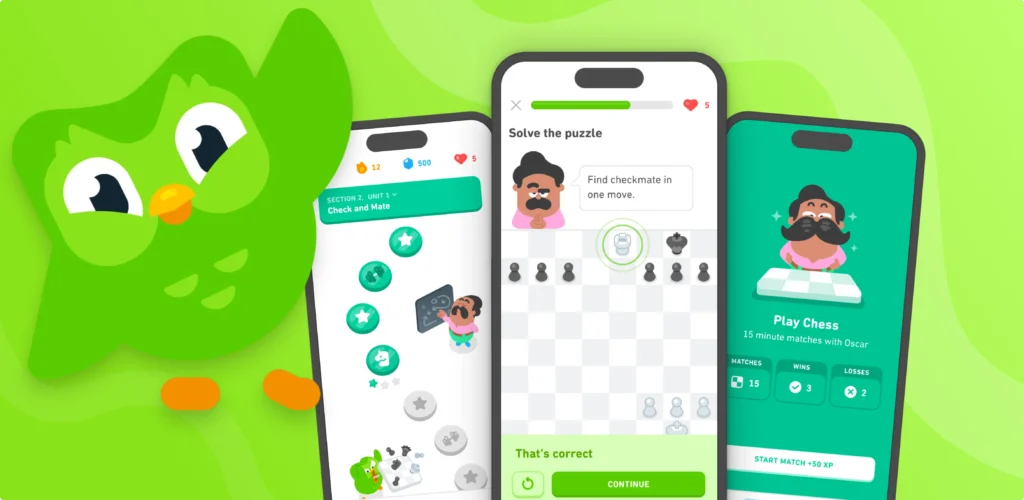
That's why microlearning works so well on mobile. Short lessons, quick quizzes, and bite-sized activities fit naturally into busy schedules. Learners feel like they're making progress, even if they only have ten minutes. This also improves retention. People generally remember information better when they revisit it regularly rather than consuming everything in one session.
Another challenge involves continuity. Imagine watching part of a lesson on a laptop before leaving the office. Later, you open the mobile app on your way home. The lesson should resume instantly from the exact point where you stopped. This sounds simple. Technically, it requires careful synchronization between devices.
Offline access is another feature that often gets overlooked. Many professionals work in environments with unstable internet access. Sales representatives travel. Healthcare workers move between facilities. Field technicians visit remote locations. Educational content should remain available even when connectivity disappears. Being able to download content, complete a lesson, and sync progress later makes the experience much more reliable.
We've seen how much these details matter in real products. While building the mobile learning platform FocusEd, we learned that removing barriers for students was far more valuable than adding extra features. We optimized video streaming for faster playback, introduced offline lesson caching, and made sure quiz results and progress synced instantly across devices. The result was a 92% user satisfaction score, an 88% student retention rate, and a 4.2× increase in daily course completion. Small UX improvements made learning easier to fit into everyday life, and that had a measurable impact on engagement.
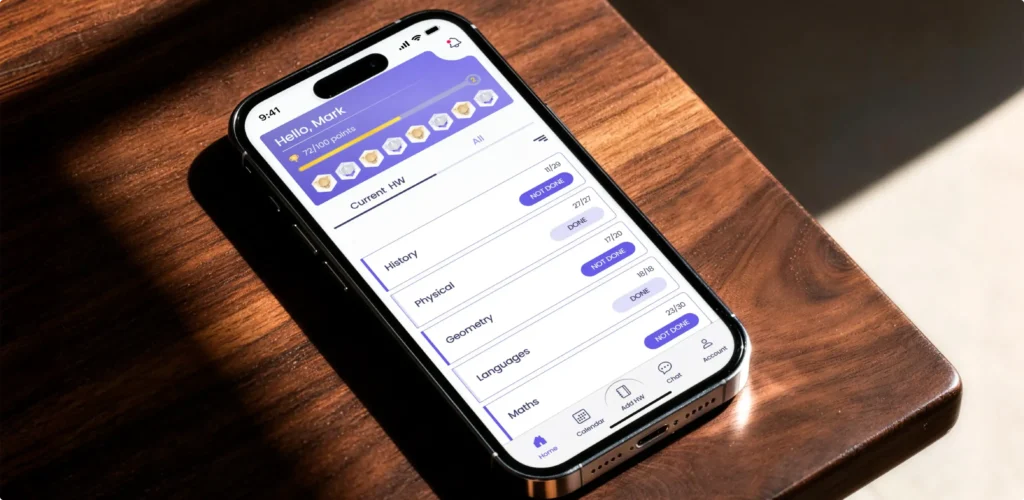
Performance also influences perception. Educational platforms often contain videos, interactive exercises, downloadable resources, and live sessions. Poor optimization creates delays that users immediately notice. A lesson taking five extra seconds to load may not seem significant. Repeated hundreds of times, it becomes a frustrating experience.
A mobile-first approach also means knowing what not to show. Features that work well on a desktop dashboard can quickly become overwhelming on a small screen. Instead of trying to fit everything into the app, it's often better to focus on the few actions users are most likely to take while they're on the go.
The strongest mobile products respect users' attention. They remove unnecessary interactions. They reduce waiting time. Most importantly, they treat mobile learning as a completely independent product experience designed specifically for on-the-go interactions.
Good UX attracts users. Architecture determines whether the platform can keep them.
Many learning platforms launch with a few hundred users. But if the product succeeds, that number can quickly grow into the thousands. New courses are added, more teams join, analytics become more complex, and integrations keep expanding. If the platform wasn't designed with growth in mind, those growing pains show up sooner than expected.
True scalability goes far beyond user count. Different parts of an LMS experience very different types of traffic. A live training session or a new mandatory course can suddenly bring thousands of learners online at once, while reporting or user management sees very little change. Modern LMS development makes it possible to scale these services independently instead of treating the entire platform as one large application.
The same idea applies behind the scenes. Imagine thousands of learners finishing an assessment at the same time. Calculating results, generating certificates, updating dashboards, and sending notifications shouldn't slow down the experience. Users expect instant confirmation, even if some of the processing happens in the background.
As the platform grows, so does the amount of data it collects. Organizations want to track course completion, certifications, engagement, and skill development across departments. Delivering these insights quickly requires an architecture that was designed for reporting from the very beginning, not added as an afterthought.
Scalability is also about making the product easier to improve. New features, integrations, and AI capabilities should fit naturally into the platform without forcing major redesigns or disrupting existing users. That's why flexible architecture, API-first thinking, and automated testing have become standard practices for modern LMS products.
Users don't notice good architecture and that's exactly how it should be. They simply experience an LMS platform that stays fast, reliable, and easy to use, whether it supports a hundred learners or a hundred thousand.
A learning platform rarely operates alone.
By the time an organization invests in an LMS, it already uses dozens of digital tools. HR systems manage employees. Identity providers handle authentication. Video platforms support live sessions. CRMs store customer data. Collaboration tools keep teams connected.
If these systems remain disconnected, people spend more time moving information than learning. This is why integrations are no longer optional. They shape the daily user experience.
Consider employee onboarding. Without integrations, HR creates a new employee profile. The learning team manually assigns courses. Managers receive progress updates by email. Certificates are exported into spreadsheets. Every department repeats the same work.

Now imagine the same process with connected systems.
The moment HR activates a new employee, the platform creates an account, assigns the correct learning path, schedules mandatory training, and reports completion automatically. No manual coordination. No duplicate data. No unnecessary administration. Users rarely notice these automations. That is exactly the point. Good integrations remove work instead of introducing new interfaces.
Open APIs become equally important. Organizations evolve continuously. Today they integrate Microsoft Teams. Tomorrow they may adopt another communication platform. A flexible architecture allows new services to connect without rebuilding the product.
Commercial education introduces additional scenarios. Learners expect secure payments, subscription management, invoicing, and automated enrollment after purchase. None of these capabilities directly teach people. Still, they determine whether users complete the buying journey.
Analytics benefit from integrations as well. Learning data becomes significantly more valuable when combined with business outcomes. Did sales performance improve after certification? Did customer support resolve tickets faster after new training? Did onboarding reduce employee ramp-up time?
These questions cannot be answered by the LMS alone. The strongest learning management software becomes part of a larger digital ecosystem. It quietly exchanges information across the organization while allowing learners to focus on what matters most. Learning.
It's a common mistake to think that in software development UX comes first and engineering follows.
Reality is far more collaborative.
The strongest digital products come to life when product managers, designers, and engineers sit down together and decide what the product should actually do, and just as importantly, what it shouldn't.
This becomes especially important in educational platforms.
Take personalized learning as an example. On the surface, it sounds like a simple feature: recommend the next course. But making that experience feel natural raises a lot of questions. What should recommendations be based on? How often should they change? Should learners have complete freedom to choose, or should the platform guide them? These choices combine design and technology into core product decisions.
The same is true across the entire platform. Designers might want to show learners lots of data about their progress. Engineers might point out that real-time analytics can affect performance as the platform grows. User research may reveal that most learners only care about one thing: What should I do next? The best solution usually comes from combining all of these perspectives, not choosing one over another.
One example illustrates this well. Suppose instructors request advanced filtering for assignments. Adding twenty filter options technically solves the problem. UX research may reveal something different. Most instructors repeatedly search for the same combinations. Instead of creating a complex filtering interface, the product allows saved views. The feature becomes simpler. Development becomes easier. Users complete tasks faster. Everyone benefits. These decisions rarely appear in case studies. Yet they determine whether people enjoy using the product.
That's why the best LMS products are created through a continuous, integrated process. Organizations building educational platforms often benefit from experienced eLearning product design services because product strategy, UX, and engineering evolve together instead of competing for priorities. It helps teams catch issues earlier, avoid unnecessary complexity, and build features that are both useful and realistic to maintain.
Users don't notice whether a feature came from a designer, a developer, or a product manager. They just notice that the platform feels easy to use. And that's usually a sign that the whole team worked as one.
Many software projects begin with feature lists.
"We need dashboards."
"We need certificates."
"We need AI."
The problem is that features rarely describe the real challenge.
Discovery starts somewhere else.
It starts with understanding why people need the platform in the first place.
Imagine a company planning a new LMS for employee development. Stakeholders request personalized recommendations, leaderboards, AI tutors, reporting dashboards, and mobile applications. Everything sounds valuable.
Research tells a different story. Employees mainly struggle to find relevant learning paths. Managers cannot identify missing certifications. Instructors spend hours updating content manually. Solving the real problem often looks very different from building the requested feature. A structured product discovery process uncovers these gaps before development begins.
Discovery also helps teams understand how learning fits into people's everyday routines. Are learners taking courses during work hours or after work? Are they using a laptop or a phone? Do they need structured learning paths or quick access to specific information? These insights shape everything from UX to technical architecture.
It also helps teams decide what not to build. Every new feature adds complexity, increases development time, and creates something else to maintain. Removing unnecessary functionality is often just as valuable as adding new capabilities.
Organizations investing in education software development often see discovery as an optional phase. In reality, it reduces risk and uncertainty across the entire project. By talking to users, mapping learning workflows, and validating ideas early, teams make better product decisions before investing months in development.
Start with the right product decisions
A clear product strategy helps you avoid unnecessary features and build an LMS around real user needs
Contact usLaunching an LMS is a great success, but real product development truly begins after launch.
No matter how much research you do before launch, people will always surprise you. They'll use features differently than expected, skip parts of the learning journey, or come up with workflows your team never planned for. Even when something feels like it went wrong, it is simply a natural part of how digital products evolve.
And product teams should pay close attention to these patterns. Maybe learners keep dropping off after the third lesson. Maybe instructors spend more time managing content than teaching. Or maybe managers start asking for reports that nobody thought about during the planning stage. Those insights shape the next version of the product.
As the platform grows, the business usually grows with it. A company that started with employee onboarding may later introduce leadership training, customer education, partner certification, or entirely new audiences. Suddenly, the platform needs new user roles, permissions, learning paths, and reporting.
More recently, many organizations have also started adding AI-powered recommendations, content generation, and personalized learning experiences. New capabilities should feel like natural extensions of the platform rather than separate products stitched together over time.

After all, a successful LMS is never really finished. The strongest learning products continuously evolve to reflect the changing habits, goals, and needs of the people using them.
Every successful LMS reflects thousands of product decisions.
Some are highly visible. Others remain invisible to users. Together, they have a direct impact on whether the platform feels intuitive or frustrating.
Consider a seemingly simple feature. A learner completes a course. They receive a certificate. The certificate appears in their profile. A manager sees updated reporting. An HR system records the achievement automatically.
Behind this experience lies much more than interface design. Someone defined the learning journey. Someone designed the interaction. Someone built the infrastructure. Someone integrated external systems. Someone ensured the platform remained secure and scalable.
This is why building an LMS in silos rarely leads to the best results. When strategy, UX, and engineering work separately, each team focuses on its own goals and optimizes its own work. Few optimize the product itself.
End-to-end teams work differently.
Researchers validate assumptions before design begins. Product managers prioritize based on business goals and user needs. Designers explore multiple solutions before selecting one. Engineers contribute architectural decisions long before implementation starts. Quality assurance becomes part of the process instead of the final checkpoint. Continuous collaboration reduces expensive redesigns because problems are identified early. More importantly, it creates a shared understanding of success.
Organizations often evaluate vendors by technical expertise alone. Technical skills certainly matter. However, modern digital products demand something broader, like business understanding, product thinking, UX expertise, engineering excellence. These areas create significantly more value when they work as one team.
That is why many companies choose a digital product partner instead of assembling separate vendors for every stage of development.
This approach delivers both fast delivery and a better product.
Learning platforms rarely become successful because they include more features than their competitors.
They succeed because every feature has a purpose. Every interaction removes friction. Every technical decision supports future growth. This philosophy changes how organizations approach product development.
Instead of asking which functionality to build next, teams focus on creating better learning experiences. Sometimes that means introducing new capabilities, and sometimes it means simplifying existing ones. Both decisions can improve the product.
Modern learning platforms must balance many priorities at once. They support different user roles. They integrate with business systems. They scale across thousands of learners. They deliver actionable analytics. Increasingly, they also incorporate AI-powered experiences.
None of these capabilities create value on their own. Value appears when technology helps people learn without becoming another obstacle.
That is why successful eLearning platform development remains first and foremost a product challenge, bringing together both design and engineering.
Organizations that invest in research, UX, architecture, and continuous iteration build platforms that remain relevant for years instead of months.
At UITOP, we help companies build learning platforms with exactly that long-term mindset. So, if you're planning your next LMS, contact us today. We'd love to help you turn the idea into a product that is ready to grow alongside your business and that people genuinely enjoy using.
Learning management system development is the process of creating a platform where people can learn, track their progress, and manage training. It includes everything from product strategy and UX design to software development, integrations, analytics, security, and ongoing improvements after launch.
There’s no universal feature list because every organization has different goals. That said, most modern LMS platforms include course management, personalized learning paths, progress tracking, assessments, mobile access, reporting, certifications, and integrations with other business tools. The most valuable features are the ones that reflect real user needs rather than industry trends.
Good UX removes friction from the learning experience. It helps learners find the right course, understand what to do next, complete assessments without confusion, and easily track their progress. When the platform feels intuitive, people can spend their time learning instead of figuring out how the interface works.
Educational platforms often grow faster than expected. A scalable architecture allows organizations to support more learners, courses, integrations, and analytics without sacrificing performance. It also makes future product development faster and more cost-effective.
It starts with understanding the people who will use it. Research helps teams identify real user needs before development begins. From there, it’s about designing simple learning experiences, building a flexible technical foundation, and continuously improving the product based on user feedback and data. That’s what helps an eLearning platform stay useful as both the business and its learners evolve.